Bash scripts were written to locate all of the relevant files in the
FRGC dataset12. About 5,000 3-D faces are contained inside. The packages comes with
information and programs of interest to those who may find themselves
working with 70 GB of data and some accompanying metadata. Given the
http://www.frvt.org/FRVT2006/Face Recognition Vendor Test (FRVT) of 2006
and http://www.frvt.org/FRGC/overview of the FRGC it should
be possible to know what is available and where. The latter is an
official FRGC Web site. The large package comes with associated applications
and scripts written in Java, C++, Perl, etc.
An existing MATLAB/GNU Octave implementation identifies all 3-D images
in the dataset. These are located/scattered in many different paths,
dependent on time/place. Scripts were adapted to decompressed the
files and cycle through them, e.g. to pre-process them in series.
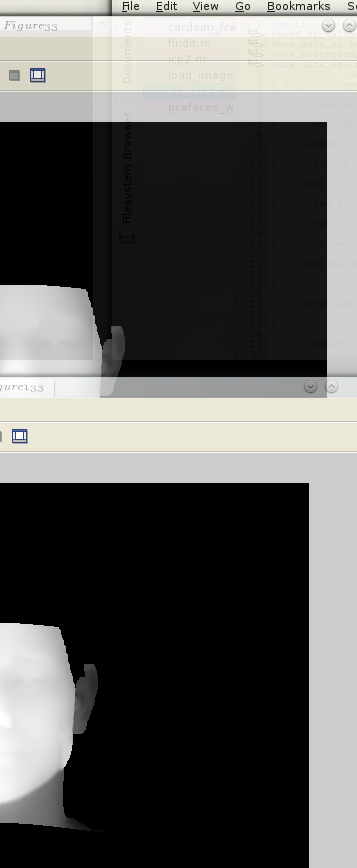
Figure:
Translation of the given (cropped)
face applied so as to position it with the nose tip at the front and
at the centre
|
|
Code was written to perform the pre-processing steps as specified
in the corresponding paper (which describes an entire Ph.D. thesis
from Australia13, and very densely so).
The code was made modular with dozens of options to control what is
done and how it is done (through a settings files containing all the
parameters), as well as how the data is presented to the user throughout
runtime.
- Each image is taken in turn while the program is performing some analysis
that includes a histogram (no manual selection as it would be laborious
for thousands of data instances) and visualisation in 2- and 3-D.
- The image is studied to separate a person from the background and
remove all data points associated with the background.
- The remaining sets of points are made more uniform by filling holes
(using local statistics), removing spikes, and smoothing the surface
using one among a set of possible methods. We identified better ways
of eliminating holes as well as spikes (more generally just noise)
on the face surface and then tested the results on a larger sample
of 3-D images (the majority is handled perfectly well).
- The tip of the nose is found and the image is normalised by making
its Z coordinate (depth) zero, then centering it by shifting
XY space such that the tip of the nose is at (0,0,0).
In order to normalise - so to speak - what remains visible before
ICP is invoked to align the data, 3 methods were implemented to select
only a region which can be consistent across data sets. The ears and
hair, for example, are not wanted for statistical analysis, so they
can be removed by discarding all points associated with them. See
Figure
![[*]](/IMG/latex/crossref.png) for a visual example in 2-D (although
rough, there is a similar screengrab shot in Figure ).
for a visual example in 2-D (although
rough, there is a similar screengrab shot in Figure ).
- We have measured the density in Y and X in order
to normalise distances, such as the distance from the nose to the
chin. More options were added to the control file/wrapper (nearly
20 at the time of writing) and additional function now deals with
cropping the face using one of three methods. The best method is capable
of isolating the face surface irrespective of the size of the head,
which is being centred and brought into alignment at the front. There
are then options which define how the face gets cropped to maintain
just rigid surface such as the forehead, nose, and eye area (assumes
no blinking and eyebrow-raising expressions). The algorithm sets everything
necessary - to the extent possible - for ICP to nicely deal with
alignment to a common frame of reference.
Roy Schestowitz
2012-01-08
 PDF version of this entire document