DICOM Viewers for GNU/Linux
 Filed under:
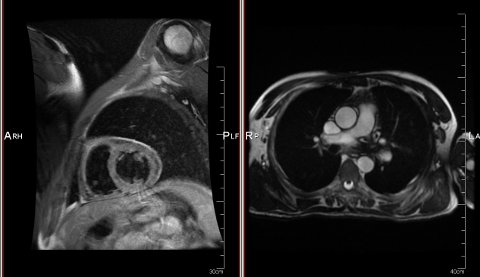
 T HAS been a while since I last did a comprehensive survey of DICOM-related software and since I am ditching MATLAB (in the quest for Free software-only research) I decided to review or at least check out what’s available at the end of 2010. Other people may find this handy.
DICOM is notorious for being the standard that’s not quite the standard and is actually somewhat proprietary and controlled by one entity. As someone pointed out the other day, DICOM is considered “extensible”, which implies that the usual type of format ‘bastardisation’ will always occur. It’s just an inconsistent data format as someone warned, so some software would cough at it and sometimes manage to salvage some data. According to Wikipedia, some tagging of the image/s is accompanied by data fields like:
| Value Representation | Description |
|---|---|
| AE | Application Entity |
| AS | Age String |
| AT | Attribute Tag |
| CS | Code String |
| DA | Date |
| DS | Decimal String |
| DT | Date/Time |
| FL | Floating Point Single (4 bytes) |
| FD | Floating Point Double (8 bytes) |
| IS | Integer String |
| LO | Long String |
| LT | Long Text |
| OB | Other Byte |
| OF | Other Float |
| OW | Other Word |
| PN | Person Name |
| SH | Short String |
| SL | Signed Long |
| SQ | Sequence of Items |
| SS | Signed Short |
| ST | Short Text |
| TM | Time |
| UI | Unique Identifier |
| UL | Unsigned Long |
| UN | Unknown |
| US | Unsigned Short |
| UT | Unlimited Text |
Let us say that we are more interested in the raw image data and not so much in the metadata. If that’s the case, batch conversion to a more manageable format is worthwhile. Here is the command-line converter that I use (some are for Windows only and they are proprietary) and some other options can be found on the Web through directories. There are also good software resources on scientific data formats and there is radiology CEU information regarding PACS and DICOM viewers. There is actually far more choice out there than there was a few years ago. For GNU/Linux and Free software proponents there is no lack or deficiency, either.


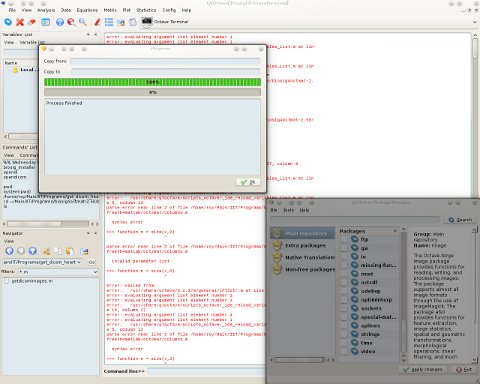

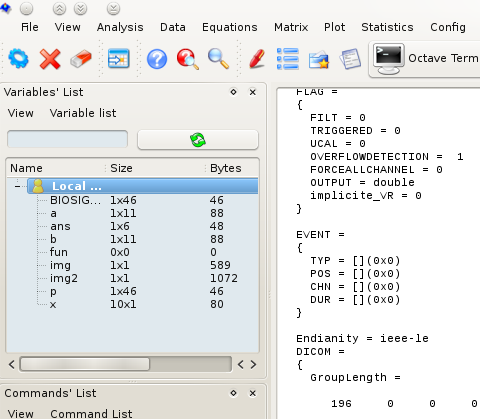
 HIS POST is part of a series that I do about my incursions moving from MATLAB to Octave, which has so far been a pleasant experience. QtOctave looks better and is easier to install than MATLAB (on GNU/Linux with KDE at least). For those who experienced being a customer/user of MATLAB, it can really be a pain in the butt, licence-wise. The parent company, MathWorks, can be very aggressive when it comes to licensing (it pays the BSA after all), so people are kept tied to particular IP addresses and must renew something to remove artificial limitations. Moreover, the toolboxes that MATLAB sells separately are a case of artificial scarcity and they can be expensive. Octave resolves much of this by centralising a lot of software as shown in the screenshots above (also separating free/libre from proprietary). Rather than waste time with paperwork and bank transactions, any QtOctave user can simply and quickly click away to receive anything s/he desires. It’s truly like a candy store.
 N A KDE (Qt) desktop like mine, despite MATLAB putting a lot of effort into improving the GUI on the GNU/Linux side* (even adding a Microsoft Windows-esque “Start” button at the bottom left), QtOctave integrates more nicely with the desktop. Thanks to all those who suggested some other tools including R,


 A second segment of our show is dedicated to the Fedora project. Brandon Lozza, a Fedora Ambassador, spoke to us about the Tuesday release of Fedora 14 and we also chatted about Canonical’s Unity, which offers interface substitution for GNOME Shell (developed largely with support from Red Hat). Brandon has
  You can