
Giving the more professional look to your text
 HIS blog item revolves around a wonderful Perl script which can revolutionise the layout of your plain-text messages, giving them looks reminiscent of that found in professional literature. The tool is called the Paragraph Adjuster with Hyphenation and it is of course free.
To give an example of its use, a file I created in ~/Main/Programs/Scripts/indent.sh contains the following:
perl ~/Main/Programs/paradj/paradj.pl --width=74  -h -n -b

     ~/in > ~/out
kedit ~/out
The first command invokes the script from its path and passes it some arguments, which are personalised. The input come from the file in and output is sent to a reserved file (out) which acts as a common container and somewhat of a placeholder. The last command makes the output available to me (on screen) to copy and then paste, often to be used in newsgroups, mailing lists, and rarely in E-mail too.
The script is based on a Perl module that was inherited from TEX. The LATEX family is rather presentation-aware and smart in terms of its fragmentation decisions. It ‘knows’ when it is reasonable to hyphenate and where added spaces for justification are least distracting. Maybe the same applies to indentation. There are many options in the script, which control the tendencies, the priorities and thus the behaviour of the output.
The command example above hopefully illustrates how simple it is to use the script, as well as invoking it rapidly, without too much manual intervention and input/output ‘piping’. I have also set up a shortcut (CTRL+ALT+7) to convert in to out and then copy and paste onto the required place, so indent.sh need never be called from the command-line.
Example from my most recent use of the script:
The  short   answer:   Windows has   got  itself

trapped. Over the years it has adopted overly

permissive  and  lenient mechanisms that  ne-

glected security. Security seemed like a cost

hat   hindered functionality. Unauthorised in-

stallations and lacking verifications are one

example. ActiveX controllers are another.
Notice that all text lies within a rectangular block. This needs fixed-sized fonts, which cannot be guaranteed by all recipients or readers. If sent to a recipient and read by a mail client, feed reader, newsgroups reader, browser, etc., it may be displayed in whatever form the user prefers, even proportionally-differing font sets.


 Filed under:
 NE of the deterrents to a publishing developer are support queries, which follow a premature or ‘half-baked’ releases. Maintenance of code and replies to support queries become a necessary evil. Then come the bug reports, the question, the requests and the complaints, which can truly be a handful.


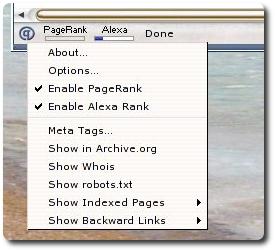
 LUG-INS have become very popular among Open Source projects. They enable an application to be extended endlessly by its community without getting bloated at the very core. At present, you can come across a large variety of plug-ins for the Mozilla family and many of these plug-ins tend to be more playful than practical. They serve no pragmatic purpose or even a purpose other than amusement. Most of them offer nothing beyond an enjoyable 1-minute time-burning. Examples from Mozilla Firefox:
 AKING of efficient algorithms and use of more compact data representations have a cost in terms of complexity. They lead to greater coding and programming time, yet there is plenty to be gained.