


Palm Digitizer Problems
 Filed under:

Does the following scenario sound familiar?
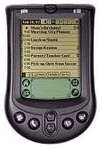
I have a T3 and whenever I have to re-digitize the pen (ie, reboot), it sometimes takes 30 to 40 cycles of ‘upper left’, ‘center’, ‘lower right’ before it stops.
(source: nttp://alt.comp.sys.palmtops.pilot — July 19th, 2005)
This situation often gets worse. I used to go through hundreds of such cycles at some stage. The number of necessary repetitions seemed to have gone up progressively and, at one point, I had my 8-year-old sister do it for me. I told her it was a game. I finally decided to ask the Palm community and got some suggestions. The problem turned out to have been far more wide-spread than I had anticipated.
Steve confessed about his bad experiences yesterday:
…I have had my Clié for 2 years now and never had to reset the digitizer. My two Palm T3 needed a reset at least 2-3 times each time I was powering it on. That drove me crazy and Palm didn’t acknowledged the problem while thousands of customers were complaining.
Finally, some possible solutions were offered by Aaron last night:
The mad digitizer syndrome is a mechanical defect just like a broken switch. There is software that will compensate (like DigiFix) but the only real solution is to repair the unit. Some have found that cleaning and reseating the internal cables solved the problem. If all else fails, and you’re handy the digitizer can be replaced for US$40.
So, it turns out that digitizers are easily replaceable, although soldering work is involved. Over the years, I gave up on the damaged unit and handed it over to my brother. Sadly, the issue never resolved itself. On the other hand, somebody has fewer reasons to be bitter:
I had a T2 fail on me last year with the same symptoms and Palm replaced it under warranty with a new T3! Others were not so fortunate.
Cited by: PalmAddict


 t has come to my attention that a few people purchase anti-virus software for Palm-powered devices. Buying virus defence for the Palm is much like buying premium insurance for a boy’s 50 watt toy motorcycle. Even free software, which claims to offer strong virus protection, will most likely hog resources for no justified reason.
 In practical terms, anti virus software for Palm handhelds is utterly unnecessary. There are two known Palm viruses, which are “proof of concept”; nothing has been shown to be malicious beyond this fabricated illusion. Such viruses are created by anti-virus developers and vendors in order to create a scare and prove that Palm handhelds are potentially penetrable. The viruses have not been found “in the wild” yet and this state is unlikely to change any time soon. Remember that Palm handhelds have remote access capabilities (SSH, telnet, VNC etc.) but do not yet allow access and control from the outside. It is simply not practical because they are mobile — it is their nature to be the controlling device (master), not the controlled device (slave). You can use your remote control to affect your TV, but not the TV to affect your remote control.
 ike many others, I keep every password stored in my Palm. Virtually any username, password and network address which I must remember will be located under one category or another in electronic form.
 No doubt there is a certain pattern — a certain adaptable method. Many start off by entering various scattered password into a single password-protected memo (the ‘piece of paper in the drawer’ equivalent). As experience develops, time takes its toll and scale becomes an issue. Passwords begin to migrate to the address book, possibly to be laid in an organic form like password under the field called ‘
 Several sites are running an article on the recent statistical figure:
  A hardware fault in outdated Palm devices is now forcing PalmOne to pay. An enormous number of people are entitled for a replacement. The wording in