Octave or MATLAB Without GUI
 Filed under:
 ORKING with bare metal for the purpose of maximal hardware utilisation and performance is not the same as working with typical computer programs. Developing software for research is also different from software development for end users, where the software is treated as a product. Different scenarios require different methodologies and different levels of polish, and thus have different specifications and priorities. In research, brute force becomes essential to the success of one group or another.
I often find myself working on servers or clusters (only GNU/Linux), in which case it is useful to manage up to 50 computers, for example, remotely, at the same time. With full GUI sessions it can be a disorienting task, but that too can be achieved and I wrote about it roughly 6 years ago in this blog (back when I was a Ph.D. student).
Working from the command line at a desktop is perfectly acceptable if brains and not candy count, so platforms like Mac OS X are irrelevant. To do coding on the server I currently use vi as the editor in one terminal and the MATLAB session in another. On the desktop I would use QtOctave, as covered before (also in some screencasts). Unfortunate issues that had me revisit MATLAB (which in any case would be inevitable as means of ensuring compatibility with colleagues) led me back to the old days of developing over SSH (using KIO slaves and the likes of that). Quick access to the file can be gained using abbreviated wrappers such as:
./Main/Programs/Scripts/SSH/42
/opt/matlab/bin/matlab -nodesktop -nosplash -r "addpath(genpath('/home/S00/schestr0/'))"
where 42 is a script numbered after the machine number and the latter command initialises the command line. /home/S00/schestr0/ is using NFS and it can be reached from any computer at the department at the same time (multiple machines can write to the filesystem at the same time, too). If the files are edited locally, they can be passed across to the server using a simple command that transfers them in encrypted form.
scp /home/roy/Main/IT/Programs/get_dicom_heart/* -r
schestr0@eng041.cs.man.ac.uk:/home/S00/schestr0/get_dicom_heart/
Occasional local backups (usually nightly because it is resources-intensive over USB2) are achieved as follows:
mkdir /media/disk/Home/`date +%Y-%m-%d`

tar -cf - /home/roy|split -b 1000m - /media/disk/Home/`date +%Y-%m-%d`/Home-`date +%Y-%m-%d`.tar.
To decipher this, try:
man tar
man split
For example in:
tar -cf - /media/SEA_DISK/Home/|split -b 1000m - Baine-`date +%Y-%m-%d`
the backup is split into chunks of 1 gigabyte and the files are named by the date
To reassemble the above (resorting from backups):
cat *|tar -xf -
No command line interface should be intimidating. Many powerful computer tasks are managed from it because the command line makes streamlining simpler and scripting jobs is a lot easier. My programs are written in a way that enables assigning many parameters like paths and wildcards, which lets the programs run for many hours and automatically produce output like images, videos, and text for inspection later. Research in computer vision or computer graphics requires heavy computation and for compelling experiments, the larger the sample sets, the more convincing the results. Use of computer resources therefore becomes the difference between failure and success and those who fail to master it can easily perish against the competition. Another valuable skill is knowing how to reuse code (legally of course) and this is where free/libre software orientation helps a lot. Publication in Open Access (OA) and availability of one’s own work — including code — can help gain more citations, which is the currency by which many publications are being judged.


 currently put the final touches on my program which detects and analyses the movement of the heart using the fiesta protocol in an MRI-type modality (1.5 Tesla).


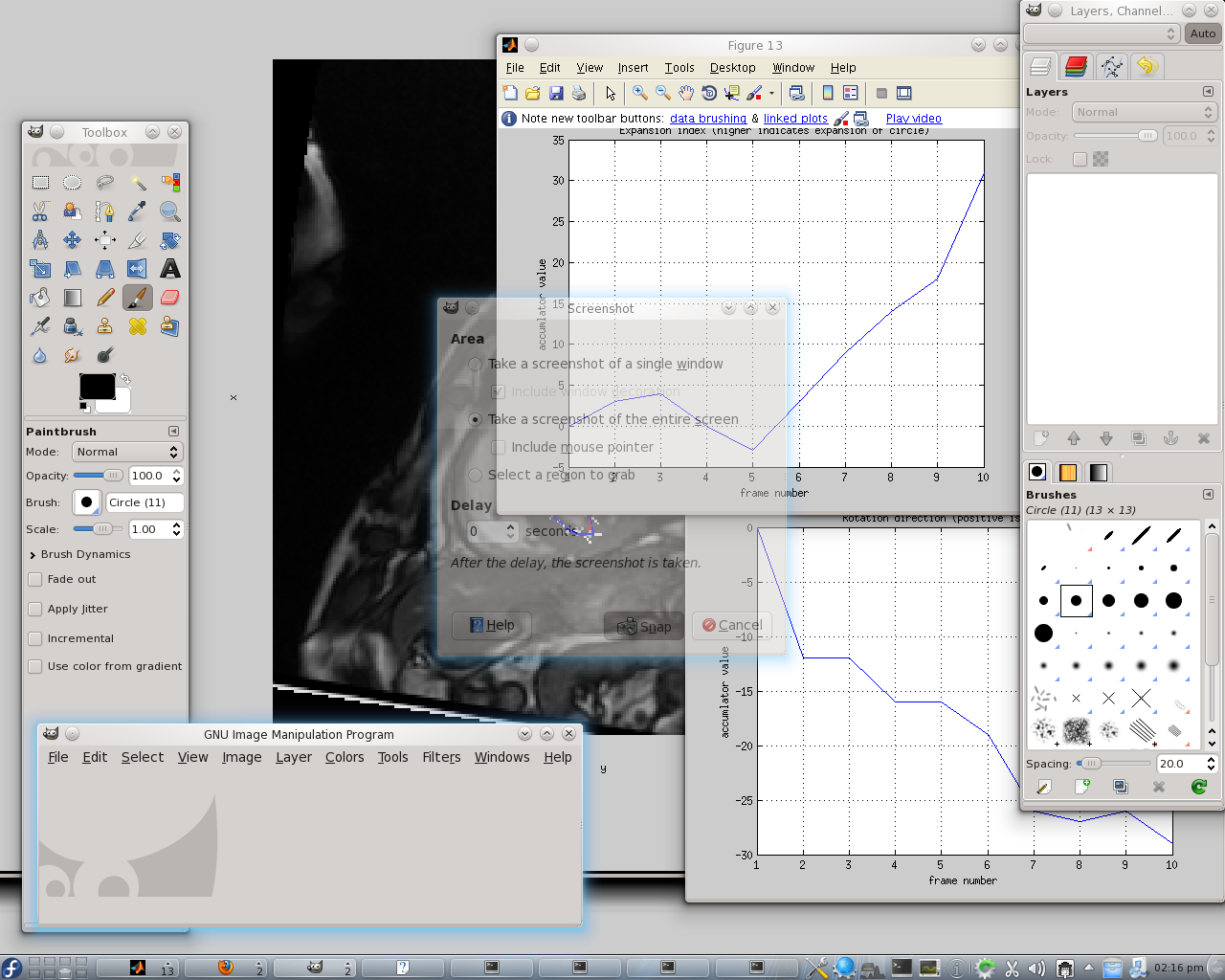
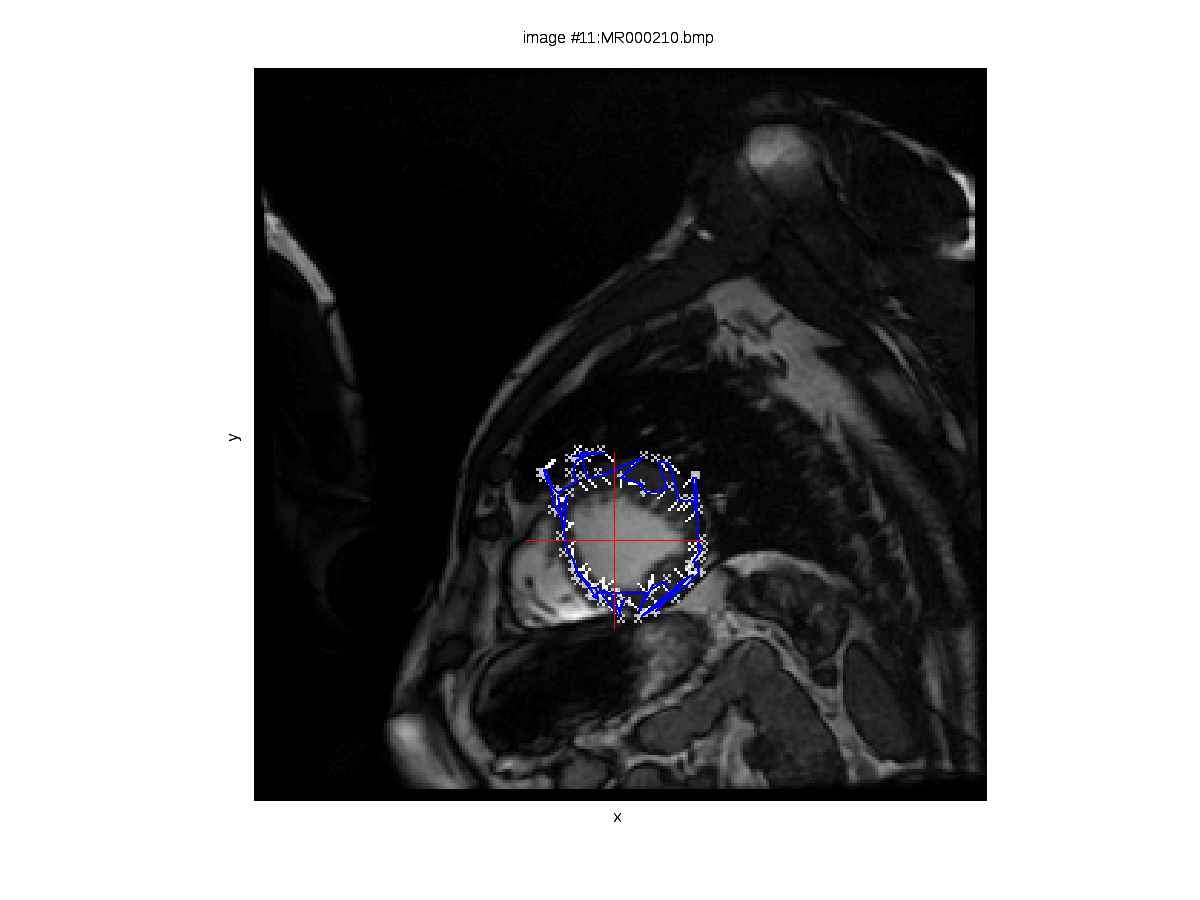
 hown here are two images derived from experiments out of which there are also videos. The set of cardiac images contains 340 images, divided into 17 groups of 20 images belonging to each. A group of 20 consecutive images represents one slice imaged throughout one cardiac cycle. This means that from the 2nd and 4th slides — images 21 and 61 respectively for example — the signal is approximately correspondent and thus can be compared. A series of experiments was performed in turn, dealing with each slice in isolation and learning how our algorithm copes with the complicated task of tracking the heart’s walls without a priori knowledge such as a model of the heart, for example (a model whose parameter values can be optimised over, for a good fit to be eventually found). We are interested in the rotation of the heart at the different vertical levels, particularly because we expect to see clockwise and counterclockwise movements throughout the cycle, depending on the slice (the heart squeezes blood by moving in different — almost opposite — directions).

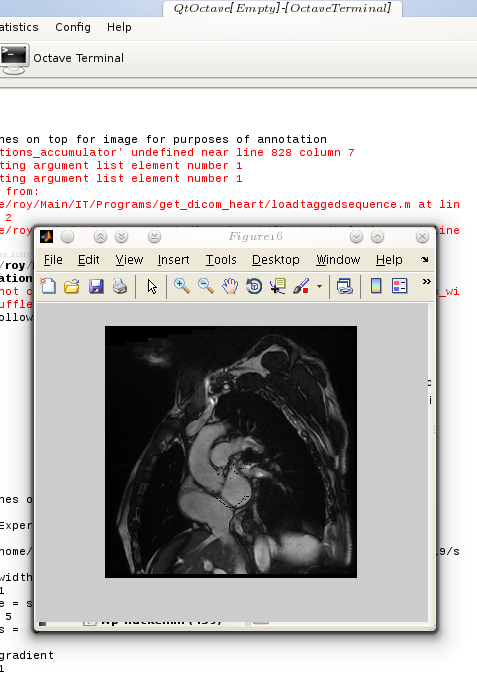
 or the sake of cross-application/framework compatibility, one occasionally needs to alter code until it works everywhere, without the need to keep two (or more) separate codebases. This situation is far from ideal, but then again, not everything works like Java. When colleagues use a different platform and occasionally prefer proprietary software it is only fair to do some extra work catering for it.
 uring the holidays I decided to see what else is out there which is already free/libre software like my own work, which thus can be merged for comparative purposes. It would be valuable to have applied to my work some comparison to existing tracking algorithms which deal with cardiac images. A