Introduction About Site Map

XML
RSS 2 Feed RSS 2 Feed
Navigation

Main Page | Blog Index

Archive for the ‘Free Software’ Category

Scilab in Fedora GNU/Linux

Having encountered problems with Octave in Fedora 14, I decided to explore scilab, which I wanted to try about a week ago anyway (and canceled the process after being warned that it was not as complete as octave, at least not for my needs). Fedora does not appear to have scilab in its repositories (Ubuntu on the other hand does have it). A yum and kpackagekit search around “scilab” yields nothing, so I went to the official scilab Web site and downloaded the latest package from that nice Web site, then uncompressed it. This was not the end of it as far as Fedora was concerned because, due to it not being available in the repositories, dependencies could not be resolved, so I needed to also install java manually, then figure out that SELinux was standing in my way. This is the type of thing which would deter new users and as much as I would love to endorse Fedora 14, it is experiences like this which leads me to saying that Kubuntu is still a better choice. Here is a self-explanatory story:

[roy@blueberry scilab-5.2.2]$ ls
ACKNOWLEDGEMENTS  CHANGES_3.X    CHANGES_5.2.X  lib            RELEASE_NOTES_5.0.X  thirdparty
bin               CHANGES_4.X    COPYING        license.txt    RELEASE_NOTES_5.1.X
CHANGES           CHANGES_5.0.X  COPYING-FR     README_Unix    RELEASE_NOTES_5.2.X
CHANGES_2.X       CHANGES_5.1.X  include        RELEASE_NOTES  share
[roy@blueberry scilab-5.2.2]$ cd bin/
[roy@blueberry bin]$ ls
intersci  modelicac  scilab  scilab-adv-cli  scilab-bin  scilab-cli  scilab-cli-bin
[roy@blueberry bin]$ ./scilab

Could not load JVM dynamic library (libjava).
Error: libjvm.so: cannot enable executable stack as shared object requires: Permission denied
If you are using a binary version of Scilab, please report a bug http://bugzilla.scilab.org/.
If you are using a self-built version of Scilab, update the script bin/scilab to provide the path to the JVM.
The problem might be related to SELinux. Try to deactivate it.

Scilab cannot open JVM library.
[roy@blueberry bin]$ su
Password: 
[root@blueberry bin]# yum install libjava
Loaded plugins: langpacks, presto, refresh-packagekit
Adding en_US to language list
Setting up Install Process
No package libjava available.
Error: Nothing to do
[root@blueberry bin]# yum install java
Loaded plugins: langpacks, presto, refresh-packagekit
Adding en_US to language list
Setting up Install Process
Resolving Dependencies
--> Running transaction check
---> Package java-1.6.0-openjdk.i686 1:1.6.0.0-44.1.9.1.fc14 set to be installed
--> Processing Dependency: jpackage-utils >= 1.7.3-1jpp.2 for package: 1:java-1.6.0-openjdk-1.6.0.0-44.1.9.1.fc14.i686
--> Processing Dependency: rhino for package: 1:java-1.6.0-openjdk-1.6.0.0-44.1.9.1.fc14.i686
--> Processing Dependency: tzdata-java for package: 1:java-1.6.0-openjdk-1.6.0.0-44.1.9.1.fc14.i686
--> Running transaction check
---> Package jpackage-utils.noarch 0:1.7.5-3.11.fc14 set to be installed
---> Package rhino.noarch 0:1.7-0.7.r2.fc12 set to be installed
--> Processing Dependency: jline for package: rhino-1.7-0.7.r2.fc12.noarch
---> Package tzdata-java.noarch 0:2010o-1.fc14 set to be installed
--> Running transaction check
---> Package jline.noarch 0:0.9.94-0.6.fc14 set to be installed
--> Finished Dependency Resolution

Dependencies Resolved

=======================================================================================================
 Package                     Arch            Version                            Repository        Size
=======================================================================================================
Installing:
 java-1.6.0-openjdk          i686            1:1.6.0.0-44.1.9.1.fc14            fedora            27 M
Installing for dependencies:
 jline                       noarch          0.9.94-0.6.fc14                    fedora            88 k
 jpackage-utils              noarch          1.7.5-3.11.fc14                    fedora            60 k
 rhino                       noarch          1.7-0.7.r2.fc12                    fedora           775 k
 tzdata-java                 noarch          2010o-1.fc14                       updates          151 k

Transaction Summary
=======================================================================================================
Install       5 Package(s)

Total download size: 28 M
Installed size: 84 M
Is this ok [y/N]: y
Downloading Packages:
Setting up and reading Presto delta metadata
updates/prestodelta                                                             | 248 kB     00:00     
Processing delta metadata
Package(s) data still to download: 28 M
(1/5): java-1.6.0-openjdk-1.6.0.0-44.1.9.1.fc14.i686.rpm                        |  27 MB     00:10     
(2/5): jline-0.9.94-0.6.fc14.noarch.rpm                                         |  88 kB     00:00     
(3/5): jpackage-utils-1.7.5-3.11.fc14.noarch.rpm                                |  60 kB     00:00     
(4/5): rhino-1.7-0.7.r2.fc12.noarch.rpm                                         | 775 kB     00:00     
(5/5): tzdata-java-2010o-1.fc14.noarch.rpm                                      | 151 kB     00:00     
-------------------------------------------------------------------------------------------------------
Total                                                                  2.2 MB/s |  28 MB     00:12     
Running rpm_check_debug
Running Transaction Test
Transaction Test Succeeded
Running Transaction
  Installing     : jpackage-utils-1.7.5-3.11.fc14.noarch                                           1/5 
  Installing     : jline-0.9.94-0.6.fc14.noarch                                                    2/5 
  Installing     : rhino-1.7-0.7.r2.fc12.noarch                                                    3/5 
  Installing     : tzdata-java-2010o-1.fc14.noarch                                                 4/5 
  Installing     : 1:java-1.6.0-openjdk-1.6.0.0-44.1.9.1.fc14.i686                                 5/5 

Installed:
  java-1.6.0-openjdk.i686 1:1.6.0.0-44.1.9.1.fc14                                                      

Dependency Installed:
  jline.noarch 0:0.9.94-0.6.fc14                jpackage-utils.noarch 0:1.7.5-3.11.fc14               
  rhino.noarch 0:1.7-0.7.r2.fc12                tzdata-java.noarch 0:2010o-1.fc14                     

Complete!
[root@blueberry bin]# ./scilab

Could not load JVM dynamic library (libjava).
Error: libjvm.so: cannot enable executable stack as shared object requires: Permission denied
If you are using a binary version of Scilab, please report a bug http://bugzilla.scilab.org/.
If you are using a self-built version of Scilab, update the script bin/scilab to provide the path to the JVM.
The problem might be related to SELinux. Try to deactivate it.

Scilab cannot open JVM library.
[root@blueberry bin]# killall selinux
selinux: no process found
[root@blueberry bin]# ./scilab

Could not load JVM dynamic library (libjava).
Error: libjvm.so: cannot enable executable stack as shared object requires: Permission denied
If you are using a binary version of Scilab, please report a bug http://bugzilla.scilab.org/.
If you are using a self-built version of Scilab, update the script bin/scilab to provide the path to the JVM.
The problem might be related to SELinux. Try to deactivate it.

Scilab cannot open JVM library.
[root@blueberry bin]# ./scilab

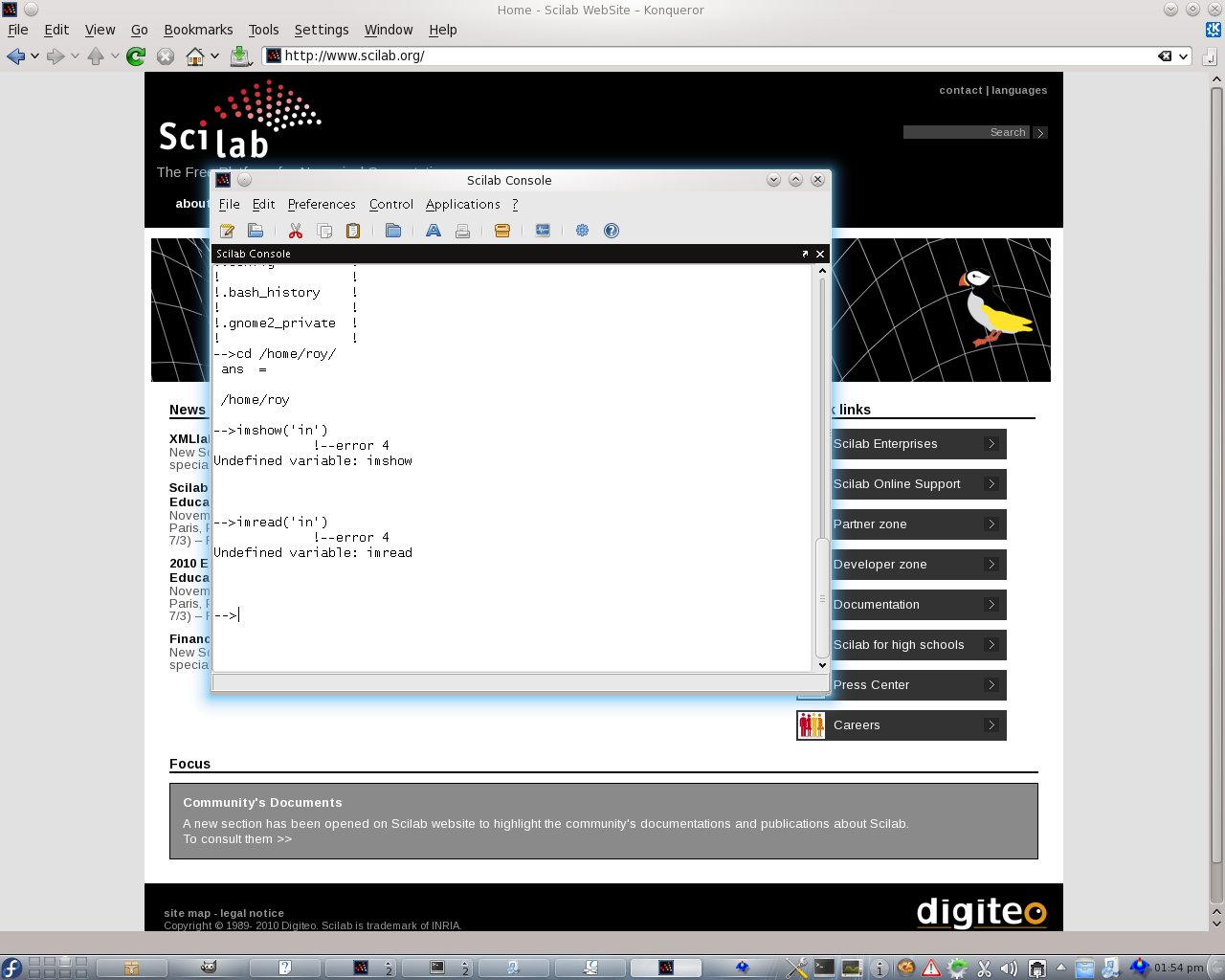
This worked the second time only because I made SELinux more permissive, but this could have many users give up. Here is what I then got:
Scilab

As expected, there is no support for some fairly basic functions in scilab, which is not a complete octave replacement.

-->imshow('in')
             !--error 4 
Undefined variable: imshow


-->imread('in')
             !--error 4 
Undefined variable: imread

I do not want to install MATLAB or Fedora (although we do have an academic licence), but experiences with Fedora so far may drive me towards installing proprietary software or simply working from another box which happens to be better equipped and work perfectly well with Octave. That box runs Kubuntu.

My First Major Disappointment in Fedora (Updated)

ABOUT three weeks ago I decided to go back to working with Fedora. This distribution served me well over the years, especially in distributed clusters. Fedora 14 looked very promising and it still is, but there are creases that are hard to undo and to hide. In order for matters to improve I will post a quick rant and hope that someone, somewhere will help address the issue that I’ve already reported (I also submit bug reports whenever that’s possible).

My main problem is package specific. The problem was first mentioned here. Thanks to a blog comment from Rahul I was made aware of fairly trustworthy repositories where packagers offer alternative packages. I soon found this newer build of Octave (needed to manually uninstall the existing one as it does not support updating existing packages). It is one of those unsigned packages, which require the user to jump through some hoops. The changelog looked promising because the latest entry mentioned exactly the bug that I was suffering from (many other people must be suffering from it too):

* Sun Feb 28 2010 Alex Lancaster <alexlan[AT]fedoraproject org> – 6:3.2.4-3
- Temporarily disable %check to enable build to complete and ensure upgrade path works. This works around a crash in the imread.m image test script, this may be the same problem as described by upstream here:

https://www-old.cae.wisc.edu/pipermail/octave-maintainers/2010-January/014891.html

So, here goes:

[root@blueberry roy]# yum remove octave
Loaded plugins: langpacks, presto, refresh-packagekit
Adding en_US to language list
Setting up Remove Process
Resolving Dependencies
--> Running transaction check
---> Package octave.i686 6:3.2.4-3.fc14 set to be erased
--> Processing Dependency: libcruft.so for package: pfstools-octave-1.8.1-1.fc14.2.i686
--> Processing Dependency: libcruft.so for package: octave-forge-20090607-17.fc14.i686
--> Processing Dependency: liboctave.so for package: octave-forge-20090607-17.fc14.i686
--> Processing Dependency: liboctave.so for package: pfstools-octave-1.8.1-1.fc14.2.i686
--> Processing Dependency: liboctave.so for package: plplot-octave-5.9.6-5.fc14.i686
--> Processing Dependency: liboctinterp.so for package: octave-forge-20090607-17.fc14.i686
--> Processing Dependency: liboctinterp.so for package: pfstools-octave-1.8.1-1.fc14.2.i686
--> Processing Dependency: liboctinterp.so for package: plplot-octave-5.9.6-5.fc14.i686
--> Processing Dependency: octave(api) = api-v37 for package: octave-forge-20090607-17.fc14.i686
--> Processing Dependency: octave(api) = api-v37 for package: plplot-octave-5.9.6-5.fc14.i686
--> Processing Dependency: octave >= 3.2.0 for package: qtoctave-0.9.1-2.fc14.i686
--> Processing Dependency: octave for package: plplot-octave-5.9.6-5.fc14.i686
--> Processing Dependency: octave = 6:3.2.4-3.fc14 for package: 6:octave-devel-3.2.4-3.fc14.i686
--> Running transaction check
---> Package octave-devel.i686 6:3.2.4-3.fc14 set to be erased
---> Package octave-forge.i686 0:20090607-17.fc14 set to be erased
---> Package pfstools-octave.i686 0:1.8.1-1.fc14.2 set to be erased
---> Package plplot-octave.i686 0:5.9.6-5.fc14 set to be erased
---> Package qtoctave.i686 0:0.9.1-2.fc14 set to be erased
--> Finished Dependency Resolution

Dependencies Resolved

=======================================================================================================
 Package                     Arch             Version                        Repository           Size
=======================================================================================================
Removing:
 octave                      i686             6:3.2.4-3.fc14                 @fedora              32 M
Removing for dependencies:
 octave-devel                i686             6:3.2.4-3.fc14                 @fedora             2.5 M
 octave-forge                i686             20090607-17.fc14               @fedora              39 M
 pfstools-octave             i686             1.8.1-1.fc14.2                 @fedora             254 k
 plplot-octave               i686             5.9.6-5.fc14                   @fedora             1.3 M
 qtoctave                    i686             0.9.1-2.fc14                   @fedora             2.9 M

Transaction Summary
=======================================================================================================
Remove        6 Package(s)

Installed size: 78 M
Is this ok [y/N]: y
Downloading Packages:
Running rpm_check_debug
Running Transaction Test
Transaction Test Succeeded
Running Transaction
  Erasing        : pfstools-octave-1.8.1-1.fc14.2.i686                                             1/6 
  Erasing        : qtoctave-0.9.1-2.fc14.i686                                                      2/6 
  Erasing        : octave-forge-20090607-17.fc14.i686                                              3/6 
  Erasing        : plplot-octave-5.9.6-5.fc14.i686                                                 4/6 
  Erasing        : 6:octave-devel-3.2.4-3.fc14.i686                                                5/6 
  Erasing        : 6:octave-3.2.4-3.fc14.i686                                                      6/6 

Removed:
  octave.i686 6:3.2.4-3.fc14                                                                           

Dependency Removed:
  octave-devel.i686 6:3.2.4-3.fc14                   octave-forge.i686 0:20090607-17.fc14             
  pfstools-octave.i686 0:1.8.1-1.fc14.2              plplot-octave.i686 0:5.9.6-5.fc14                
  qtoctave.i686 0:0.9.1-2.fc14                      

Complete!

This can be done from the GUI as well. But it’s not working. The bug still exists and prevails after the new package gets installed. To make matters worse, for some reason, yum just disallows installing unsigned packages. It does not even produce a warning with an opt-out/force option. It’s very stubborn, so I had to use the GUI. Then, running the program (the new build) showed that:

octave:4> imshow('Konqueror.jpg')
octave: magick/semaphore.c:525: LockSemaphoreInfo: Assertion `semaphore_info != (SemaphoreInfo *) ((void *)0)' failed.
panic: Aborted -- stopping myself...
Aborted (core dumped)
[root@blueberry roy]# qtoctave
[main()] Error loading the QT Translation file for locale 'en_US'.
[main()] Error loading the translation file for locale 'en_US'. Not found in /usr/share/qtoctave/lang 
[Main::Main] Building commands list.

[Main::Main] Commands list builded.
QWidget::setMinimumSize: (/QMdi::ControlLabel) Negative sizes (-1,-1) are not possible
[OctaveConnection::startOctave] Octave path: octave
[OctaveConnection::startOctave] Octave version: 3.2.4 (3.2.4)
[OctaveConnection::startOctave] Starting octave: "octave"  --eval "PS1('octave:\#>');PS2('octave:\#+>');addpath('/usr/share/qtoctave/scripts_octave/')"  --persist --no-history -i 
[OctaveConnection::startOctave] Octave running
klauncher(2168) kdemain: No DBUS session-bus found. Check if you have started the DBUS server. 
kdeinit4: Communication error with launcher. Exiting!
Segmentation fault (core dumped)

Oh, wonderful. Well, eventually I found a way to run qtoctave again. Checking the version/build names again:

[root@blueberry roy]# yum remove octave
Loaded plugins: langpacks, presto, refresh-packagekit
Adding en_US to language list
Setting up Remove Process
Resolving Dependencies
--> Running transaction check
---> Package octave.i686 6:3.2.4-3.el6 set to be erased
--> Processing Dependency: octave >= 3.2.0 for package: qtoctave-0.9.1-2.fc14.i686
--> Processing Dependency: octave = 6:3.2.4-3.el6 for package: 6:octave-devel-3.2.4-3.el6.i686
--> Running transaction check
---> Package octave-devel.i686 6:3.2.4-3.el6 set to be erased
---> Package qtoctave.i686 0:0.9.1-2.fc14 set to be erased
--> Finished Dependency Resolution

Dependencies Resolved

=======================================================================================================
 Package            Arch       Version              Repository                                    Size
=======================================================================================================
Removing:
 octave             i686       6:3.2.4-3.el6        @/2067.0.octave-3.2.4-3.el6.i686              32 M
Removing for dependencies:
 octave-devel       i686       6:3.2.4-3.el6        @/2220.0.octave-devel-3.2.4-3.el6.i686       2.5 M
 qtoctave           i686       0.9.1-2.fc14         @fedora                                      2.9 M

Transaction Summary
=======================================================================================================
Remove        3 Package(s)

Installed size: 37 M

Yes, even octave-3.2.4-3.el6.i686 has this same bug, so what gives? In Kubuntu 10.04 there is no such problem, not in the packaged version of Octave. Having to go through less official routes to unsigned packages is daunting enough for most people; finding out that it still does not work is even a lot worse. The problem here is not really Fedora but lack of coordination between octave and the magick folks. qtoctave handles this admirably well by restarting octave and not just letting the entire program crash. But still, having wasted several hours on this first looking for bugs in my code and then playing with packages rather than doing research (realising that my code was not the problem), I am left a bit bitter about my Fedora 14 experience. It is not as though I have been too lazy trying to resolve this and for the time being it seems like I will do more of my work on my Kubuntu box. It happens to have done packaging of Octave more successfully (at least that older version).

Update: not even stepping back to older versions of ImageMagic has worked and yum had the same limitations because the packages were unsigned.

[root@blueberry roy]# yum remove ImageMagick
Loaded plugins: langpacks, presto, refresh-packagekit
Adding en_US to language list
Setting up Remove Process
Resolving Dependencies
--> Running transaction check
---> Package ImageMagick.i686 0:6.6.4.1-14.fc14.1 set to be erased
--> Finished Dependency Resolution

Dependencies Resolved

=======================================================================================================
 Package                  Arch              Version                         Repository            Size
=======================================================================================================
Removing:
 ImageMagick              i686              6.6.4.1-14.fc14.1               @fedora              6.5 M

Transaction Summary
=======================================================================================================
Remove        1 Package(s)

Installed size: 6.5 M
Is this ok [y/N]: y
Downloading Packages:
Running rpm_check_debug
Running Transaction Test
Transaction Test Succeeded
Running Transaction
  Erasing        : ImageMagick-6.6.4.1-14.fc14.1.i686                                              1/1 

Removed:
  ImageMagick.i686 0:6.6.4.1-14.fc14.1                                                                 

Complete!

Then installing the older version via the GUI. Still the same issue.

[root@blueberry roy]# yum remove ImageMagick
Loaded plugins: langpacks, presto, refresh-packagekit
Adding en_US to language list
Setting up Remove Process
Resolving Dependencies
--> Running transaction check
---> Package ImageMagick.i686 0:6.6.0.2-8.fc14 set to be erased
--> Finished Dependency Resolution

Dependencies Resolved

=======================================================================================================
 Package          Arch      Version                Repository                                     Size
=======================================================================================================
Removing:
 ImageMagick      i686      6.6.0.2-8.fc14         @/2494.0.ImageMagick-6.6.0.2-8.fc14.i686      6.3 M

Transaction Summary
=======================================================================================================
Remove        1 Package(s)

Installed size: 6.3 M
Is this ok [y/N]: n
Exiting on user Command
Complete!
[root@blueberry roy]# octave
GNU Octave, version 3.2.4
Copyright (C) 2009 John W. Eaton and others.
This is free software; see the source code for copying conditions.
There is ABSOLUTELY NO WARRANTY; not even for MERCHANTABILITY or
FITNESS FOR A PARTICULAR PURPOSE.  For details, type `warranty'.

Octave was configured for "i386-redhat-linux-gnu".

Additional information about Octave is available at http://www.octave.org.

Please contribute if you find this software useful.
For more information, visit http://www.octave.org/help-wanted.html

Report bugs to  (but first, please read
http://www.octave.org/bugs.html to learn how to write a helpful report).

For information about changes from previous versions, type `news'.

octave:1> imshow('in')
octave: magick/semaphore.c:525: LockSemaphoreInfo: Assertion `semaphore_info != (SemaphoreInfo *) ((void *)0)' failed.
panic: Aborted -- stopping myself...
Aborted (core dumped)

I’m giving up. Maybe I just need to go to far older versions for compatibility, but I tried the oldest ones built for Fedora 14.

GraphicsMagick-1.3.8: GNU Octave in Fedora and Ubuntu

I‘ve been an Octave user on several machines and everything worked perfectly well until Fedora 14, which has a newer version of the software and thus a serious conflict of incompatible libraries. For many image loaders the following type of error is shown just before Octave crashes:
octave: magick/semaphore.c:525: LockSemaphoreInfo: Assertion `semaphore_info !=
 (SemaphoreInfo *) ((void *)0)' failed.
panic: Aborted -- stopping myself...

Do not waste time trying to find a bug in the code of an Octave program. It is a known issue that GraphicsMagick and Octave are having this year.

Somebody posted debugging information and John W. Eaton responded with a link to this thread from January. The best solution is probably to escape to previous versions for the time being.

DICOM Viewers for GNU/Linux

DICOM in Octave

DICOM in viewer

IT HAS been a while since I last did a comprehensive survey of DICOM-related software and since I am ditching MATLAB (in the quest for Free software-only research) I decided to review or at least check out what’s available at the end of 2010. Other people may find this handy.

DICOM is notorious for being the standard that’s not quite the standard and is actually somewhat proprietary and controlled by one entity. As someone pointed out the other day, DICOM is considered “extensible”, which implies that the usual type of format ‘bastardisation’ will always occur. It’s just an inconsistent data format as someone warned, so some software would cough at it and sometimes manage to salvage some data. According to Wikipedia, some tagging of the image/s is accompanied by data fields like:

Value Representation Description
AE Application Entity
AS Age String
AT Attribute Tag
CS Code String
DA Date
DS Decimal String
DT Date/Time
FL Floating Point Single (4 bytes)
FD Floating Point Double (8 bytes)
IS Integer String
LO Long String
LT Long Text
OB Other Byte
OF Other Float
OW Other Word
PN Person Name
SH Short String
SL Signed Long
SQ Sequence of Items
SS Signed Short
ST Short Text
TM Time
UI Unique Identifier
UL Unsigned Long
UN Unknown
US Unsigned Short
UT Unlimited Text

Let us say that we are more interested in the raw image data and not so much in the metadata. If that’s the case, batch conversion to a more manageable format is worthwhile. Here is the command-line converter that I use (some are for Windows only and they are proprietary) and some other options can be found on the Web through directories. There are also good software resources on scientific data formats and there is radiology CEU information regarding PACS and DICOM viewers. There is actually far more choice out there than there was a few years ago. For GNU/Linux and Free software proponents there is no lack or deficiency, either.

Octave Packages – The Free Software Candy Store

Octave packages

Octave packages - window

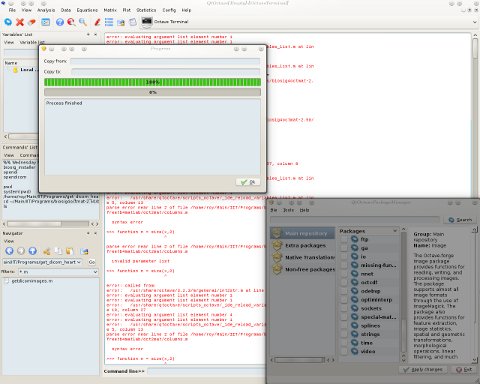
THIS POST is part of a series that I do about my incursions moving from MATLAB to Octave, which has so far been a pleasant experience. QtOctave looks better and is easier to install than MATLAB (on GNU/Linux with KDE at least). For those who experienced being a customer/user of MATLAB, it can really be a pain in the butt, licence-wise. The parent company, MathWorks, can be very aggressive when it comes to licensing (it pays the BSA after all), so people are kept tied to particular IP addresses and must renew something to remove artificial limitations. Moreover, the toolboxes that MATLAB sells separately are a case of artificial scarcity and they can be expensive. Octave resolves much of this by centralising a lot of software as shown in the screenshots above (also separating free/libre from proprietary). Rather than waste time with paperwork and bank transactions, any QtOctave user can simply and quickly click away to receive anything s/he desires. It’s truly like a candy store.

Why ever go through the trouble presented by MATLAB, Maple, Mathematica, or IDL? Some people may need these for collaboration and consistency (as in monoculture), but it is better to start without any proprietary software dependency.

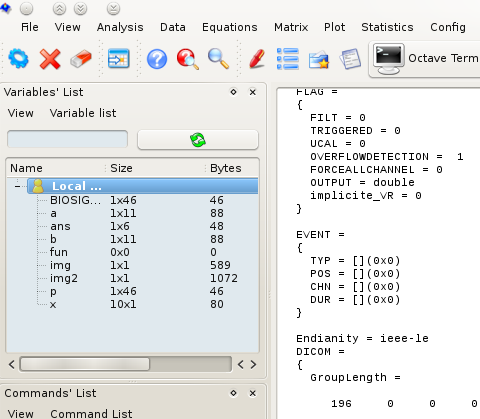
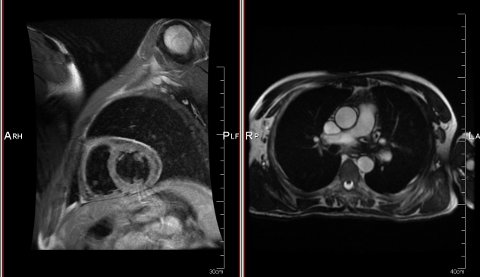
I will report on more aspects of this comparison as I go along. At the moment I’m exploring the GPLv3-licensed BioSig project, which allows me to deal with DICOM datasets of the heart (images acquired just recently — ones that I picked up at the hospital yesterday). Speaking of which, I’ve learned that some scanning machines that traditionally used Windows are now moving to GNU/Linux. How exciting times are coming…

MATLAB vs QtOctave First Impressions: QtOctave Looks Better

MATLAB vs QtOctave

ON A KDE (Qt) desktop like mine, despite MATLAB putting a lot of effort into improving the GUI on the GNU/Linux side* (even adding a Microsoft Windows-esque “Start” button at the bottom left), QtOctave integrates more nicely with the desktop. Thanks to all those who suggested some other tools including R, Sage, Scilab, QtOctave, graphviz and so on as I make my way into the world of Free software-only research (valuable pointers in the comments too).

All the code I’ve ever produced is Free software, but whenever I worked with MATLAB only the underlying framework was proprietary. This created a sort of trap, wherein my free/libre code depended on code which was not. In the near future I hope to produce code, blog items, upload of all code I write (including code sample for explanatory purposes), screecasts, etc. I may even commit code upstream if it’s polished enough for general-purpose use. I will continue to share dents and images on a regular basis too. In the mean time, for comparative purposes, I will also use my academic licence of MATLAB. I was once ranked first in the world for my code contributions to MATLAB, but although my code was all free software it helped MATLAB (BSA sponsor and thus a contributor to an attack on the software industry) just sell more copies of proprietary software. I am not a disgruntled prominent user of MALTAB but someone who is trying to show the way out of MATLAB mostly for idealogical reasons. If everything works as I hope, I will soon be 100% free of proprietary software.
___
* It was far, far uglier a few years back.

Ian Murdock Explains Defection from GPL to CDDL+GPL

It was interesting to find out why Ian had left to join Sun.

Retrieval statistics: 21 queries taking a total of 0.121 seconds • Please report low bandwidth using the feedback form
Original styles created by Ian Main (all acknowledgements) • PHP scripts and styles later modified by Roy Schestowitz • Help yourself to a GPL'd copy
|— Proudly powered by W o r d P r e s s — based on a heavily-hacked version 1.2.1 (Mingus) installation —|