Forking Applications
 Filed under:
 EVIATING from the a development branch, thus staying away from the regular updates cycle, is a step which is bound to have its problems, e.g. security and missed out extensions. I am fully aware of these issues and I made mistakes in the past nonetheless, particularly with Web applications. I am rather confident and comfortable with my choices to extend applications, but one must remember the pitfalls, as well as the very few advantages.
Rather than simply downloading pre-installed and/or pre-configured packages like Gallery, WordPress, a VPN client or PHP-Nuke, one can add a wee bit of ‘individuality’ to them. For example, with actual words and vocabularies that do not suit your way of speaking, you can instill some personality within the software — a beauty to be found most commonly in Open Source software. It gives a feeling of ownership, a sense of personal contribution.
Linux users are often inclined to hack software and customise it, maybe because they can. With some Linux distributions like Gentoo, people struggle to compile individual components and some have the odd habit of re-compiling the Linux kernel. Again, it gives an utterly unnecessary sense of achievement. That free platform, however, unlike other platforms, can be claimed to be one where very little intervention should be involved. With 5-CD installations, for instance, all the necessary software is in place, is well-integrated and simply works without any apparent conflicts. Somebody else took care of all the nasty installations and then burned some ISO to be distributed and put as-is on other people’s computers. So, we perceive a situation where there is a great deal of freedom, but at the same time that freedom is unneeded or even discouraged.
Change to existing packages is risky. It can bring an application to a fragile state. Attempts to exploit vulnerable (usually non-existent if the owner is fortunate) components are being re-directed to an unpleasant page at server level on this domain. I hope these can successfully deter a determined hacker. The only ones to come across such a page would be those attempting to sabotage (hence the rel="nofollow" in the link above).
When forking and choosing to no longer follow a development cycle, there is always some possibility of ‘flushing’ self-made components and starting fresh with similar, even identical data and an application belonging to the current generation, hence incorporating state-of-the-art technologies. Upgrades usually mean some loss of personal changes which are better off never lost. This may lead to feelings of regret due to waste. It also means hours of conversions, not to mention the laborious process that is involved in updates and getting accustomed to new interfaces. As it stands, I continue to fork, but do so cautiously.



 S Palm form an alliance for their smart phone with their former rival Microsoft, many perceive the step as a damaging one to the Open Source community or advocates of open standards and inter-operability. Microsoft are already strutting about, showing off in their front page a Palm device while labelling it “Windows-powered” (a segment of the image is shown below). This image looks rather offensive since they go a rather long way in order to pass across the message: “the enemy is ours”. Sadly, Palm do similarly in their front page; maybe a reciprocal exchange?

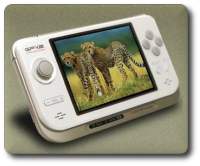
 recently came across a fantastic Linux-based, pocket-sized machine which boasts several desireable features. The name of the device is the
  There has been a fair bit of fuss about
 O anyone who wonders why I have not posted in 24 hours or so, I am working on a new Mandrake Linux machine at home (