Computers to be driven purely off the iPod/Handheld device
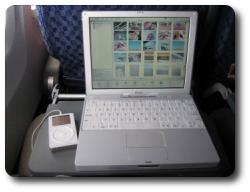
 magine yourself the following scenario: To start up your computer you connect an iPod (or any other large-storage mobile device) to your (x86-based) work computer, which then launches the operating system (currently Knoppix Linux) from the iPod. It uses the processor and memory of the local machine rather than the iPod’s, which is merely used as a hard-drive. Then, once work is finished, you take your iPod home and repeat that exact same procudure, plugging in the iPod to a different computer. Not only can you resume your work, but your hard-drive (which contains everything that is personalised) gives you an identical environment, i.e. you have all your recent files, browser cookies, desktop settings, etc.
That vision is now real as IBM exploit the iPod for this purpose. The device could, in principle, be a Palm LifeDrive, which makes the exception among modern PDA‘s since it exploits very high data capacity. The large-sized hard-drive and high bandwidth (USB/FireWire) make it possible to use your machine merely as a host (computation, display, and peripherals), while your data (operating system, files and applications) always remain in your pocket. From an article just published in CNET:
The virtual computer user environment setup is called SoulPad, and consumers install it from a x86-based home or office PC. SoulPad uses a USB (universal serial bus) or FireWire connection to access the network cards for connecting to the Internet, the computer’s display, the keyboard, the main processor and the memory, but not the hard disk.
Also worth mentioning is the prospect for running your favourite operating system and programs to access your data on any computer. You could even use a workstation at your local library cluster. Plug in your mobile device and use the computer as if it was yours. This considerable step can give a major boost to devices such as the iPod and the LifeDrive. Perhaps Jeff Hawkins, Palm co-founder and R&D chief, had substance in his vision of the “Life Manager”. Could this be what Palm had in mind when switching to Linux?
On a less enthusiastic note, the entire idea of protable high-volume storage is not brand new. For quite some time it has been possible to install hard-drive housing units in one computer and slide in different hard-drives that suit different users of the same computer. This essentially meant that computers came without a hard-drive; hard-drives were provided by the users. However, with a handhelds like the LifeDrive, several major advantages spring to mind:
- Size, which is a major pro
- The ability to view and edit data on the go, unlike just carrying a ‘black box’
- Internet connectivity
- Infra-red communication
Cited by: PalmAddict


 Filed under: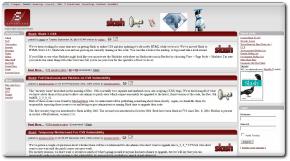
 LASHDOT will become standards-compliant XHTML/CSS rather soon as new code is currently being tested. If these changes were to be confirmed, one wonders how the vast audience would react. Perhaps the new layout would have slow penetration as it gets exposed to the community already. Looking at the Web Archive and making a comparsion with the new layout, long tradition definitely gets broken. I, for one, welcome the change reluctantly.

 ECENTLY I came to discover more about the personaility of Microsoft CEO Steve Ballmer, perhaps

 nly a couple of days ago I finished implementing the
 cedemic institutes seek to provide a large number of workstations to their students. The more workstations, the more of computer-based education fits into the school’s curriculum. An observation can be made which says that schools buy the wrong computers. Licences for the software they run, despite the bulk discounts, can cost as much as the computer itself, if not exceed that cost. When accommodating a computer cluster and paying over $1000 per Windows-based machine, the number of available computers will inevitable drop. As Linspire.com shows, each student in Indiana will soon have