


Two Birds, One Stone
 Filed under:
  A heavily-discussed topic in this quiet August is Mac OS X piracy. Yet more sets of instructions flow in, which explain about (at least) 3 different ways of installing Mac OS X on non-Apple workstations. To give a snippet of one of them, “1 – Install Darwin 8.0.1…” and yet another: “3. Download Ubuntu Live CD…”. It becomes apparent that a Linux installation is usually, if not always, part of the installation process. It’s a pre-requisite.
OS X will supposedly require its own isolated hard-drive, which is a shame. OS X is good for many things, but not for everything so partitioning would have been a pro. Only 2 days ago I formatted one of my partitions. I would have loved to make it an OS X partition, but I ended up with 2 Linux partitions. Let us refer to it as “two birds with one stone (physical drive)” and needless to mention, penguins are the best birds.
Related items: Mac OS on Every Machine, Dual-Partition Linux


 arly this morning I made a bold move; it was bold for me, at least. I decided to make both partitions on my hard-drive adhere to the Reiser filesystem (FS), overwriting an unused Windows 2000 (NTFS) partition, which was rarely ever accessed. At times it was exploited as a storage area, yet no more than once month, which made it a complete waste of space.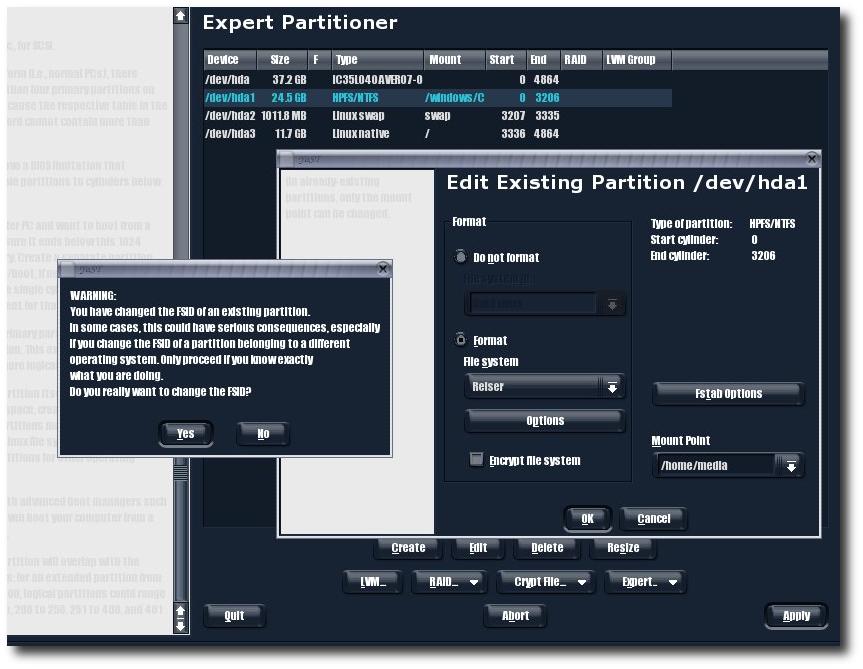
 oogle have recently revealed that they had used Linux from day one. Looking further into the past, why have they not openly expressed their passion for Linux? Perhaps they realised that over 90% of their target audience were Windows users. No user will be inclined to use the service of one that is different, one whose preferences are in ‘disharmony’ with the clients. Under such circumstances, there emerges an inner-conflict, whereby a Google user admits making a mistake, making a poorer O/S choice.
 SD is the Berkeley System / Software Distribution, which is a popular variant/branch of UNIX. It has already reached the average home computer several times in the past, as opposed to being used in machine rooms (e.g. data centres, computational servers). DesktopBSD 1.0 is a new endeavour (yet another distribution), currently at a release candidate phase. It was brought to many people’s attention via Slashdot.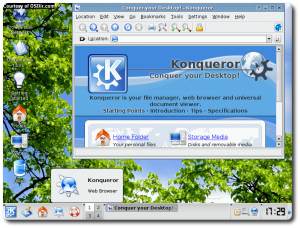


 The latest generation of Web development involves tools such as the one used for managing this Web log. Although many pages continue to be composed in the level of raw HTML code or using What You See Is What You Get (WYSIWYG) tools, their days appear numbered. Quite simply, both are antiquated methods of composing for the Web since development is usually done at the remote end — the user’s end. Both content and tools (software) reside on the user’s side. Content then needs to be transferred to the Web server and software is not guaranteed to work on any platform.