Introduction About Site Map

XML
RSS 2 Feed RSS 2 Feed
Navigation

Main Page | Blog Index

Archive for the ‘Linux’ Category

KDE-Tiger Intersection

KDE shadow

KDE menus

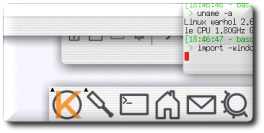
The bits shown above come from an excellent Linux screenshots gallery which bound the following caption to the original image.

Gentoo GNU/Linux, KDE 3.3, xorg 6.8. Demonstrating the new shadow and translucently window features. Consider the new stuff a proof of concept, it’s far from usable, but it works.

Months ago I discovered several Mac OSX lookalikes in KDE-Look, for example White Acqua, which is a nice (yet fragile) window decoration.

Related pages: local gallery of KDE screenshots.

Logging Music

Music Logs

Spreadsheet representation of music history (click to enlarge)

Some weeks ago I wrote about an XMMS extension that I had devised. This collection of steps which I described could make XMMS store simple log files for music (music ‘history’). That work has now been thoroughly extended to produce spreadsheets (comma-separated values (CSV) to be precise) rather than flat log files.

In brief, what is obtained using this trick are music history logs, one file for each day. Each file contains full, detailed history of the tracks listened to. Interesting information can be derived from these, e.g. most frequently played tracks, tracks quickly skipped (implying the possibility of deletion or removal from playlist). As already said in last entry:

A music log file results in even more redundant data to store. According to a rough calculations, I will see it growing by 1 megabyte every month or so. Compression, however, should make it only 10-20% of its original size.

You can find all the details on this work (installation instructions included) in my Linux Utilities page.

Pornographic Screensavers

Porn shop

Dr. Irving from the University reported a ‘critical’ issue with the Linux distribution that had been installed in student clusters. The following message was posted yesterday afternoon to the Linux-users mailing list. I believe it is worth quoting:

Several of our students have been complaining about a pornographic screensaver on Redhat Fedora Core 3 desktops. After a bit of rooting around I’ve tracked this down to the webcollage.desktop screensaver which picks random images off the internet and displays them within the screensaver. Not a very responsible inclusion in a desktop environment but it can be found in /usr/share/applnk/System/ScreenSavers should anyone receive similar complaints.

Expensive Developers, Cheap Hardware

Linux box

Linux computer for under $255 in the UK (click to enlarge)

Within this post lies my main argument as to why Linux (or complimentary Open Source streams or movements) will rise hugely in less than a decade. The cost of production continues to slide while human intellect (development) is among the more expensive commodities. The Zipit demonstrates that by using Linux, the leading free operating system, a PDA with WiFi, 320×240 pixels display and stereo DAC can sell for as little as $99.

Cheap computer

$299 for the entire package

In Britain, Dabs are now selling a Mandrake 9.2 Linux box (quicklinx 3QV3WS, no monitor is included) for 140 British pounds ($245) excluding VAT. Elsewhere in the world, the fully-featured MOBILIS computer (shown above) goes for only $299 list and speculations are made as to why commercial software will perish once hardware costs equate to it.

Enterprises still need software, and lots of it, to run their operations, but they are buying few new licenses. Part of the story is that the market is mature and buyers have enough software already. Part of the story is that offshore outsourcing makes it cheaper to build your own. A big part of the story is the appearance of more efficient alternatives, such as open source.

With such low prices across the market, buying a larger number of computational units is possible for prices that are comparable with that of several Windows PC‘s or Apple Macs. Server rooms will benefit in terms of performance, as they do already. Homes will be able to offer a computer to each member of the family or exploit computers for otherwise remote uses like home entertainment, productivity and automation in the garden , the kitchen (see kitchen of the future) and even the car.

Previews on Desktop

Desktop with previews

PDF‘s, text files, HTML‘s and
directories in the KDE Desktop with previews
(click to enlarge)

Ever had the experience of staring at a collection of files, wondering which one is which and puzzled by the best way of finding the text or images you are after? This was a wide-spread operating system deficiency in the nineties (there was a brute-force barrier). Nowadays, directories reflect on their content and file previews are generated on-the-fly, even over FTP, i.e. remote data.

With a large enough icon size as shown above (an example from KDE), even entire documents reflect on their content. Similar types of previews exist for animations and — oddly enough — sound.

By obtaining this reflection on content, there is no longer a need to open files in vain. Location of content becomes an easier task as it can be done visually rather than relying on filenames. Files are simply more recognisable since they express their purpose in the most natural way. If a pictures is worth a thousands words, the user is able to scan more data, more quickly.

Preview are not the only way of improving productivity. Work is being done on extending the “drag-and-drop” functionality for items, e.g. animated folding and dropping (videos included) and richer desktop interactions. As a matter of preference, I like keeping my Desktop clean, making it a ‘yet-to-complete’ list. Previews on files cannot resolve the issue of clutter and scale; they can, however, compensate for the expressiveness of filenames.

For those who do not know yet, Windows Longhorn was intended to introduce WinFS. This new filesystem, rather than using filetables (notably FAT32), was aimed at getting rid of traditional file management and filenames altogether. Nevetheless, Longhorn ended up incorporating none of the promised innovative features though.

Ubuntu Weaknesses

Ubuntu Linux

My machine at work, which
runs Ubuntu Linux (see daily photolog)

Ubuntu is a Linux distribution that is based on Debian and resembles it too. This Gnome-based (also see KDE version) distro from Canonical is self-contained, very reliable and comes as a 1-CD installation (will be shipped to your home for free), which is a big pro in many people’s eyes. Its simple user environment and low level of verbosity make it friendly, much like Mac OS and Windows. Under the hood, it still offers the full strengths that Linux possesses.

Ubunutu is well-known as a great distro for Linux beginners. Moreover, its straight-forward and fast installation process (took me 20 minutes to install), as well as stability made it the subject of envy to many. It comes with many excellent programs, e.g. Open Office, the GNU Image Manipulation Program (GIMP), Firefox and Evolution. Quite amazingly, all are contained in the single CD, not to mention a wide range of drivers and add-ons.

As a final cautionary word, do not judge the whole of Linux based on Ubuntu. I run Ubuntu in the office only to function as a node by which to SSH my SuSE box at the University. Ubuntu is reliable, but somewhat weak compared with pre-loaded operating systems.

KDE Plasma

KDE Plasma

More KDE goodness with the introduction of Plasma (source)

Plasma is an exciting project in progress, which will enrich the Linux desktop environment even further. Mac OS X is still ahead of Linux in terms of eye candy, yet KDE is close to catching up with the foreseeable release of KDE 3.5.

Similar items with screenshots: Next Generation of X, Operating Systems Eye Candy

Retrieval statistics: 21 queries taking a total of 0.088 seconds • Please report low bandwidth using the feedback form
Original styles created by Ian Main (all acknowledgements) • PHP scripts and styles later modified by Roy Schestowitz • Help yourself to a GPL'd copy
|— Proudly powered by W o r d P r e s s — based on a heavily-hacked version 1.2.1 (Mingus) installation —|