


How We Make TechBytes
 Filed under:
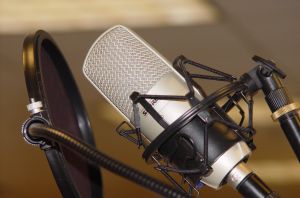
Summary: How to make Internet-based phonecalls and also record them with Free software and open standards
TECHBYTES has had to do some research into recording shows with Free software. It was actually our intention since the early days of the show (November 2010) to look into a pipeline which is entirely Free software based. Because of convenience or laziness, we settled for and ended up recording the show under Skype, then doing the rest with Free software. We actually started by experimenting with SIP to some extent while simultaneously looking into a recorder which was compatible with Skype for GNU/Linux. As the show involved many guests (especially at the start) we needed to facilitate Skype access and curtailed the pursuit for a SIP replacement until more recently. Then came the time to record with Richard Stallman, which coincided with the disturbing rumour that Facebook would buy Skype. Eventually it was Microsoft, which can be seen as equally bad.
This post summarises my findings and to some extent Tim’s observations too. We spent many long hours researching the subject, testing many packages, testing the process inside many calls, and making a lot of test recordings, then refining them and adjusting parameters including volume levels. Some listeners provided valuable advice. Some gave application recommendations and here is what was found after a fairly thorough exploration.
SIP Communicator
I started using sip-communicator after Gordon Forbes had made the recommendation (about 4 months ago). It is pretty impressive, it is very features-heavy, and it was built with Java, which makes it somewhat heavy too. The version I use is still not very polished. It has some debugging-level code in it. The good thing about it is the built-in recording capability, webcam support (which works well, unlike Skype which never ever worked for me with any webcam), and automatic detection of all the underlying hardware. It worked with my webcam over the network, but not so consistently though. Some buttons seem to not yet have a callback function associated with them, at least in the version I have installed. It is like a development build. But, having said that, it’s a decent cross-platform application with good SIP support, assuming it can connect to the other side successfully.
Linphone
This good client does not appear to support video although Tim claims otherwise and my experience with it is very limited (the binary to run is linphone-3 on *buntu-based systems, not linphone) . It did not quite succeed with the callers I tested it with. It does have echo cancellation, just like Ekiga, which is the main application that I use.
Ekiga
So, that brings me to Ekiga. Fine application, although the toolkit it uses for the UI does not integrate so beautifully into KDE4. Even Skype sorted that out not so long ago (Qt Curve added), but Skype is out of the question here. Ekiga does everything, including video, reasonably well. Its Windows version is not so official however. When it comes to camera support, it does not consistently transport the image to the other side. Sometimes it works, sometimes it does not, for whatever reason. It worked for us with webcam over the network, but most of the time it does not.
Blink
One listener told me about Blink, which is cross-platform and quite good looking. It is abundantly easy to use. I have not had so much time to test it, having installed it from unofficially-approved repositories (quite successfully and without issues though). Its cross-platform support seems like a big advantage considering the fact that Ekiga may not support a lot of platforms reliably. Maybe the Skype exodus will motivate developers to hurry up with such development endeavours. Telephony is one of those areas where multiple sides are involved, so ports to proprietary platforms can be more easily justified.
Mumble
For a call with multiple participants this piece of software can be handy. it is cross-platform, it has wonderful setup wizards, and it is easy to use. We may use it in the future. Asterisk has a reputation of something that is hard to set up for similar tasks. Based on TLLTS, there are also recording quality issues associated with it. This downsamples everyone on the line. Of course, it is always possible to record separately on each side and then merge everything. But this is time-consuming and it requires manual synchronisation work.
Left out from this survey we have lots of GNU-affiliated packages and we of course do not bother with so-called ‘Cloud’ Computing options from Google (or Gizmo), which is Fog Computing and proprietary. It’s hardly better than Skype in that regard, as both are cross-platform.
Recording
Recording is another important part of the pipeline. As an alternative to Skype Call Recorder (which works with GNU/Linux) we considered using SIP Communicator and later Blink, which we were told has some recording facility. We have not found that in the GNU/Linux version yet. In any case, recording all system sounds from PCM seemed reasonable and alsamixer enables this to be done at some lower level, if not other mixers that are graphical. Failing to attain high quality, we may just record locally and then merge at the end, as Linux Outlaws is doing for example.
Audacity
Here are some instructions on how to get things working with Audacity. It may not work on all systems and filters might be needed to compensate for noise. But still, it is better than nothing. Since Audacity is also our editor of choice, integration of this sort is desirable.
GTK RecordMyDesktop
The package gtk-recordmydesktop is a front end to a program which requires some command-line-fu. The settings in the GUI are easy to follow and there are detailed tooltips too (optional). For additional command line options such as strict coordinates from which to capture can be specified in the GUI too, if necessary. Those who developed the product did a fine job simplifying screencasts, which is essentially how we process video-based shows. Encoding can be done at the end of recording in order to lower CPU load, especially if compression is used to compact large videos that are mostly static throughout.
Editing
For editing we have only used Audacity with a bunch of filters that we know help improve the quality of raw audio. The program is good for mixing several tracks, Except for that, my only prolonged editing experience goes back to Windows 3.11 days with Sound Blaster software. As I was about 11 or 12 at the time, that does not count for much. We are still improving and since we never edit any of the speech part (not even editing out or having second takes, the editing is mostly mixing oriented).
Encoding
To re-encode videos we use mencoder and ffmpeg, which are command line utilities that do the job pretty well. Some reasonable commands that we routinely run are gathered in a text files.
Postscript: Tim says that Linphone supports cameras and this Wikipedia page, sent by a reader while working on this text, might be handy.
Regarding phone books management, some applications were simpler to manage than others. My personal choice is Ekiga’s, which also has a complete historical calls trail. It is very useful.
If we left out important options, be sure to tell us.


 obile phones are a marvel of innovation and their small size is a testament to human achievement. But mobile phones as mere phones go a long way back, decades in fact. Their functionality today has hardly changed when it comes to core objectives like making and receiving calls. So how have people come to the point of treating them as accessories and status items in our increasingly superficial social system? Why are my colleagues advertising a phone brand in all their E-mails for example? Why are people without a phone (or a Facebook account for that matter) frowned upon? Must everyone be semi-detached to a phone? Is it a status symbol? Is that how it’s marketed? Wrist watches were like that sometimes, e.g. Rolex.
 VERY once in a while we all get a break from everyday life and potentially introspect. As the year 2011 is almost upon us, it’s time to explain — on a more personal note for a change — what needs improving. First of all, from a professional point of view, it would be important to ensure effectiveness and to spend less time responding to Internet trolls and other such distractions. It’s just too easy to descend to gossip sometimes, however it gets nobody anywhere. There are some people who revel in harassment of progressive individuals and the worst those latter individuals can do is lose sight of their goals, then engage with the harassers. It’s tempting to do so (one’s own defense), but it’s counter productive as it leads to more of the same. When one expresses strong opinions on any matter, detractors will exist; the polite ones are worth debating with.
 ransparency can be a way of life to those who wish to expose what they are doing. Since 2002 when I built this Web site I have made many aspects of my life public and this did not cause much trouble at all. Transparency leads to a state where there are no secrets and thus there is little room for scandals or mischief. Last night I was challenged by a friend to whom my preference of transparency seemed inadequate. This is fine. Well, more and more people willingly become more transparent over time (sadly in Web sites like Facebook which exploit them) and their eagerness to share personal material is proving infectious. Governments too are starting to find out that sooner or later data which they keep secret will leak and Neelie Kroes rightly pointed out that Wikileaks/Cablegate will push more governments toward becoming transparent.

 EAKS are often just material which was supposed to be in the public domain all along. Copyright is not the issue. Since it was kept secret (often for no truly justifiable reason), input which was contained in it assumed no moderation would be needed. As such, secrecy resulted in mischief, rudeness, and often the perpetuation of misconduct, which relied on lack of wider awareness.