Introduction About Site Map

XML
RSS 2 Feed RSS 2 Feed
Navigation

Main Page | Blog Index

Archive for the ‘Personal’ Category

Pragmatic PDA Use

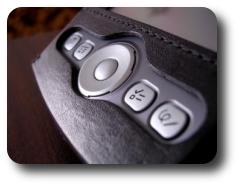
Palm TungstenI may be an exception and perhaps even an oddity. I lost interest in PDA applications that differ from the most fundamental PIM set. Alas, I sometimes wonder if anything beyond a reliable simplicity is truly necessary. I suspect not.

I bought a Tungsten over a year ago, but I need never do anything that I could not do on the M130, which is a low-end PDA I once owned. It now sits idly and serves no-one even though it works. It has a few minor defects, but workarounds can compensate for all of them. What was its contribution to the subsequent device in the ‘upgrade cycle’? A 32 MB memory card was inherited from the M130, among a few other peripherals. A larger SD card (quarter of a gigabyte) is now available, but it rarely, if ever, gets used. Same programs are used and the capacity required is similar. So what does it all come down to?

Palm rarely ever failed me where it mattered the most: data integrity. After over 3 years of regular use of the Palm I can only vividly recall two incidents of data loss which were a nuisance. Both incidents were not at all severe and they both date back to 2003:

  • Incident #1: I was editing a large memo for approximately half an hour without applying the changes. A very rare crash of Memo Pad led to the loss of all changes. A lesson was learned following this loss. As I compose this item on my Palm at the moment, I do not neglect to periodically save it.
  • Incident #2: Half a day of changes were lost after restoration from desktop-side backup. Fortunately, all that was lost included a few calender entries, which I could quickly restore from fresh memory

I have had an SD Card-based backup program for over a year, but never had the chance (reason) to use it. Well done, Palm, for preserving my data and preventing me from ever pulling my hair in frustration over data disasters.

Side note: I truly hope that Palm can deliver innovation shortly. They begin to lag far behind their competitors and I am tempted to swap vendors and move to Nokia’s Linux-based tablet.

Personal Take on Happiness

Roy as a baby smilingLife involves accumulation of things, not always objects, money or recognition. Happiness, however, is dependent on the momentum (increment of pace) of this accumulation, so a step up may not necessarily entail happiness. This explains why perpetual happiness is a myth.
To close with a quote which I strongly agree with (from Dr. Kent M. Keith):


“The good you do today will be forgotten
tomorrow. Do good anyway.”

Blog Plagiarism

Laundry machines
Help the search engines clean up the Web.
Report duplicates.

I recently mentioned site scrapers in the context of Internet plagiarism. More often do I hear about blogs copied systematically nowadays.

Blog plagiarism is a growing phenomenon, or so it seems on the surface. This even happens to me sometimes, but I refuse to spend my time or lose sleep over it. The process needed to remove stolen content is unnecessarily cumbersome. As as example, Podz and Mike Little, who are both WordPress developers, had people copy their entire site merely post-by-post. This can ultimately lead to mirror/duplicate penalties, which deter search engines. As far as I know, they had to engage in a lengthy process of correspondence before action was taken. The best one can do is keep an eye on the dodgy sites and report abuse when all blows out of proportion. As long as a site is public, it is susceptible to copyright infringement and can, in due time, become a victim.

As one example of stolen content, RSS Site Map is one such item that was once copied verbatim and in full. If I recall correctly, a Blogger member was the culprit. A subtle link was at least there, but no real attribution was made.

Other content thieves scrape random bits and stick them together to form ‘doorway pages’. These pages serve as a mechanism which hogs search engine referrals. It is one among many popular aspects of black-hat SEO practices, which are a form of spam by any definition.

Frequently-Asked Questions (or Useful Facts)

  • Q: How does one copy content systematically?
    A: RSSBlog [rel="nofollow"] and the like. Magpie can do this vis RSS when misused.
  • Q: How does one detect plagiarism?
    A: Tools such as Copyscape appear to do that trick. I imagine that they run a series of Web searches with large sentences involved. They then attempt to identify excessive overlap across sites on the Internet. These Web-based tools simplify and automate, at an upper-level at least, an old-styled method for detection of duplicates. This type of technique I can still recall from my days as an undergraduate.
  • Q: How does one report plagiarism?
    A: Probably the most suitable response is contacting the host of the offending site. Examples are needed to support the complaint/s.

Web-Based References Manger

Book scanning

SEVERAL days ago, in the context of ‘housekeeping’ computer chores, I stressed the need to manage paper references in an appropriate application. At the time I mentioned JabRef, which is a Java references management program. I have had JabRef installed for quite a while, but did not bother to accommodate it with data.
Knowing the limitation of workstation-bound software, I decided to go ‘shopping’ for a Web-based alternative. I have many such applications installed on my Webspace, so I know their powers. I also know that I can take advantage of remote access, but it can be slow (especially while on vacation), cumbersome, and only loosely inter-operable. JabRef is cross-platform, but installation on each desktop is still a requirement, which is less than desirable.

My pursuit for a Web-based program was very fruitful. I found only one application of the type I had sought. Freshmeat (which is suitable to vegetarians too!) had me aware of PHPBibMan (PHP Bibliography Manager). Here is my own description of PHPBibMan. It is based on what I have been able to gather after a few minutes of exploration:

  • PHP/MySQL
  • Open Source
  • Free, apparently GPL
  • Rich graphical interface
  • Multiple users, multiple groups
  • BibTeX import and BibTeX output (albeit import is not very reliable)
  • High level of complexity (over 500 files), plenty of functionality

PHPBibMan is finally installed on my site alongside similar applications, the latest of which is for spreadsheets. So far I like what I see, but the documentation (installation instructions in particular) are poor. There is plenty of potential for PHPBibMan, but merely nonexistent documentation had me digging the files and experimenting before actual success. The projects looks as thought it ceases to be actively maintained last year.

Futile Resolutions

SuSE screenshot

An old screenshot of one among several desktops

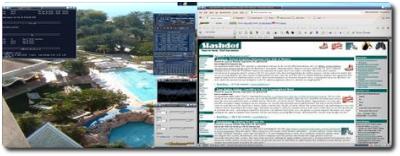
MY new year’s resolution will have been 1600×1200, but I think I need to purchase different monitors. I recently added a 5th and 6th virtual desktop, which extends an already large workspace as described in a previous item on virtual desktops. At the moment, my desktop is over 15,000 pixels wide! It is convenient to never have to open an application. The user merely brings it under focus using CTRL key bindings instead. The cost is memory, of course.

Related item: Last year’s new year’s resolution (I quite like the sound of it!)

Music Cleanup

Vinyl record

THIS morning I got myself isolated for 3-4 hours. I spent a long time mechanically erasing unwanted music. At the end, I was 5GB leaner; around 1200 unwanted files were fully disposed of. The existence of so much ‘grabage’ is an artefact of recursive downloads and the procrastination that follows. The approach is based on the accumulation of piles of arbitrary music, then getting rid of the undesirable bits. I concentrated too much of the former part, yet the hard-drive’s capacity has reached its limits.

I finally had the opportunity to take some time off (owing to the holiday), so I got a few mandatory chores out of the way. Now that media files have been filtered, I will have fewer cases of bad music coming up when I change tracks in shuffle. mode The method of music erasure involved a few tricks to increase overall efficiency:

  • Deletion from the physical disk directly via the music player (in this case XMMS)
  • Deletion in batches of up to 12 files at a time
  • Seeking for 5-10 seconds per file using the track poisition bar, thereby getting a sense for what tracks are unwanted and what tracks must stay
  • Global shortcuts, particularly for skipping tracks
  • Prompts for deletion confirmation – use the ENTER key which is adjacent to the keypad and thus nearer to the mouse. Meanwhile, the other hand (usually the left) hovers near the ALT, SHIFT and CTRL keys to take advantage of keyboard accelerators.
  • Use of the playlist highlighter feature (of any) for selecting of multiple items, with the aid of the SHIFT key. This becomes natural after hours of repeated keystrokes and actions.

A big burden has been lifted off me. The result: more free space and improved ‘successful hit rate’ for music.

The next challenge which involves a mechanical-type job is organisation of my references. They tend to float around in different documents and some text files; all in a flat or inline text form, thus no semantics. One needs a better storage form, a better structure, more like a database. Putting some papers on-line has enabled me to use Web searches for quick discovery, but this is far from convenient. I want to embed everything in a BiBTeX-friendly tool. I have been planning organisation under a tool such as JabRef, which I have had installed for a while. Some time in the past I was using EndNote, but soon departed from that lock-in which involves expensive proprietary software and integration with Windows-centric programs.

Virtual Desktops & Dual-Head

3-D Desktop
A 3-D visualisation of virtual desktops
switching under 3-D Desktop (click image above for homepage)

VIRTUAL desktops are means of extending one’s workspace. Given the finite size of a monitor, one wonders if that size also imposes strict limits on the (in)visible window environment. Well, it does not. It is possible to treat the monitor as just a rectagular box or a a ‘sliding window’, which metaphrically glances at something much larger. It enables the user to view smaller segments of the whole at any one time. Most commonly, the user would watch only a quarter of the workspace at any one time.

Virtual desktop environments have been available for a long time to Linux user. They will also be officially introduced in Windows Vista, having encountered third-party software that achieved this in the past. Apple Macs have commercial add-ons that achieve the same thing — presenting the users with a pager to control multiple virtual desktops.

The Pager is a small widget which enables the user to select which segment of the screen should be viewed. More specifically, it enables switching from one virtual desktop to another. It often reflects on the content in all virtual desktops. In KDE, for example, the pager contains a schematic of active windows and their positions. In GNOME, it appears to even embed application icons. I used the Pager with virtual desktops about 4 years ago, but not excessively. I needed them when doing some programming jobs, but wasn’t competent with the corresponding CTRL+[1-4] shortcuts, which make the transition between one desktop to another very smooth and rapid.

On to page 2

Retrieval statistics: 21 queries taking a total of 0.264 seconds • Please report low bandwidth using the feedback form
Original styles created by Ian Main (all acknowledgements) • PHP scripts and styles later modified by Roy Schestowitz • Help yourself to a GPL'd copy
|— Proudly powered by W o r d P r e s s — based on a heavily-hacked version 1.2.1 (Mingus) installation —|