


Plain Text Justify and Hyphenate
 Filed under:
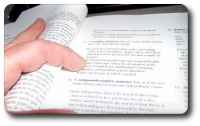
Giving the more professional look to your text
 HIS blog item revolves around a wonderful Perl script which can revolutionise the layout of your plain-text messages, giving them looks reminiscent of that found in professional literature. The tool is called the Paragraph Adjuster with Hyphenation and it is of course free.
To give an example of its use, a file I created in ~/Main/Programs/Scripts/indent.sh contains the following:
perl ~/Main/Programs/paradj/paradj.pl --width=74  -h -n -b

     ~/in > ~/out
kedit ~/out
The first command invokes the script from its path and passes it some arguments, which are personalised. The input come from the file in and output is sent to a reserved file (out) which acts as a common container and somewhat of a placeholder. The last command makes the output available to me (on screen) to copy and then paste, often to be used in newsgroups, mailing lists, and rarely in E-mail too.
The script is based on a Perl module that was inherited from TEX. The LATEX family is rather presentation-aware and smart in terms of its fragmentation decisions. It ‘knows’ when it is reasonable to hyphenate and where added spaces for justification are least distracting. Maybe the same applies to indentation. There are many options in the script, which control the tendencies, the priorities and thus the behaviour of the output.
The command example above hopefully illustrates how simple it is to use the script, as well as invoking it rapidly, without too much manual intervention and input/output ‘piping’. I have also set up a shortcut (CTRL+ALT+7) to convert in to out and then copy and paste onto the required place, so indent.sh need never be called from the command-line.
Example from my most recent use of the script:
The  short   answer:   Windows has   got  itself

trapped. Over the years it has adopted overly

permissive  and  lenient mechanisms that  ne-

glected security. Security seemed like a cost

hat   hindered functionality. Unauthorised in-

stallations and lacking verifications are one

example. ActiveX controllers are another.
Notice that all text lies within a rectangular block. This needs fixed-sized fonts, which cannot be guaranteed by all recipients or readers. If sent to a recipient and read by a mail client, feed reader, newsgroups reader, browser, etc., it may be displayed in whatever form the user prefers, even proportionally-differing font sets.


 IRTUAL desktops are means of extending one’s workspace. Given the finite size of a monitor, one wonders if that size also imposes strict limits on the (in)visible window environment. Well, it does not. It is possible to treat the monitor as just a rectagular box or a a ‘sliding window’, which metaphrically glances at something much larger. It enables the user to view smaller segments of the whole at any one time. Most commonly, the user would watch only a quarter of the workspace at any one time.
 One of the commonest Web activities involves information discovery and fetching using search engines. It is worthwhile to adopt habits that make that activity a more efficient and productive one. For example, the user can be delivered
  F I ever undertake a repetltive task that pertains to research, I wish to either automate it using existing (preferably free) tools, script it (e.g. bash, Perl or MATLAB which is by all means expenesive), or costomise the desktop environment to minimize the number of moves, clicks, etc. Productivity through convenience can be achieved using clipboard stacks, mouse focus policies and so forth.
 AVE you ever wondered if re-entering passwords, restoring settings, synchronising bookmarks, and exchanging files are at all necessary tasks? Could these repeatable tasks possibly be avoided? Is there a way of working from a variety of places, totally oblivious to the location of data and the state of the applications used? To me, there is a simple method for keeping everything in a single place, but it relies on a quick network connection.
 INIMISATION is an important key to a happy life. Not necessarily minimalism, but a simplification rather.