Introduction About Site Map

XML
RSS 2 Feed RSS 2 Feed
Navigation

Main Page | Blog Index

Archive for the ‘Science’ Category

Rotation Tracking in Heart Images

AS a first validation step I am running these basic sanity checks which track anatomy where the correct correspondences are known. These animations show how a collection of points spread around the boundary of a circle (but not put precisely on the circle, on purpose) move along with the image merely by tracking the signal, without any knowledge of what other points are doing or what rigid/affine transformation the image itself is subjected to. Moreover, the interpolation process causes little issue at all and even though points can only move up/down/left/right (and diagonally), they do manage to move consistently.

With a new Gaussian kernel-based filter I’ve put in place fusion that makes use of image gradient (x+y derivatives) possible alongside with image signal. The binary images resulting from edge detection might be of some use, but scaling is tricky.

Heart - bottom right

Heart - middle animation

Heart rotation top placement

Octave or MATLAB Without GUI

CLI

WORKING with bare metal for the purpose of maximal hardware utilisation and performance is not the same as working with typical computer programs. Developing software for research is also different from software development for end users, where the software is treated as a product. Different scenarios require different methodologies and different levels of polish, and thus have different specifications and priorities. In research, brute force becomes essential to the success of one group or another.

I often find myself working on servers or clusters (only GNU/Linux), in which case it is useful to manage up to 50 computers, for example, remotely, at the same time. With full GUI sessions it can be a disorienting task, but that too can be achieved and I wrote about it roughly 6 years ago in this blog (back when I was a Ph.D. student).

Working from the command line at a desktop is perfectly acceptable if brains and not candy count, so platforms like Mac OS X are irrelevant. To do coding on the server I currently use vi as the editor in one terminal and the MATLAB session in another. On the desktop I would use QtOctave, as covered before (also in some screencasts). Unfortunate issues that had me revisit MATLAB (which in any case would be inevitable as means of ensuring compatibility with colleagues) led me back to the old days of developing over SSH (using KIO slaves and the likes of that). Quick access to the file can be gained using abbreviated wrappers such as:

./Main/Programs/Scripts/SSH/42
/opt/matlab/bin/matlab -nodesktop -nosplash -r "addpath(genpath('/home/S00/schestr0/'))"

where 42 is a script numbered after the machine number and the latter command initialises the command line. /home/S00/schestr0/ is using NFS and it can be reached from any computer at the department at the same time (multiple machines can write to the filesystem at the same time, too). If the files are edited locally, they can be passed across to the server using a simple command that transfers them in encrypted form.

scp /home/roy/Main/IT/Programs/get_dicom_heart/* -r
schestr0@eng041.cs.man.ac.uk:/home/S00/schestr0/get_dicom_heart/

Occasional local backups (usually nightly because it is resources-intensive over USB2) are achieved as follows:

mkdir /media/disk/Home/`date +%Y-%m-%d`

tar -cf - /home/roy|split -b 1000m - /media/disk/Home/`date +%Y-%m-%d`/Home-`date +%Y-%m-%d`.tar.

To decipher this, try:

man tar
man split

For example in:

tar -cf - /media/SEA_DISK/Home/|split -b 1000m - Baine-`date +%Y-%m-%d`

the backup is split into chunks of 1 gigabyte and the files are named by the date

To reassemble the above (resorting from backups):

cat *|tar -xf - 

No command line interface should be intimidating. Many powerful computer tasks are managed from it because the command line makes streamlining simpler and scripting jobs is a lot easier. My programs are written in a way that enables assigning many parameters like paths and wildcards, which lets the programs run for many hours and automatically produce output like images, videos, and text for inspection later. Research in computer vision or computer graphics requires heavy computation and for compelling experiments, the larger the sample sets, the more convincing the results. Use of computer resources therefore becomes the difference between failure and success and those who fail to master it can easily perish against the competition. Another valuable skill is knowing how to reuse code (legally of course) and this is where free/libre software orientation helps a lot. Publication in Open Access (OA) and availability of one’s own work — including code — can help gain more citations, which is the currency by which many publications are being judged.

Not Lazy, Just Busy

IT HAS been a while since the last post about an ongoing port from Octave to MATLAB (not a major challenge, ensuing compatibility being the goal) and also since the last episode of TechBytes. I work hard this weekend finishing and finalising (with GUI) my work on an existing project before proceeding to the next, which will deal with 3-D face recognition.

MATLAB compatibility

Rotation of the Heart Explored

Frame of heart images

Shown here are two images derived from experiments out of which there are also videos. The set of cardiac images contains 340 images, divided into 17 groups of 20 images belonging to each. A group of 20 consecutive images represents one slice imaged throughout one cardiac cycle. This means that from the 2nd and 4th slides — images 21 and 61 respectively for example — the signal is approximately correspondent and thus can be compared. A series of experiments was performed in turn, dealing with each slice in isolation and learning how our algorithm copes with the complicated task of tracking the heart’s walls without a priori knowledge such as a model of the heart, for example (a model whose parameter values can be optimised over, for a good fit to be eventually found). We are interested in the rotation of the heart at the different vertical levels, particularly because we expect to see clockwise and counterclockwise movements throughout the cycle, depending on the slice (the heart squeezes blood by moving in different — almost opposite — directions).

The results are encouraging. Leaving aside slices that hardly contain any signal from the heart because they are at the top and bottom edges, it is quite consistently found that there is a clockwise rotation at the centre, detected by averaging the direction of the move of many salient points. In the middle slices in particular (those in which the heart gives more signal owing to greater overall area), the curves are entirely, or at least almost entirely, monotonic, which means that at each iteration the clockwise rotation continues. This can help show some otherwise-hidden information, but more datasets and rigorous testing on synthetic data for validation may be required as well.

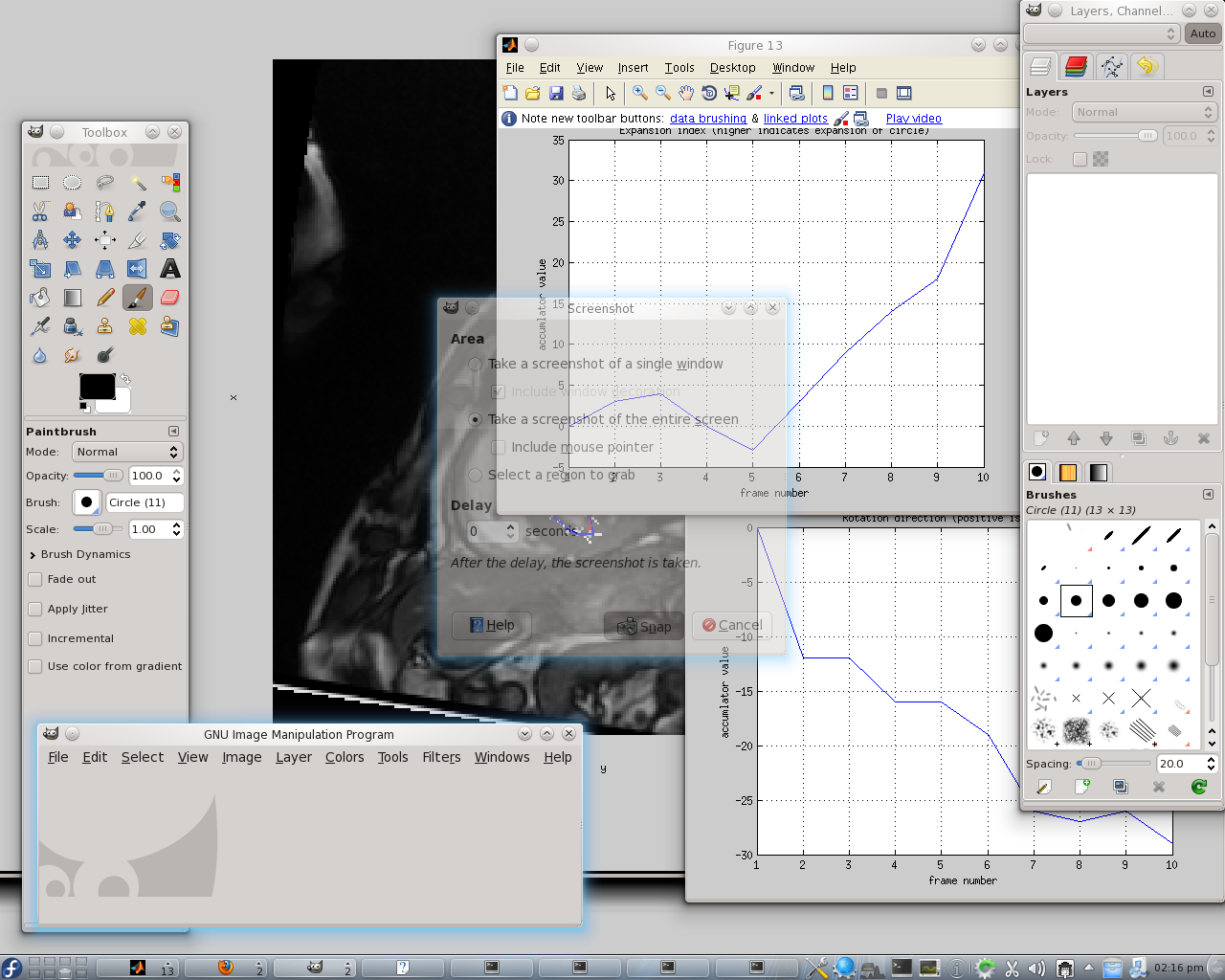
Directions accumulator

Expansion accumulator

Porting Code From Octave to MATLAB (or Vice Versa)

MATLAB and QtOctave
QtOctave on Kubuntu with a
MATLAB window imported from Fedora over SSH

For the sake of cross-application/framework compatibility, one occasionally needs to alter code until it works everywhere, without the need to keep two (or more) separate codebases. This situation is far from ideal, but then again, not everything works like Java. When colleagues use a different platform and occasionally prefer proprietary software it is only fair to do some extra work catering for it.

In a matter of days or maybe a few weeks I will have some new code ready for release. I had already released this before it was ready for stable usage, partly because I had not set up a proper repository, so each release of code become a manual process. This may change soon.

In the early part of the day I ensured my programs work in both MATLAB and Octave. It was not as trivial as I had expected because there is certain functionality in Octave which MATLAB simply does not support. There are notes that I took to summarise and thus simplify this task in the future. The code now works in the latest MATLAB and also in Octave, with very minor differences between these two. The same set of files can be used for both, interchangeably.

Over the course of my work I have organised the data, documentation, experimental results, and code. All of these can be neatly packaged to provide the tools necessary for others to extend the program and use it to run more experiments. Following a very thorough survey of programs that are already available around the Web, it does not appear as though opportunities to reuse code were missed. At the moment, the program has an interface function with clearly-defined inputs and its output — in the form of images and video — is sent to a directory of choice at the end.

What would be nice to attempt next is implementation of other methods that assess similarity between regions, as means of selecting points more accurately. Making the placement of points diffeomorphic so that nothing gets folded or torn between the connecting curves that make up the contours would be essential too, especially for visualisation and 3-D reconstruction for example. At the moment it is possible to take point positions at each slice and each of the 20 iterations contained for that slice and then produce — using polygons — a sort of 3-D model of the heart. This, however, would require results to be of higher precision too.

Search for Cardiac Analysis Code

During the holidays I decided to see what else is out there which is already free/libre software like my own work, which thus can be merged for comparative purposes. It would be valuable to have applied to my work some comparison to existing tracking algorithms which deal with cardiac images. A decade-old paper from Osman et al. covers the very popular HARP and states in its abstract that it offers an “image processing technique for rapid analysis of tagged cardiac magnetic resonance image sequences.[...] Results from the new method are shown to compare very well with a previously validated tracking algorithm.” It’s not easy to gain access even to code samples of complete frameworks that facilitate benchmarking, so the search ascended to SourceForge. I uploaded some projects of mine to SourceForge about 8.5 years ago and hoped that others would do the same. A search in SourceForge for “cardiac” yields about a dozen results (at the time of writing), but there are empty entries in the code repositories where there ought to be complete projects. The Cardiac MR toolbox for Matlab, for instance, is an empty project:

[roy@blueberry cmr-toolbox]$ svn co
https://cmr-toolbox.svn.sourceforge.net/svnroot/cmr-toolbox cmr-toolbox
Checked out revision 0.
[roy@blueberry cmr-toolbox]$ ls
cmr-toolbox
[roy@blueberry cmr-toolbox]$ cd cmr-toolbox/
[roy@blueberry cmr-toolbox]$ ls
[roy@blueberry cmr-toolbox]$

The same goes for Neonatal Rat Cardiac Action Potential, but the Evaluation of Cardiac MR Segmentation project (all of them written for MATLAB but ought to be compatible with Octave) contains some LGPL-licensed code. Repository access (SVN):

svn co https://cardiac-mr.svn.sourceforge.net/svnroot/cardiac-mr cardiac-mr

Looking at MATLAB Central for some more existing code I find an old BSD-licensed function but almost nothing else when searching for “Cardiac”. Since the literature review phase and the subsequent finding of some data [1, 2, 3] there has been almost no room for code reuse, so I had to code everything from scratch. I will soon publish the code (GPLv3-licensed), but in a more scientific society more code would have already been out there for others to collaborate and build upon the work of others.

Scilab in Fedora GNU/Linux

Having encountered problems with Octave in Fedora 14, I decided to explore scilab, which I wanted to try about a week ago anyway (and canceled the process after being warned that it was not as complete as octave, at least not for my needs). Fedora does not appear to have scilab in its repositories (Ubuntu on the other hand does have it). A yum and kpackagekit search around “scilab” yields nothing, so I went to the official scilab Web site and downloaded the latest package from that nice Web site, then uncompressed it. This was not the end of it as far as Fedora was concerned because, due to it not being available in the repositories, dependencies could not be resolved, so I needed to also install java manually, then figure out that SELinux was standing in my way. This is the type of thing which would deter new users and as much as I would love to endorse Fedora 14, it is experiences like this which leads me to saying that Kubuntu is still a better choice. Here is a self-explanatory story:

[roy@blueberry scilab-5.2.2]$ ls
ACKNOWLEDGEMENTS  CHANGES_3.X    CHANGES_5.2.X  lib            RELEASE_NOTES_5.0.X  thirdparty
bin               CHANGES_4.X    COPYING        license.txt    RELEASE_NOTES_5.1.X
CHANGES           CHANGES_5.0.X  COPYING-FR     README_Unix    RELEASE_NOTES_5.2.X
CHANGES_2.X       CHANGES_5.1.X  include        RELEASE_NOTES  share
[roy@blueberry scilab-5.2.2]$ cd bin/
[roy@blueberry bin]$ ls
intersci  modelicac  scilab  scilab-adv-cli  scilab-bin  scilab-cli  scilab-cli-bin
[roy@blueberry bin]$ ./scilab

Could not load JVM dynamic library (libjava).
Error: libjvm.so: cannot enable executable stack as shared object requires: Permission denied
If you are using a binary version of Scilab, please report a bug http://bugzilla.scilab.org/.
If you are using a self-built version of Scilab, update the script bin/scilab to provide the path to the JVM.
The problem might be related to SELinux. Try to deactivate it.

Scilab cannot open JVM library.
[roy@blueberry bin]$ su
Password: 
[root@blueberry bin]# yum install libjava
Loaded plugins: langpacks, presto, refresh-packagekit
Adding en_US to language list
Setting up Install Process
No package libjava available.
Error: Nothing to do
[root@blueberry bin]# yum install java
Loaded plugins: langpacks, presto, refresh-packagekit
Adding en_US to language list
Setting up Install Process
Resolving Dependencies
--> Running transaction check
---> Package java-1.6.0-openjdk.i686 1:1.6.0.0-44.1.9.1.fc14 set to be installed
--> Processing Dependency: jpackage-utils >= 1.7.3-1jpp.2 for package: 1:java-1.6.0-openjdk-1.6.0.0-44.1.9.1.fc14.i686
--> Processing Dependency: rhino for package: 1:java-1.6.0-openjdk-1.6.0.0-44.1.9.1.fc14.i686
--> Processing Dependency: tzdata-java for package: 1:java-1.6.0-openjdk-1.6.0.0-44.1.9.1.fc14.i686
--> Running transaction check
---> Package jpackage-utils.noarch 0:1.7.5-3.11.fc14 set to be installed
---> Package rhino.noarch 0:1.7-0.7.r2.fc12 set to be installed
--> Processing Dependency: jline for package: rhino-1.7-0.7.r2.fc12.noarch
---> Package tzdata-java.noarch 0:2010o-1.fc14 set to be installed
--> Running transaction check
---> Package jline.noarch 0:0.9.94-0.6.fc14 set to be installed
--> Finished Dependency Resolution

Dependencies Resolved

=======================================================================================================
 Package                     Arch            Version                            Repository        Size
=======================================================================================================
Installing:
 java-1.6.0-openjdk          i686            1:1.6.0.0-44.1.9.1.fc14            fedora            27 M
Installing for dependencies:
 jline                       noarch          0.9.94-0.6.fc14                    fedora            88 k
 jpackage-utils              noarch          1.7.5-3.11.fc14                    fedora            60 k
 rhino                       noarch          1.7-0.7.r2.fc12                    fedora           775 k
 tzdata-java                 noarch          2010o-1.fc14                       updates          151 k

Transaction Summary
=======================================================================================================
Install       5 Package(s)

Total download size: 28 M
Installed size: 84 M
Is this ok [y/N]: y
Downloading Packages:
Setting up and reading Presto delta metadata
updates/prestodelta                                                             | 248 kB     00:00     
Processing delta metadata
Package(s) data still to download: 28 M
(1/5): java-1.6.0-openjdk-1.6.0.0-44.1.9.1.fc14.i686.rpm                        |  27 MB     00:10     
(2/5): jline-0.9.94-0.6.fc14.noarch.rpm                                         |  88 kB     00:00     
(3/5): jpackage-utils-1.7.5-3.11.fc14.noarch.rpm                                |  60 kB     00:00     
(4/5): rhino-1.7-0.7.r2.fc12.noarch.rpm                                         | 775 kB     00:00     
(5/5): tzdata-java-2010o-1.fc14.noarch.rpm                                      | 151 kB     00:00     
-------------------------------------------------------------------------------------------------------
Total                                                                  2.2 MB/s |  28 MB     00:12     
Running rpm_check_debug
Running Transaction Test
Transaction Test Succeeded
Running Transaction
  Installing     : jpackage-utils-1.7.5-3.11.fc14.noarch                                           1/5 
  Installing     : jline-0.9.94-0.6.fc14.noarch                                                    2/5 
  Installing     : rhino-1.7-0.7.r2.fc12.noarch                                                    3/5 
  Installing     : tzdata-java-2010o-1.fc14.noarch                                                 4/5 
  Installing     : 1:java-1.6.0-openjdk-1.6.0.0-44.1.9.1.fc14.i686                                 5/5 

Installed:
  java-1.6.0-openjdk.i686 1:1.6.0.0-44.1.9.1.fc14                                                      

Dependency Installed:
  jline.noarch 0:0.9.94-0.6.fc14                jpackage-utils.noarch 0:1.7.5-3.11.fc14               
  rhino.noarch 0:1.7-0.7.r2.fc12                tzdata-java.noarch 0:2010o-1.fc14                     

Complete!
[root@blueberry bin]# ./scilab

Could not load JVM dynamic library (libjava).
Error: libjvm.so: cannot enable executable stack as shared object requires: Permission denied
If you are using a binary version of Scilab, please report a bug http://bugzilla.scilab.org/.
If you are using a self-built version of Scilab, update the script bin/scilab to provide the path to the JVM.
The problem might be related to SELinux. Try to deactivate it.

Scilab cannot open JVM library.
[root@blueberry bin]# killall selinux
selinux: no process found
[root@blueberry bin]# ./scilab

Could not load JVM dynamic library (libjava).
Error: libjvm.so: cannot enable executable stack as shared object requires: Permission denied
If you are using a binary version of Scilab, please report a bug http://bugzilla.scilab.org/.
If you are using a self-built version of Scilab, update the script bin/scilab to provide the path to the JVM.
The problem might be related to SELinux. Try to deactivate it.

Scilab cannot open JVM library.
[root@blueberry bin]# ./scilab

This worked the second time only because I made SELinux more permissive, but this could have many users give up. Here is what I then got:

Scilab

As expected, there is no support for some fairly basic functions in scilab, which is not a complete octave replacement.

-->imshow('in')
             !--error 4 
Undefined variable: imshow


-->imread('in')
             !--error 4 
Undefined variable: imread

I do not want to install MATLAB or Fedora (although we do have an academic licence), but experiences with Fedora so far may drive me towards installing proprietary software or simply working from another box which happens to be better equipped and work perfectly well with Octave. That box runs Kubuntu.

Retrieval statistics: 21 queries taking a total of 0.121 seconds • Please report low bandwidth using the feedback form
Original styles created by Ian Main (all acknowledgements) • PHP scripts and styles later modified by Roy Schestowitz • Help yourself to a GPL'd copy
|— Proudly powered by W o r d P r e s s — based on a heavily-hacked version 1.2.1 (Mingus) installation —|