Introduction About Site Map

XML
RSS 2 Feed RSS 2 Feed
Navigation

Main Page | Blog Index

Archive for the ‘Security’ Category

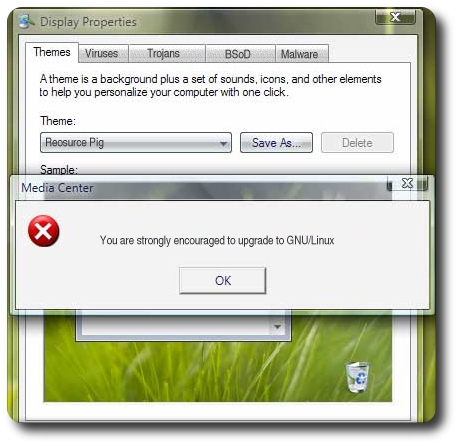
Microsoft Windows is Creating Jobs

  • For malware developers
  • For spammers
  • For extortionate botmasters
  • For spam filter developers
  • For firewall developers
  • For anti-virus developers

All of the above are nasties or software that defends against them. All of them exist and prosper owing to the fact that Windows was never built with security in mind. I can’t help feeling bitter as I am among the sufferers, despite the fact that I touch no Microsoft software. In a matter of just one week, a 30-megabyte mail account got clogged up by SPAM. The amount that comes in is so sheer that I cannot afford to even look at all the subject lines; rather, I go by patterns and highlighting-type filters. It is unbearable as I am skipping some genuine mail.

Windows botnets have brought the Internet to a dark age. Some people question themselevs as to whether conceding the use of E-mail altogether is the better way. And as for collaboration-based, Web 2.0-ish software, I have already been forced to disable much of its function (e.g. registrations, comments, and open Wikis). I also needed to block 2 IP address yesterday, due to continuous abuse involving heavy and continuous spidering of my main site. At least the abusers’ ISP‘s were alert and they quickly took action. These attacks came to their end yesterday. They were not the first though. It is a recurring pattern.

Several years ago I said that SPAM was a problem that did not affect me and I would rather just ignore it. But I am afraid that it is no longer possible. And if Microsoft does not protect its O/S (Vista was already proven to be hijackble) or loses a very significant market share, things will not improve any time soon. They will only get much, much worse.

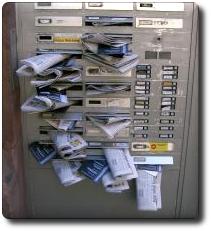
Junk mail

Reliable Backup Mechanism

Data Recovery - presentation

T ODAY I would like to explain, in a relatively shallow level of depth, my most basic backup routines. I will concentrate on a somewhat simplified perspective and that which involves my current backup approach for local files, as opposed to the Web. The method is largely automated, owing to cron jobs (scheduler-driven). More details and method were described in older blog items. For example, have a cursory look at:


At present, I continue to seek and stick to a robust backup mechanism that is rather immune to human error, as well as hardware failures. I take the ‘stacked backup’ approach (keep several cumulative/progressive backups) and I always remain paranoid, as to be on the ‘safe side’ of things. I fear (and maybe even loathe) situations where I might lose data as this costs a lot of time and can even lead to considerable emotional pain, especially in the case of irreversible loss. As a result, I have scripted all my backup routines. I can just set it all up and thereafter forget about it, so frequency of backups can be increased without extra cost (time). I would like to share a few commands that I use in this blog post, for whatever it’s worth. Here are bits referenced from the crontab file, as well as some corresponding and related scripts.

First of all, here is a command which takes all the settings files (beginning with a dot) and puts them on the external storage media, datestamped. It’s possible to go further and compress (e.g. using gzip), but it makes the entire process much slower.

tar -cf /media/SEA_DISK/Home/Home-Settings/home-settings`date +%Y-%m-%d`.tar ~/.[0-z]*

Here is a simple way of preparing a datestamp-named directory.

mkdir /media/SEA_DISK/Home/`date +%Y-%m-%d`

I then take all files to be backed up, slicing them into volumes of 1 gigabyte (the filesystem will not accept files that exceed 4 gigabytes in size).

tar -cf - /home/roy/Main/BU|split -b 1000m - /media/SEA_DISK/Home/`date +%Y-%m-%d`/Baine-`date +%Y-%m-%d`.tar

Lastly, important files that change frequently are copied without any compression.

cp -r /home/roy/Desktop/ /home/roy/.kde/share/apps/kpilot /home/roy/Main/MyMemos
/home/roy/Main/kpilot-syslog.html /media/SEA_DISK/Home/Misc_local #local

I prefer to send copies of these files off-site as well, just for the sake of redundancy.

konsole -e rsync -r /home/roy/Desktop /home/roy/.kde/share/apps/kpilot
/home/roy/Main/MyMemos /home/roy/Main/kpilot-syslog.html
/home/roy/public_html roy@baine.smb.man.ac.uk:/windows/BU/Sites/SCG #and remote

In the above, Konsole is just a convenient graphic-textual wrapper for these operations that spew out status or flag errors, shall they ever emerge (a rarity).

I use tape archives to retain nightly stacks. Every night I use rsync to replicate my main hard-drive and to avoid the existence of deprecated files, I create a fresh copy twice a week, using rm -rf followed by scp (could be rsync as well, in principle) and a storage unit whose total capacity is 0.3 terabyte keeps stacks of the files before each rm -rf operation. Here are some bits of code which are hopefully self-explanatory.

konsole -e rsync -r roy@baine.smb.man.ac.uk:/home/roy/* /home/roy/Main/BU/ &

For a fresh copy of a remote home directory, begin by erasing the existing files.

rm -rf /home/roy/Main/BU/*

rm -rf /home/roy/Main/BU/.[0-z]*

Then, copy all files using a simple remote copy command.

konsole -e scp -r roy@baine.smb.man.ac.uk:/home/roy/* /home/roy/Main/BU/ &

The stacked backups that are dated get deleted manually; and quite selectively so! One should permit reversal to older states of the filestore by leaving sensible time gaps between retained backups. This prevents backups from being ‘contaminated’ too quickly. Important files are often replicate on file/Webspaces, so the most I can lose if often less than one day’s worth, due to hard-drive failures that are physical. The files are kept on 3 separate archives in 2 different sites in Manchester (home and the University; used to be three sites before I left one of my jobs). All in all, I hope this inspired someone. If not, at least it would serve as a page I can reference friends to in case they seek something similar.

More tips on *nix-oriented backup can be found in a recent article.

A Train Which Requires a Reboot

System error

I was travelling to London the other day and something out of the ordinary happened on the journey back to Manchester. This has me think of the possibility of a subsequent rant, which is something that I can never help doing.

So, we were all prepared to leave Euston Rail Station, but the train got stuck. Once it was time for it to depart, the brakes could not be operated. They didn’t permit the train to move. The manager soon said that the local engineers were called in and later added that the train needs a reboot. All the lights went out and the train was virtually disabled for several minutes. Then, even after the reboot, the breaks did not work. Delays have begun to accumulate as the train remained in the station for almost half an hour longer than it should have.

Eventually, the problem was fixed and we rode to Manchester faster than usual, still to no avail (it was late). I slept the entire time fortunately, so not all was bad. The occupancy of the train was low. I couldn’t help but wonder: are these new-ish Virgin trains driven by anything from Microsoft? Windows in particular as a possibility? Or is it specialised UNIX? This reminded me of a very recent deal involving Microsoft and all the Formula 1 teams. I asked somebody who might know the answer, but he could only suggest the following:

“I’d kind of doubt that they’d have windows, but it is just possible. I’d suggest you contact virgin to find out. If it’s true, it could well be a serious safety hazard which should be highlighted anyway.

Personally, I’ve truly no idea…”

Eventually, I decided to contact the company and find out. I doubt Virgin would even reply to any such as enquiry. If they use Windows, they’ll probably deny it. Nobody wants their train systems hijacked, using the flaw du jour, right?

BBC Confuses Hacker and Cracker, Again

Laptop

The bad reputation that the press is giving the term “hacker” is getting. Too. Much. To bear. From this morning’s news.

Supporters of Gary McKinnon have condemned the decision to let the former hacker be extradited to the US.

[...]

“The US Government is scapegoating Gary McKinnon to cover up their ownshortcomings as systems administrators,” he told the BBC News website. “Who breaks a butterfly on a wheel?”

For the record, the system administrators did not change the default password, so McKinnon had a look at some files and changed the desktop’s wallpaper. This is based on something that I read in a fairly reliable source last year. It seems as though the current American regime is becoming irrational and suppressive.

Passwords and Laziness

LockI have just learned (through Bruce Schneier) that, in a large German dating site, the password “123456″ works 1.4% of the time and 2.5% of all passwords begin with “1234″. People are simply lazy or unwilling to memorise passwords. This all means that it would only take about 60 attempts to break into a user’s account.

In an era of Web services, remembering many password can be difficult. For this reason, I personally chose the ‘master password’ approach, as I call it, and I also manage everything as such on my PDA. Password choices are a very important matter, which is something you come to realise only when you get hacked/cracked. In the case of unencrypted comminication, they need to be changed very regularly, as well.

Rise of the Zombies

ONCE again, a timely article that covers zombies (and so-called “bot armies”) — these which are being used to carry distributed denial of service (DDOS) attacks — fails to point out an important and crucial fact. It is only Windows computers that get hijacked en masse as part of extortion schemes. Snippet from the article lies below:

A new kind of denial-of-service attack has emerged that delivers a heftier blow to organizations’ systems than previously seen DOS threats, according to VeriSign’s security chief.

Not even once did the author mention the culprit. This is the third such article I come across which neither includes the word “Windows”, nor does it allude to “Microsoft” in any way. Fortunately, CNET give the E-mail address of the author, so I voiced a complaint. I still get hammered by about a thousand Windows zombies a day, which costs bandwidth. As yet, there is no sign of abatement.

I am aware that most CNET readers are using Windows, so might behave defensively and demand respect for the platform. I am also aware that the Windows EULA forbids such criticisms. Nevertheless, I think the article is flawed.

Here’s my response to the author:

I am somewhat appalled that in your article, much like in many similar articles, the main culprit is not even mentioned. All zombies are Windows. I happen to have strong feelings about this because my site has been attacked since September. The BBC are yet the only ones to have mentioned Windows in this context.

Powerful Backup Scheme

External hard driveI occasionally re-think my arrangement of automated backups. Recent reading about somebody else’s backup method inspired me to take better care of backups (yet again). I used to have 40 GB mirrors in 3 separate sites, which seemed beyond sufficient. Nevertheless, last Tuesday I bought a 300GB external hard-drive. Unwrapped, connected to SuSE and voila! New drive appears on Desktop. Linux has become easier than ever before. Almost frustratingly easy as there is no challenge and rarely a need to install any software.

The only downside of this device is the noise level, which is resulted from rotation at 7200 RPM inside relatively small housing. This can become loud and persistent during overnight baskups. Since the noise bothers me, I suppose could rely on earplugs. The internal hard-drive on the actual box probably has greater noise levels than the new external unit. Usually, however, it is idle or asleep, so only noise from the fan is a true factor.

I never lethargically back up my hard-drives, but nightime appears to be a must for backups, owing to (to put negatively — due to) duration. Matters used to be worse if defragging hard-drives, back in the days when I had a Windows laptop in my apartment. It required some overnight maintenance jobs and fortunately no such issues exist with Linux. Backups, on the contrary, become larger and larger (thus taking longer to complete).

All in all, I have 300 vacant gigabytes to fill. But where will I ever find that much pr0n? I kid, I kid. [smile /]

Retrieval statistics: 21 queries taking a total of 0.115 seconds • Please report low bandwidth using the feedback form
Original styles created by Ian Main (all acknowledgements) • PHP scripts and styles later modified by Roy Schestowitz • Help yourself to a GPL'd copy
|— Proudly powered by W o r d P r e s s — based on a heavily-hacked version 1.2.1 (Mingus) installation —|