Introduction About Site Map

XML
RSS 2 Feed RSS 2 Feed
Navigation

Main Page | Blog Index

Archive for the ‘Technology’ Category

Invites to Combat Spam

Sky scrapers
Scrapers: where is the original content? Left or right?

Several companies including Google have devised mechanisms so as to avoid becoming the hosts to spammers. It is broadly agreed that spam blogs (also referred to as “splogs”) and spam-generating E-mail accounts can easily damage the reputation of the ISP or the on-line service which provides the bandwidth. Consequently, Google have reacted to spam blogs in a variety of ways and required Google Mail subscribers to be invited by another existing member (“friend brings a friend”), thus establishing trust. Moreover on the issue of spam, content spam can finally be reported and feedback acted upon.

The brand-new WordPress.com, a service similar to that of TypePad and Blogger, takes the same approach as GMail and distributes “invites”. A limit on the number of invites helps the battle against spam over HTTP. While their mechanism appears similar to that GMail invites, it serves a different puspose and has different implications. With spam blogs being endemic, one needs to gain control over who creates blogs, as well as how many. The requirement for a referral from a friend is a novel idea, which can result in a highly-reputed network of blogs. It would attract the best bloggers from ‘junk networks’ characterised by plagiarism, hotlinked (sometimes stolen) graphics or content that provokes hatred and intolerance.

Where else can this idea of invites be used? Virtually in any domain which involves public account instantiation, e.g.:

  • E-mail accounts
  • Blogs
  • Webspaces
  • On-line bookmarks such as del.icio.us

Many other services are moving online (possibly reaching out for on-line operating systems), so we shall see spam hitting many other types of services in the future. Not so long ago I wondered if there would be a place for invites trading on eBay. I guessed it was only a matter of time. Links and PageRank likewise. It was a few days that a WordPress invite ended up in an eBay auction, much as I had predicted. That means that people earn money for subscription to services they do not own! So, under certain circumstances, spamming appears to be substituted by scalping.

Google Desktop – Verging a Google Browser?

Google Desktop 2Only months after the release of Google Desktop, the much richer Google Desktop 2 has been announced. This native desktop software, as well as indexing and searching one’s hard-drive, incorporates a controversial sidebar. This sidebar contains RSS feeds, a virtual Gmail inbox, news headlines and more utilities and plug-ins like a scheduling toolset.

Will this truly provide the infrastructure to what might become a Google homebred Web browser? This kind of browser would make the Google-centric application everything that you will ever need. Would such strategy move all the users’ data on-line, namely mail, schedule and settings? Will this make our lives even more portable? Surely there is potential for this vision, which is not baseless. Google have strong ties with the Mozilla Foundation and they may have pondered the possibility of a Google browser in the past. Some sources claim they have.

Related items: Google OS – What if?, Towards On-Line Operating Systems

40 GB per Platter

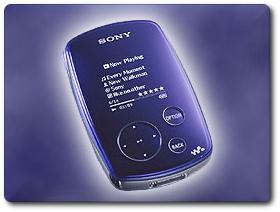
External hard driveIt’s coming! The perpendicular magnetic recording (PMR) hard-drive has been released by Toshiba for the first time. This 1.8 inch hard-drive takes us closer to the vision of huge capacity concentrated within a tiny space. As storage barriers are breached, not only laptops, but also handheld devices begin to challenge the desktop. This condensation of storage is particularly valuable for miniscule devices such as PDA‘s.

The disk stores 40GB in a single platter, and there are plans to release a 80GB version later this year

Toshiba is currently shipping the 40GB MK4007GAL to OEM and channel partners. The company plans to apply PMR technology to its 0.85-inch HDD in 2006, increasing capacity to 6GB-8GB per platter.

With many modern machines, the large numbers of platters relies on physical space being available. This enables manufacturers to sell hard-drive that reach hundreds of gigabytes (soon terabytes) in capacity. Expect PDA’s to contain a much greater amount of space soon, which is a pre-requisite to using them as hard-drives on full-sized PC‘s. Portable devices such as the Palm LifeDrive should be able to increase ten-fold in terms of capacity. This will probably happen some time in the near future when they equate to the capacity of the iPod (up to 60GB), for instance.

Cited by: PalmAddict

Computers Become Hosts

Laptop and iPod
Computers to be driven purely off the iPod/Handheld device

Imagine yourself the following scenario: To start up your computer you connect an iPod (or any other large-storage mobile device) to your (x86-based) work computer, which then launches the operating system (currently Knoppix Linux) from the iPod. It uses the processor and memory of the local machine rather than the iPod’s, which is merely used as a hard-drive. Then, once work is finished, you take your iPod home and repeat that exact same procudure, plugging in the iPod to a different computer. Not only can you resume your work, but your hard-drive (which contains everything that is personalised) gives you an identical environment, i.e. you have all your recent files, browser cookies, desktop settings, etc.

That vision is now real as IBM exploit the iPod for this purpose. The device could, in principle, be a Palm LifeDrive, which makes the exception among modern PDA‘s since it exploits very high data capacity. The large-sized hard-drive and high bandwidth (USB/FireWire) make it possible to use your machine merely as a host (computation, display, and peripherals), while your data (operating system, files and applications) always remain in your pocket. From an article just published in CNET:

The virtual computer user environment setup is called SoulPad, and consumers install it from a x86-based home or office PC. SoulPad uses a USB (universal serial bus) or FireWire connection to access the network cards for connecting to the Internet, the computer’s display, the keyboard, the main processor and the memory, but not the hard disk.

Also worth mentioning is the prospect for running your favourite operating system and programs to access your data on any computer. You could even use a workstation at your local library cluster. Plug in your mobile device and use the computer as if it was yours. This considerable step can give a major boost to devices such as the iPod and the LifeDrive. Perhaps Jeff Hawkins, Palm co-founder and R&D chief, had substance in his vision of the “Life Manager”. Could this be what Palm had in mind when switching to Linux?

On a less enthusiastic note, the entire idea of protable high-volume storage is not brand new. For quite some time it has been possible to install hard-drive housing units in one computer and slide in different hard-drives that suit different users of the same computer. This essentially meant that computers came without a hard-drive; hard-drives were provided by the users. However, with a handhelds like the LifeDrive, several major advantages spring to mind:

  • Size, which is a major pro
  • The ability to view and edit data on the go, unlike just carrying a ‘black box’
  • Internet connectivity
  • Infra-red communication

Cited by: PalmAddict

RPG Fantasy World

Laptop

Back when I was in school, some friends of mine were addicted to on-line role-playing games (RPG) such as Ultima (interview with its creator just Slashdotted). One of them would spend his entire life (not literally as he was in school too) playing D&D-themed games, attending his friends’ on-line weddings and grabbing screenshots. The Diablo extravaganza was heated up too at the time, but it goes back to the age of 14 or 15.

I have just stumbled upon an entertaining essay by one such addict. It gives an idea of the scale and growth of this phenomenon. I will not be surprised if in the next decade we see people who are entirely disconnected from reality, constantly ‘plugged-into’ their computer screen, spending their life (physical) in a virtual world, provided they can financially afford it. Computers allow many to enter a virtual world where gaps between reality and imagination simply collapse. Let us not forget that computers stride on quickly while the rest of the world does not. In a few decades, the two might intersect at some level.

You may have heard about a guy who recently was convicted of murdering a man during a dispute over a rare, valuable sword. That sword that was not made of metal or anything solid, but rather of 1′s and 0′s inside a computer hundreds of miles away. It was a sword he had won in the MMORPG Legend of Mir 3.

Related films: The Lawnmower Man (1992), The Matrix (1999)
(note: mentioning of these films does not imply that I like them)

Governments and Diversity

Governmental offices and agencies are expected, more than any other body, to cater for a large variety of cultures. This item is not a political one, but it refers to governments which unknowingnly support a commercial monopoly, which happens to be a majority. The benefit to governments taking this stance is scarce or inexistent. At the end of the day, cash only flows towards the folks at Washington state.

The city of Vienna has recently moved to an all-Linux infrastructure. Britain appears to be highly conscious of the diversity of browsers and operating systems out there (exception #1, exception #2) unlike many other countires I know. Some other governments have recently expressed willingness to follow suit and move to Open Source.

Whip Office

To spice up this write-up and give some fruit for thought, The Australian Tax Office adopted OSS and nonetheless, the Australian ‘e-tax’ system is Windows-only. If you talk the talk, you must also walk the walk.

Program Invocation Methods

There are at least 5 paradigms for opening applications in your operating system. These differ in terms of efficiency, versatility the the learning curve (experience) that is initially involved. If the average user invokes programs dozens of times a day, choosing the right invocation method is worthwhile.

KDE launcherMethod #1 – Application Menus (Launcher) – familiar to most under the heading “Start Menu”, which of course corresponds to Windows users. Therein lie all the applications, well-filed and catalogued depending on their nature. Many users retain everything directly under “Programs” (no extra level of hierarchy), but installations of Linux often subcategorise programs by type, e.g. “Internet”, “System”, “Graphics” etc. (see image on the left, click to enlarge). Large Windows installations, which have hundreds of programs incorporated, often do likewise.

Method #2 – Command-Line Interface (CLI) – simply put, it is the case of invocation using text — textual commands and a trigger (e.g. ENTER). Windows will soon have Monad, which is a command-line tool that addresses a serious deficiency. Linux and Mac OS X (UNIX-based) already contain advanced command-line facilities, which are well ahead of the long-forgotten MS-DOS in terms of power and expressiveness. Monad will not be included in Windows Vista due to security holes that have recently been unveiled.

Method #3 – Dock/(child-)Panel/Launch Bar – the assemblage of many application icons in a small space. That space is usually visible at all time, even when windows are maximised (see example below).

Child panels

Method #4 – The ‘Busy’ Desktop – a few people prefer to keep all their favourite programs in their desktop space. This can result in clutter and the major disadvantage is that icons are not always visible. Hence, icons (applications) are not accessible at ease. The notion of “Show Desktop” (START+"D" in Windows, CTRL+ALT+"D" by default in KDE) mitigates this inconvenience as one can minimise and then maximise all windows simultaneously.

Desktop with previews

PDF‘s, text files, HTML‘s and
directories in the KDE Desktop with previews
(click to enlarge)

Windows 98

My Windows 98 laptop (click to enlarge)

Method #5 – Keyboard Accelerators – there is support in most (if not all) operating systems for assignment (AKA binding) of keys to certain operations or invocation of programs. A previous item in this site explains how this can be achieved in Windows and Linux.

Method #6 – Mouse Gestures – interpretation of mouse movement as to understand the user’s desire. I have not come across mouse gestures in a typical desktop environment. However, Opera and Firefox (some details here) already support it very effectively.You can navigate by moving your hands in special, distinguishable ways. The idea is reminiscent of voice commands.

Retrieval statistics: 21 queries taking a total of 0.187 seconds • Please report low bandwidth using the feedback form
Original styles created by Ian Main (all acknowledgements) • PHP scripts and styles later modified by Roy Schestowitz • Help yourself to a GPL'd copy
|— Proudly powered by W o r d P r e s s — based on a heavily-hacked version 1.2.1 (Mingus) installation —|