Introduction About Site Map

XML
RSS 2 Feed RSS 2 Feed
Navigation

Main Page | Blog Index

Archive for the ‘Linux’ Category

Goodbye Palm OS, Welcome Linux

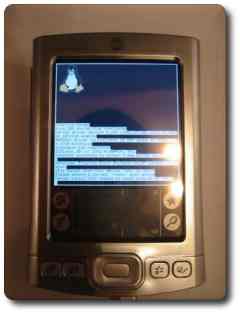
Linux on the Palm Tungsten E
Amateur attempt at Linux on the Palm

PALMSOURCE, former software makers of Palm (after fragmentation and before re-joining), have finally announced the inevitable transition to Linux. To be more specific, they intend to release a Linux-based mobile phone to the market. This exciting move will mark the death of Palm OS. It also explains the delayed Cobalt, as well as the relatively dormant state of Palm O/S.
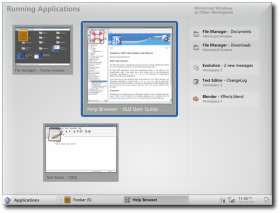
Access subsidiary PalmSource revealed details of its Linux-based mobile phone operating system, Tuesday at 3GSM in Barcelona.

With the millions of existing Palm users, think of the exposure Linux is yet to get. This also puts behind some worries that Palm have sidled with Pocket PC.

Recent rumours spoke of a possible Palm takeover. Even Apple were at some point mentioned as a possible candidate/runner-up.

Old items on Palm and Linux:

Ubuntu and Mandriva 2006

GNOME mockup

Next generation of GNOME (source)

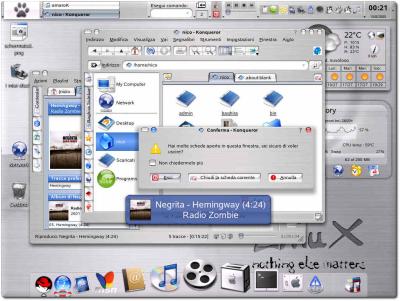
Tiger in KDE
KDE inherits Apple’s fancy dress

ON my recent vacation, I made a someone’s wish come true. I finally spent time working on a dual-boot Ubuntu setting for a friend, whom I have known since the age of 5. We both grew up on DOS, but in due time got fed up with unreliable Microsoft Windows, following its more successful days which were symbolised by Windows 3.1/3.11, 95 and maybe 98 as well (though that is where its value began to dive).

I made some gentle encouragement to make Linux the exclusive booting choice, but my friend will have to become accustomed to Linux one step at a time. This is no exception. Data migration, as well as migration of software and habit is required. Finally, he got excited about urging his parents to switch approximately 20 machines at their factory to Linux. An hour of explaining the Linux mantra and inner mechanisms was well invested. That guy is now on Mandriva 2006 as I recommended a KDE-based distribution with an AMD 64-bit processor support. Having ditched Ubuntu, he was even more satisfied, yet he kept all the installation CD’s, which he may distributed and disseminate to others.

In the process of migration, Linux (the distributions rather) received compliments on ease of installation, customisation ability, functionality and the number of available programs. We initially encountered issues due to an “expert” installlation of Ubuntu. These were attributed to privileges, which are supposed to protect the users from themselves. Ubuntu is intended for non-systems administrators, but I sometimes think that it goes too far, which can be counter-intuitive.

The Future of GNOME

GNOME mockup

Mockup of a more futuristic GNOME (source)

THE GNOME desktop environment for Linux appears to be losing its prestige due to KDE, despite some eye-popping video demonstrations that include transparencies, wobbling windows and a 3-D Cube in desktop switching. Looking at some mockup images of GNOME, one gets an idea of future directions. The GNOME developers camp might have to live with the damaging insults from Linus Torvalds nonetheless.

More examples of GNOME eye candy can be found in a
previous eclectic item.

Rational Break-down of Virtual Desktops

Pager in KDE
A pager which contains 8 virtual desktops

ASSOCIATION of numbers with tasks can make life somewhat easier. Logical subdivision of processes can be reached in this way. Depending on the task at hand, a certain mnemonic can serve as a bridge to quick access. In this particular case, I am thinking about virtual desktops, which I have introduced and described before.

Let us consider a variety of activities which are undertaken in the daily routine of a computer user and assign each to a particular virtual desktop — a particular number, that is. This way, one can immediately jump from one process to another rather than ever launch and re-launch applications, or even minimise and restore any. Here are the mnemonic that I found to be most useful over time.

1. In my main workstation (University, dual-head as shown above):

  • Desktop 1: Web browsing (occasionally feeds)
  • Desktop 2: Right-hand-side: E-mail, left-hand-side: music
  • Desktop 3: Reading (usually GhostView and file managers)
  • Desktop 4: Programming
  • Desktop 5: Writing/authoring
  • Desktop 6: Remote connections (permanent link to two other workstations)
  • Desktop 7: Photography, usually vacant or neglected
  • Desktop 8: Communication, e.g. newsgroups

2+3. At work and at home:

Desktops 1 and 2 are consistent with the above. As the machines are not dual-head and only 4 virtual desktops are used (anything beyond 4 is often an excess), desktop 3 centralises many of the remote connection and file browsing aspects. Desktop 4 usually involves both reading and programming.

Either way, regardless of which numbers you assign to your favourite tasks, a quick tap on CTRL+number becomes natural and, given a certain task, the number makes transition to it more natural, almost innate. Diversion of attention can be made trivial and speed is then comparable with that of will. All programs are either in the visible (active) or virtual frame buffer.

Linux Saves Time

Desktop with previews

OCCASIONALLY I get reminded why productivity and Windows remain an oxymoron. Take authoring in research, for example.

Colleague: juggling processes, restoring and minimising active windows, yet unable to cope with the complexity and clutter in the desktop

Over here: 8 virtual desktops

Colleague: needs to convert many images from encapsulated PostScript to PNG. Approach: start bloatware and wait for a little while; Load all images, assuming physical memory permits it; Wait for a long time for images to be rendered; Save images one by one and change file extension by hand.

Over here: a simple 3-line script does all of the above in just seconds. It uses ImageMagick.

Colleague: uses Wordpad for composition and paint.exe for simple graphics

Over here: a decent choice of professional tools

Colleague: figure placement handled by hand, hyphenation not possible. LaTeX is not reliable under Windows as it is not ‘native’

More issues: occasional viruses, FS maintenance, regular reboots (thus restoration of workspace is needed)

I estimate that we save several hours per day by opting for Linux. I am left baffled wondering: how can anyone who uses a computer for work possibly choose Windows? Has the world turned upside down?

I will soon be writing about the transition of a close friend to Linux. He recently discovered a world of power computing and left Windows on the curb. Linux stereotypes are often the main peril.

Fear Fought by Spreading of Fear

Season of the playful penguins
Season of the playful penguins from Oyonale

UNFORTUNATELY I am departing tomorrow, so I decided to pull a few pearls of zeal off my mind. Linux advocacy is, after all, an out-of-the bag obsession to me. [wink /]

The outsider to Linux creates fear (or FUD) and in turn spreads it, due to personal fears. It is a certain awareness that drives this cycle of fear-to-fight-fear effect. One knows that when Linux becomes a hot commodity, many new users will require Linux expertise. It is then that people with knowledge of Open Source software have the most valued skills. Perhaps, just perhaps quite suddenly, they find themselves propsper in a market where there is shortage of such skills. It is then that an army of spyware removal ‘experts’ becomes redundant. It is then that Windows expertise no longer has its market. What Windows advocates essentially do by coming to Linux forums and peppering them with lies is defending their jobs.

But guess what? The road goes where the source is located. Closure leads to dead ends. The deficiencies of closed-source formats are perceived and condemned by more and more people and corporations.

China Takes Linux Very Seriously

Season of the playful penguins
Season of the playful penguins from Oyonale

RECENTLY, there have been various articles about the need for Linux in China. It is a rapidly-growing country where roughly 90% of software involves piracy. The Chinese have just committed themselves to contributing to Linux enormously.

The world’s second Linux international standard testing lab was set up in China’s capital of Beijing on Friday.

Sponsored by China’s Information Industry Ministry, the lab was jointly established by China Electronics Standardization Institute (CESI) and Intel Corporation.

Retrieval statistics: 21 queries taking a total of 0.096 seconds • Please report low bandwidth using the feedback form
Original styles created by Ian Main (all acknowledgements) • PHP scripts and styles later modified by Roy Schestowitz • Help yourself to a GPL'd copy
|— Proudly powered by W o r d P r e s s — based on a heavily-hacked version 1.2.1 (Mingus) installation —|