Introduction About Site Map

XML
RSS 2 Feed RSS 2 Feed
Navigation

Main Page | Blog Index

Archive for the ‘Opinion’ Category

Minor Bugs and Critical Bugs

Dynamite Monkey

There are bugs that bug the user and bugs that lead to catastrophe. Below lie two examples of critically-buggy applications, which I recently decided are worth listing.

1. Windows 95 – Blue Screen of Death

I still remember, as a most classical example, the days of Windows 95. The operating system failed to cope with unhandled, misunderstood packets that ultimately gave the blue screen and required a reboot in most cases. Sooner or later people got hold of so-called ‘nuking’ software — one among virtually dozens of GUI-based free downloads. That little tool gave its owner the ability to unleash upon others the infamous ‘blue screen of death’.

IP address of the target computer was all one needed. It was easy to determine one’s IP address even when dynamically allocated by a dial-up ISP. Instant messengers (ICQ was new and hot at the time) simplified the process tremendously and tools that interacted with the IM existed as well. This gave your friends and foes the ability to ‘take you down’ whenever they desired.

Sooner or later, anti-nuke software was becoming mandatory. Yet another application to run in the background if you want to survive without rebooting and losing some invaluable work. Not good.

During the holiday, yet another critical flaw with Windows XP and Windows Server 2003 was found. Lessons have not been learned even 10 years later. The promise and efforts to make Windows more modular seem unfruitful.

2. Timely Example: WordPress 2.0 Bugs

I previously said that the release of WordPress would be premature. I said so as soon as rumours emerged. Matt Mullenweg spoke about an undetermined release that precedes Christmas. Boxing Day was the point when things took a gentle dive.

I now write about 40 messages a day in the WordPress support forums, making a voluntary contribution throughout the holidays, as promised. The pace of bug reports is worrisome. That aside, the WordPress Web site was not prepared for the demand either. There was a site migration issue on the very same date as the release and coding bugs emerged all too soon in the forums where they continue to resurface.

WordPress 2.0 was intended to be named after a Jazz musician, as always. ‘Stan Getz‘ was among the top contenders. I believe that WordPress should not be called Getz because it might give a favoured artist of mine a bad name. WordPress 2.0 is more like Milli Vanilli (sarcasm and an overstatement).

Earlier today a version database downgrader for WordPress was released. A few people regret the upgrade, but many are very happy with the new features. Whether the frustration supercedes the benefits is an important question. The answer is yet difficult to deliver and the situation hard to judge.

KDE and Ease-of-Use

KDE Plasma

KDE and its future “Plasma” for user interaction (source)

IT is no secret that I am an avid KDE fan. I would definitely choose it over GNOME for most purposes. I use GNOME as a desktop environment almost every day, but only while at work.

KDE is simply more powerful and appears to have a brighter future ahead.

There recently emerged a commotion due to a message from Linus Torvalds (‘father’ of Linux), wherein he expressed dissatisfaction with GNOME. It seemed as though his outspoken involvement in desktop ‘camps’ stirred a storm in a teacup. Typically, Torvalds not only avoids talking about competing operating systems, but also avoids criticising non-profit initiative such as GNOME, which support his kernel and make it more popular across the globe.

During the holiday I came across an insightful blog post from QDevBlog. It encapsulates many the thoughts among KDE users and the KDEdevelopers. It also includes many valuable facts that I was never aware of.

The recent discussions on KDE versus other Linux desktops – accidentally started by KDE-user Linus Torvalds – showed an interesting new development in the eternal debate. First of all it didn’t come as a surprise that Linus uses KDE, after all Fritz Elfert made it very clear back in 1996 that KDE stands for “Kernel-Hackers’ Desktop Environment”, when Kalle and the German IT press still pushed “Kalle Dalheimer Experience”.

[...]

To be even more explicit: It’s a fairy tale that end users will decide against KDE when given the choice, and it’s a fairy tale that KDE is more difficult to use than any of the alternatives.

[...]

KDE is all about ease of use, contemporary functionality, and outstanding graphical design, and we make it better and better with every release, in all three aspects.

Keyboard Navigation in Search Engines

Shortcut keysOne of the commonest Web activities involves information discovery and fetching using search engines. It is worthwhile to adopt habits that make that activity a more efficient and productive one. For example, the user can be delivered 100 results per page (in Google at the least). When using GoogleBar, the plug-ins can be configured to get 50 results by default. This is valuable to users on a fast connections.
I am sometimes surprised, on the other hand, by the lacking support for efficient keyboard navigation. Neither Google nor Yahoo use accesskeys in the results page. It always bogs down to having to scroll down (or go to the top of the page) and then aim at the fine numbers to skip to the next page.This is laborious if there are many pages to browse through. Some arrow-shaped buttons exist for that reason in various toolbars, but no keyboard accelerators are bound to them. Moreover, they only accommodate the more basic functions.

I am aware that my request is a ‘power user’ feature, but why not incorporate some keyboard shortcuts (accesskey) to make SERP navigation quicker? It is very simple to implement and it adds just a few bytes to the page. Size-wise, it is affordable even if the large majority of users take no advantage of it.

Related items:

WordPress: Explosive Exposure & Decisions

WordPress 2.0 nightly
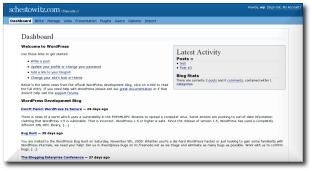
The dashboard (back-end) is the
main enhancement offered by WordPress 2.0

TO start off, I would like to spend a couple of paragraphs to accommodate a rant. As I previously mentioned, WordPress 2.0 is intended to be out before Christmas. In reality, there are a few difficulties and many reasons to avoid premature releases. I don’t mean to spoil the enthusiasm. Yet, I truly think it would be a misjudged decision to rush the release. Patience is a true virtue here due to the arguments listed below.

There are several bugs, which are sometimes fatal, e.g. browser crashes. Some time ago I raised the concern that AdBlock for Firefox has conflicts with TinyMCE, which make editing impossible to some. A release before Christmas is desirable (if not both compelling and necessary) because of massive holiday season downloads. However, why give WordPress that dreadful “buggy FOSS” reputation? Needn’t LAMP be respresented with its highest dignity? One must stick to the very same traits which earned version 1.5 nearly 1,000,000 downloads.

WordPress began to be adopted by many large companies. Many such companies run extensive public sites and intranets. Among the big names: Apple, Yahoo, MSN and About. Only yesterday it was revealed that Yahoo would liaise with WordPress for their hosting, which is exciting news indeed.

Why is that particularly exciting news? MSN and Yahoo are search giants, yet their range of applications extends far beyond that as time goes by. They handle the task of information management and thus must (or are expected to) provide rich content. And yet, Google is the largest among the three and much like the others it boasts a huge community of bloggers. Google started with search and moved on to Web-based applications, tools pertaining to information and data mining. Yahoo grew from communities, content, tools, and services. MSN grew from an operating system and a browser that points to MSN by default. All taken into account, WordPress can receive a great deal in return (not monetarily of course).

One wonders: where is Google in all of this WordPress hype? Their official blog is very poor in terms of functionality and presentation. Their main ‘courier’ or ‘messenger’ , Matt Cutts 1, has been on WordPress for months despite Blogger and Blogspot being available. The Code Manger, Chris DiBona, on the contrary, uses Google’s services rather than his old personal domain. So while Google’s Code Manager, among many others, have settled on Blogspot or Blogger, Matt Cutts refused to do so (or put more politely, preferred to abstain) and registered his own domain (running WordPress of course) where he became a sort of a messager — an oracle — of Google search algorithms. The community that is thirsty for SEO tips syndicates his blog using feeds, of which there are plenty. He is used to writing plenty of items about gadgets, film reviews and the like, but due to the versatility of WordPress feeds, his subscribers are able to set aside the ‘noise’ and get Google inside infomation exclusively. The important fact is that Matt Cutts’ blog is far more popular than these “get your blog among splogs in a 30 seconds procedure” spaces. Google could learn a few things from Matt (Cutts/Mullenweg) and given that they are kings of Open Source, it is surprising that it is them who have not adopted WordPress yet.

1 Cutts leaks information to SEO-savvy or curious audience of Web developers, much like googleguy in Webmaster World.

Productivity in Research

IF I ever undertake a repetltive task that pertains to research, I wish to either automate it using existing (preferably free) tools, script it (e.g. bash, Perl or MATLAB which is by all means expenesive), or costomise the desktop environment to minimize the number of moves, clicks, etc. Productivity through convenience can be achieved using clipboard stacks, mouse focus policies and so forth.

KDE launcherI find Linux to be a powerful tool in research. Windows, for instance, could not replace the multi-tasking capabiltities and expresiveness of Linux. Macs likewise, although they are most popular among designers, technical designers included. They are not, as far as I can tell, an optimal programming platform considering the price which they sell for. Singularity from Microsoft is intended to address the deficiencies related to Windows in the research sector. It is Singularity, as well as Monad, that ought to endow Microsoft with the platform that suits so-called “power users”. Monad is a command-line tool for Windows, that has been hacked a few months ago and will therefore be excluded from Windows Vista. In the mean time, KDE will remain my favourite desktop environment. Linus Torvalds could give a polite nod.

Desktop environement productivity tools and essays:

Centralising Applications, Settings, and Data

Servers stack
A server as your main and central ‘workstation’

HAVE you ever wondered if re-entering passwords, restoring settings, synchronising bookmarks, and exchanging files are at all necessary tasks? Could these repeatable tasks possibly be avoided? Is there a way of working from a variety of places, totally oblivious to the location of data and the state of the applications used? To me, there is a simple method for keeping everything in a single place, but it relies on a quick network connection.

I keep all my settings synchronised by always SSH‘ing (must get X-forwarding enabled) to a single machine that acts as a server. All other machines are used merely as terminals; and yet, one must assume the user is always connected via fast fast Wi-Fi or Ethernet. How truly comforting would it be to have all the computers behave in the same way? With good bandwidth in hand, also the level of responsiveness is identical.

This can definitely be done with Windows and Apple Macs although, if you steer way from UNIX and its variants, that might involve complications when it comes to applications, utilities or commercial software (Windows in particular). It is worth emphasising that you need only install software once — on the server. Data is stored on the server as well and this includes settings, browser cookies and so forth.

In short: same everything, different hardware, from different locations, at any time (provided you do not mind electricity bills for workstations that are constantly on). I always leave my machines switched on because I often find that it is a good return (productivity-wise) on investment.

Related items:

Keychain ‘Optimisation’

Decline - a sharp drop
Little can be good sometimes

MINIMISATION is an important key to a happy life. Not necessarily minimalism, but a simplification rather.

Several years back, I identified the need to find the right key (among the large set) as quickly as possible. I wanted to optimise the ‘fetch time’. No fumbling, no mistakes. Given the amount of time we spend pulling keys out of our pockets, wouldn’t that seem reasonable? Many would repeat this belt-and-braces exercise about a dozen times a day.

Think what keys you truly need and when. I typically carry just 2 keys and 2 swipe cards. That is all I need in most circumstances. In total, they are weighing at about 30 grams and are invisible in the pocket. My PDA is quite discreet too: no bigger than a small cellular phone.

Wallets likewise. I carry coins or bills when required. I pour all change in my pocket and empty in all in central ‘repository of change’ when I get home. No bloat due to wallet! Pockets are emptied, the pants become lighter and there are never hard or sharp objects nearby valued organs.

Retrieval statistics: 21 queries taking a total of 0.089 seconds • Please report low bandwidth using the feedback form
Original styles created by Ian Main (all acknowledgements) • PHP scripts and styles later modified by Roy Schestowitz • Help yourself to a GPL'd copy
|— Proudly powered by W o r d P r e s s — based on a heavily-hacked version 1.2.1 (Mingus) installation —|