


Centralising Applications, Settings, and Data
 Filed under:
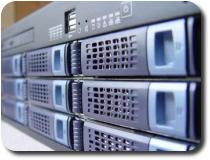
A server as your main and central ‘workstation’
 AVE you ever wondered if re-entering passwords, restoring settings, synchronising bookmarks, and exchanging files are at all necessary tasks? Could these repeatable tasks possibly be avoided? Is there a way of working from a variety of places, totally oblivious to the location of data and the state of the applications used? To me, there is a simple method for keeping everything in a single place, but it relies on a quick network connection.
I keep all my settings synchronised by always SSH‘ing (must get X-forwarding enabled) to a single machine that acts as a server. All other machines are used merely as terminals; and yet, one must assume the user is always connected via fast fast Wi-Fi or Ethernet. How truly comforting would it be to have all the computers behave in the same way? With good bandwidth in hand, also the level of responsiveness is identical.
This can definitely be done with Windows and Apple Macs although, if you steer way from UNIX and its variants, that might involve complications when it comes to applications, utilities or commercial software (Windows in particular). It is worth emphasising that you need only install software once — on the server. Data is stored on the server as well and this includes settings, browser cookies and so forth.
In short: same everything, different hardware, from different locations, at any time (provided you do not mind electricity bills for workstations that are constantly on). I always leave my machines switched on because I often find that it is a good return (productivity-wise) on investment.
Related items:



 INIMISATION is an important key to a happy life. Not necessarily minimalism, but a simplification rather.