 ignificant news (particularly to ‘WordPressers’) have come out from Matt Mullenweg, Co-Founder and Lead Developer of the open-source publishing tool some us know as WordPress. In his recent message he announces that TinyMCE, a JavaScript-based WYSIWYG front-end to HTML code, will be incorporated and set as default editing mode in future releases of WordPress (version 1.6).

TinyMCE in action
There is a real danger in moves such as this one. Even though ‘raw code mode’ should still be available, only few among the large ‘WordPress pool’ will opt for it. By hiding details from the user, a certain level of ignorance is permitted and standards begin to be compromised and degraded.
As one example of the very principle, Google Groups allow people to participate in UseNet without any knowledge of UseNet and without news reading software. The result is poor netiquette, the many faces of which include top-posting (replies at top of threads), multi-posting (duplication of messages across groups without indication of this) and spam. Some Google Groupies have become hit-and-run guests who ask a single question; once happy with the answer/s, not even a thank-you. As a matter of fact, this drove many newsgroups moderators as far as killfiling (removing) all messages posted via Google Groups. Needless to say, this reflects badly on Google.
As yet another example, it is not entirely rare for Average Joe to save horrific Microsoft Office documents as HTML and then publish the Microsoft-only HTML code on the Internet, thereby breaking the Net. Likewise, a certain proportion of Web programmers and developers bother to test their scripts and sites only under Internet Explorer, which is notorious in terms of standards compliancy and support.
It is rather worrying to know that hundreds of thousands of WordPress-driven sites will wind up automatically generating HTML code. In Matt’s defence, the WYSIWYG tool is said to produce “top-notch” HTML output. Knowing that Matt is also a real standards fanatic, I trust him when he approves the the quality of this WYSIWYG package, which was very recently added to WordPress.
I would be a hypocrite not to admit that I use LyX, a cross-platform front-end to LATEX, when composing my thesis. The result of PostScript/PDF compilation, however, does not suffer from unoptimised source.


 Filed under: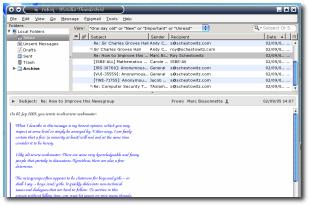
 OZILLA Thunderbird has been my primary mail client for several months, having made it the permanent replacement for KMail. I thought I ought to share a recommendation for a theme. I personally find Apple’s Aqua theme and brushed metal elements in Jaguar/Tiger highly appealing. I even went as far as tailoring my own in Firefox (see below). I have also come to discover that CrossOver, the Aqua-inspired theme for Thunderbird, is by far the most popular theme at the moment with approximately 18,000 downloads in the past week alone.


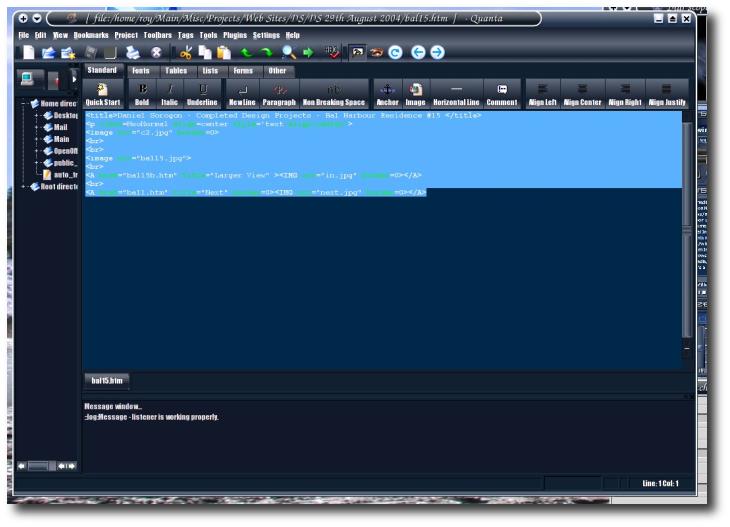
 wo of the most common arguments/wars in UseNet, as well as various forums, are over Linux distributions and favourite text editors, which are very fundamental tools, particularly in development.
 nly a couple of days ago I finished implementing the

 t is no secret that various software vendors use similar conventions for menu layouts, icons and so forth. As an instance, have a look at the one-to-one correspondence in the screenshots above (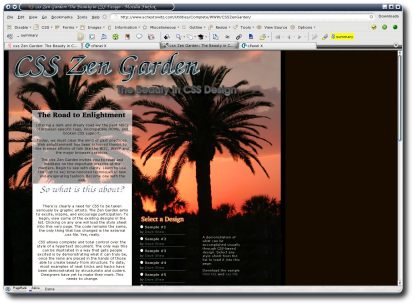
 or quite some time I have been wanting to create a
  The latest generation of Web development involves tools such as the one used for managing this Web log. Although many pages continue to be composed in the level of raw HTML code or using What You See Is What You Get (WYSIWYG) tools, their days appear numbered. Quite simply, both are antiquated methods of composing for the Web since development is usually done at the remote end — the user’s end. Both content and tools (software) reside on the user’s side. Content then needs to be transferred to the Web server and software is not guaranteed to work on any platform.