Tuesday, July 19th, 2005, 11:34 am
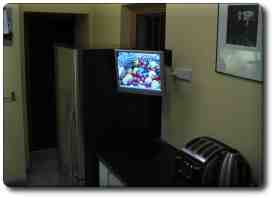
A guy called Derek posted photos from a personal project to nntp://uk.tech.home-automation. His work is inspiring and a lot of DIY was involved. Posted below are some specs and features, explained in his own words.
…
- Monitor mounted
- Fan and vent installed in cupboard
- Benchtop drilled
- Test fire of PC!
Some of the uses of this system:
- Recipe database (incl barcode scanning of ingredients for online supermarket ordering)
- Entertainment (MP3s, videos, TV etc from the LAN and internet)
- Web browsing
- VoIP calls
- Security (four cams around the house + alarm)
- Lighting control (possibly power down the track)
Awaiting additions:
- Globetech keyboard/trackball
- Install/config of Meedio
Looking a decade back, only a small proportion of homes had a computer. Nowadays, with costs that continue to fall and functionality that is on the rise, computers are lavishly bought, much like TV sets in the previous decade.
Tuesday, July 19th, 2005, 5:23 am
 t has come to my attention that a few people purchase anti-virus software for Palm-powered devices. Buying virus defence for the Palm is much like buying premium insurance for a boy’s 50 watt toy motorcycle. Even free software, which claims to offer strong virus protection, will most likely hog resources for no justified reason.
 In practical terms, anti virus software for Palm handhelds is utterly unnecessary. There are two known Palm viruses, which are “proof of concept”; nothing has been shown to be malicious beyond this fabricated illusion. Such viruses are created by anti-virus developers and vendors in order to create a scare and prove that Palm handhelds are potentially penetrable. The viruses have not been found “in the wild” yet and this state is unlikely to change any time soon. Remember that Palm handhelds have remote access capabilities (SSH, telnet, VNC etc.) but do not yet allow access and control from the outside. It is simply not practical because they are mobile — it is their nature to be the controlling device (master), not the controlled device (slave). You can use your remote control to affect your TV, but not the TV to affect your remote control.
There are a couple of Trojans which depend on naivety of the users. Most experienced users, however, are wise enough avoid downloading, installing, and running software which was acquired from some obscure Web site. If such applications are run, they can wreak their havoc but cannot spread from one handheld to another. Therefore, they are not infectious like the most devastating viruses which Windows users have become familiar with.
Similar selling tactics were used on the PC in the older days. Viruses like “Pong” scared users who would then purchase protection from the same people that introduced the illness in the first place. The bottom line is: do not bother with anti virus software for Palm.
Cited by: PalmAddict
Tuesday, July 19th, 2005, 2:55 am
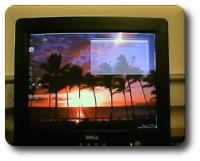
My machine at work, which
runs Ubuntu Linux (see daily photolog)
 buntu is a Linux distribution that is based on Debian and resembles it too. This Gnome-based (also see KDE version) distro from Canonical is self-contained, very reliable and comes as a 1-CD installation (will be shipped to your home for free), which is a big pro in many people’s eyes. Its simple user environment and low level of verbosity make it friendly, much like Mac OS and Windows. Under the hood, it still offers the full strengths that Linux possesses.
Ubunutu is well-known as a great distro for Linux beginners. Moreover, its straight-forward and fast installation process (took me 20 minutes to install), as well as stability made it the subject of envy to many. It comes with many excellent programs, e.g. Open Office, the GNU Image Manipulation Program (GIMP), Firefox and Evolution. Quite amazingly, all are contained in the single CD, not to mention a wide range of drivers and add-ons.
As a final cautionary word, do not judge the whole of Linux based on Ubuntu. I run Ubuntu in the office only to function as a node by which to SSH my SuSE box at the University. Ubuntu is reliable, but somewhat weak compared with pre-loaded operating systems.
Monday, July 18th, 2005, 1:32 pm

More KDE goodness with the introduction of Plasma (source)
 lasma is an exciting project in progress, which will enrich the Linux desktop environment even further. Mac OS X is still ahead of Linux in terms of eye candy, yet KDE is close to catching up with the foreseeable release of KDE 3.5.
Similar items with screenshots: Next Generation of X, Operating Systems Eye Candy
Monday, July 18th, 2005, 12:51 pm
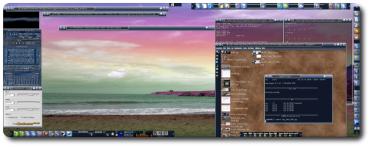
Maui Beach under KDE (click to enlarge)
have recently come to grips with my slight wallpapers obsession. I currently have 370 megabytes of wallpapers that suit dual-head (two-monitor) displays. I get most of them using keyword-based searches in Webshots and PBase. Older sources which I made good use of are mentioned in my Utilities Section.
KDE has many powerful features built-in and they are relatively well-integrated. Among these many features, it allows users to specify a random cycle of wallpapers and applies colour blending on-the-fly. Maui is shown above with a hue shift applied (the colours are not manipulated off-line, only when loaded). Background pictures get shuffled every 2 minutes and similar third-party applications offer these features to Windows users.
Even on a rainy day you can get absorbed in this illusion that your surroundings are as peaceful as you choose for them to be. The variety and choice of wallpapers is endless. Moreover, the frequent change of wallpapers requires no user intervention. I use KDE under SuSE (one of the best Linux distributions). Unfortunately, Gnome which is yet another desktop environment that I happen to use at work, does not provide me with similar, much-needed options (under Ubuntu Warty Warthog).
Related item: comparison between KDE and Gnome.
Monday, July 18th, 2005, 2:24 am
 LinuxDevices.com have put together a detailed review of the Aeronix Zipit instant messenger appliance which runs atop Linux and in many senses is a fully-functional PDA with WiFi built-in. The extremely low cost of $99 proves how advantageous free operating systems can be in terms of affordability. Hackers are already in the process of manipulting this device for other, more general purposes.
…priced at $99, in colors that include white, silver, blue, red, and pink. It includes an 802.11b WiFi radio, 16-color greyscale LCD with QVGA (320×240) resolution, and a thumb keyboard with rubber buttons. Also included is a stereo DAC (digital audio converter) connected to a speaker and headphone jack.
There is a growing trend which involves installing Linux on mobile devices, Palm handhelds included. It has already been determined that Palm O/S will migrate to sit in tandem with Linux if not be replaced by Linux.
Cited by: PalmAddict
Sunday, July 17th, 2005, 3:05 pm
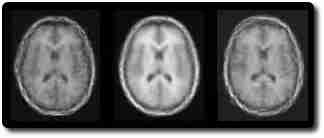
An example of a poor appearance model of the brain
IPMI, an international conference on medical imaging, has come to its end. Worth pointing out is the fact that our presentation was delivered first among hundreds in this conference, which began last Monday. I am not the first author; Carole Twining is.
If you take interest in my research, have a look at project MARS, AART or the comprehensive research index. I also maintain the Computer Vision Digest, which is much broader in terms of scope.


 Filed under:

