Introduction About Site Map

XML
RSS 2 Feed RSS 2 Feed
Navigation

Main Page | Blog Index

Sunday, February 12th, 2006, 8:52 am

Spam Appendage

Separate boxes
Separating ham and spam

ARE you familiar with the misfortunate ordeals where you must cope with uninvited mail from a solicited source? What happens when this recurs, as in the case of getting mail that is directly or indirectly bound to a ‘newsletter’? Such newsletters are often hard to unsubscribe from.

I typically just bin such messages automatically rather than bothering to unsubscribe. Why? Experience suggests that it is the easier solution. Some companies voluntarily ‘decide’ to subscribe you and make unsubscription paths difficult and/or poorly tested. Call that “aggressive” if you will. Such messages ought to go to spam@your_domain, which can be emptied every day/week/month after a quick eye glance. Filtering based on headers is a true friend in such circumstances and, if done properly, no false positives (improper spam detection applied to real messages) should follow.

I do not like the idea the idea of re-directing mail to dev/null (i.e. deleting it immediately). Some people whom I know actually do that without hesitation; they particularly enjoy saving files under /dev/null as there is infinite free space there! The thought of something going amiss without the recipient’s awareness (perhaps a false positive) is worrisome. I tend to worry too much. I even check at queue of my BoxTrapper (Challenge/Response filter) at the end of each month, only to find merely nothing which is of use, among heaps of junk. That said, Challenge/Response filters have a few problems. On my domains, there are 5 accounts that which are protected by Apache’s BoxTrapper and merely all messages that get trapped are spam that refuses to verify its genuineness. So why should one bother? I still bother; I just punish no-one but myself.

Related item: Genuine Uninvited Mail

Saturday, February 11th, 2006, 5:41 pm

The ‘Common Text’ Technique

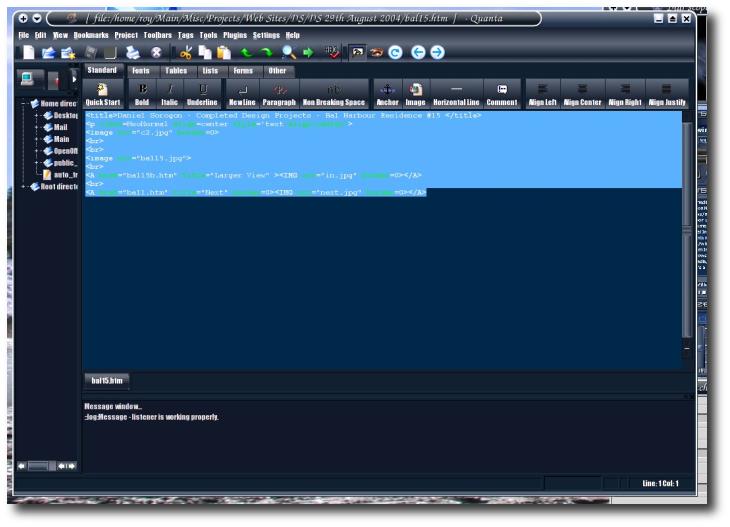
Quanta Plus

OVER the years I found myself inputting similar commands and/or text time after time, only with slight variations. This yelled out for re-use of some kind. In due time, tt seemed natural for me to keep these quickly-accessible for copying and pasting whenever required.

As of last year, the problem was nearing its end. I began to retain 3 separate text files: one for complex Linux commands (including various Internet address and scripts); one for commands in academia (usually experiments); last and by no means least, I kept together general-purposed text and the like. I refer to the last bit as “common text”, which can be valuable at times. It definitely saves time and prevents typos.

As an example that is based on practice, let us consider one’s personal details. In case a browser’s auto-complete functionality does not work, I open a text file, which resides on my domain. It contains the following arbitrary bits, which fit in commonly-served boxes in most Web forms:

Roy
Samuel
Schestowitz
roy@schestowitz.com
+44 870 xxx xxxx
Manchester University
Imaging Science and Biomedical Engineering
F5-17 Sir Charles Groves Hall, 4 Booth Str. West
Manchester
Lancashire
M15 6PY

How does one use this efficiently? Quick double-click and grafting of the text onto forms is the intuitive approach. It is often a matter of highlighting and mouse-clicking the center button in Linux.

That said, auto-completion sometimes (rather often) works in Mozilla Firefox. It is based on field labels (or captions), but on occasions no suggestions are made. So, working with the template and the form in tandem (e.g. browser tabs or separate monitors) is a method which works admirably well.

Common texts reside on a Webspace to serve my particular needs and there are accompanying keybindings in a personal links portal (example only), which makes access to text even more immediate.

I also store particular signatures for E-mail. These are usually triggered by an event which needs a suitable yet repeatable reply such as:

Please avoid sending me Word or PowerPoint attachments. Word, Excel, and PowerPoint are unreliable, unmaintainable, and unsafe. Send plain text, rtf, pdf, or W3C html instead. See http://www.gnu.org/philosophy/no-word-attachments.html

I grabbed this statement from somebody else whom I spotted in a mailing list. This signature can rapidly be used for unwanted E-mail attachments. Fortunately I only felt compelled enough to use it once in the past. Drawbacks that are associated with proprietary formats are finally beginning to be widely understood here in the United Kingdom. This saves some trouble to all and unburden non-Windows users.

As a side note, I learned this technique from a lecturer whose habit was to keep his frequently-used commands in text files. More complex, multi-line commands are stored locally as scripts, to avoid clutter and to keep everything organised.

Saturday, February 11th, 2006, 5:26 am

Code that Supports Itself

Telephone

ONE of the deterrents to a publishing developer are support queries, which follow a premature or ‘half-baked’ releases. Maintenance of code and replies to support queries become a necessary evil. Then come the bug reports, the question, the requests and the complaints, which can truly be a handful.

Here is my humble perspective on ways to prevent a chaotic support-bound life:

  • The amount of queries depends on the extent to which you encourage or enable people to contact you
  • If everything is properly documented and explained, expect a quieter time
  • Programmers are notorious for writing code quickly, but neglecting to do the rest, which is ‘housekeeping’. Document your code properly as if you address support queries before they have been summoned by angry users.

Many of us vehemently loathe support-related E-mails. My public E-mail address was excruciating yet self-maintaining feedback system. That is also where bugs get reported and projected back to the public.

Saturday, February 11th, 2006, 3:58 am

Firefox: the Secure Choice

Firefox in the dock

A recent study suggests that Mozilla Firefox is tremendously safer to use than the more prevalent Internet Explorer.

Internet Explorer users can be as much as 21 times more likely to end up with a spyware-infected PC than people who go online with Mozilla’s Firefox browser, academic researchers from Microsoft’s backyard said in a recently published paper.

In other news, the number of spyware per PC in Europe exceeds a dozen!!

Computer users whose machines have been hijacked by potentially dangerous software are being asked to add their tales of woe to an online campaign.

In Poland, 867 of every 1,000 domestic PCs have been infected by trojans, unsolicited programs that can allow remote users to control the machine.

Friday, February 10th, 2006, 5:08 pm

Google and the Sponsored Links Controversy

Skype and eBay
Trademarks bastardised

THERE is something about wealthy companies that simply begs for lawsuits. This story, which involves a complaint against Google, is nothing out of the ordinary. Dissatisfaction with the search engine giant has now emerged due to inclusion of competitive ads, which are said to violate trademarks.

The company behind US cash-advance firm Check ‘n Go has sued Google for selling its trademarks as keywords in search advertising, according to the Cincinnati Enquirer. Such sales do not breach Google’s own policy for the US and Canada.

Ad BlockingPut in simple terms, when you search for a particular company or product name, you might have its competition among the sponsored links, which can be rather obtrusive. Some months ago, sponsored links started to appear ‘in-line’, i.e. enclosed in dividers among the search results. This serves the interest of the rivals that can simply pay to appear in page 1 of the results.

One wonders if a need for ad relevance is at all required. Trademark protection is a whole new matter. If there are no stern rules and policies, one could search for ‘linux’ and get Windows links in return; or search for ‘democrat party’ and get links to the Republican party, I suppose.

I used to have Microsoft’s anti-Linux propaganda show up in my Linux pages. It was courtesy of Google AdSense, to whom I rent some space. It was then that I blocked all advertisements that came from or pointed at msn.com or microsoft.com, so the trademark factor ought to come into play.

Friday, February 10th, 2006, 2:55 pm

Google Desktop Gets Dangerous

Google Desktop

GOOGLE have introduced and released cross-desktop search, which is an extension of their popular Google Desktop. That piece of software was recently embraced by IBM and it was included in a Windows ‘distribution’ from Google. It already raises many questions and privacy concerns. Not only your trusted colleagues will be able to gain access to your data.
Google Copies Your Hard Drive – Government Smiles in Anticipation

Consumers Should Not Use New Google Desktop

Related items:

Friday, February 10th, 2006, 7:02 am

Desktop, Panels and Themes

Tiger in KDE
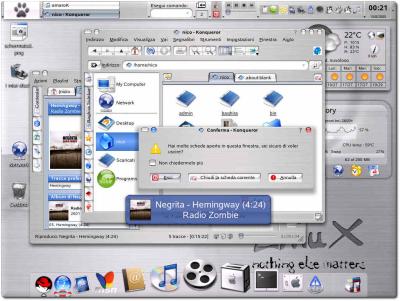
Spicing up a Linux desktop

THIS short essay describes a variety of ways which I have found to increase ‘desktop productivity’. It identifies and covers 3 aspects of customisation, albeit without much obvious connection. Think of them as streams of consciousness.

  • Workspace: first and foremost, use virtual desktops. The site introduced and described them before and also outlined a way of taking full advantage of them.
  • Panels and screen edges: another significant step, which I took over a year ago in all computers, is automatic hiding of all panels as to avoid distraction and visual clutter (many panels over here, 7 of them on one screen). The exceptions to automatic hidding: new mail notification widgets and a system monitor (minimalist display of processor usage, memory and swap, refreshed several times per second), among your other must-have widgets. Even a clock should only be made available on demand (e.g. when touching screen edges) as it otherwise becomes an unnecessary eye-catcher. Screen corners have no special significance, but in newer versions of KDE, movement between virtual desktop can be controlled by ‘pushing through’ the sides of the screens, which proves somewhat useful, yet can conflict with auto-hiding of panels. Be warned.
  • Theming: lastly, choose colour schemes and background pictures that suit you best. An appealing environment encourages work. I personally prefer the nocturnal, dark-coloured themes (including widgets and window decorations). Also confer: old Windows 98 example; Linux example.

Is your operating system cannot attain some of the above behaviours (or does not permit it), you may wish to consider more flexible platforms and desktop environments. My favourite is KDE on Linux. It continues to evolve very rapidly.

Real-time Posts

Posts by @schestowitz

Retrieval statistics: 23 queries taking a total of 0.089 seconds • Please report low bandwidth using the feedback form
Original styles created by Ian Main (all acknowledgements) • PHP scripts and styles later modified by Roy Schestowitz • Help yourself to a GPL'd copy
|— Proudly powered by W o r d P r e s s — based on a heavily-hacked version 1.2.1 (Mingus) installation —|