Wednesday, March 2nd, 2005, 5:31 am
 here are two Web-based HTML editors which I am aware of. I happen to use neither, but they are worth a mention. One such editor is WysiwygPro and it is provided by my Linux-based Web host. See the example screen-shot below.
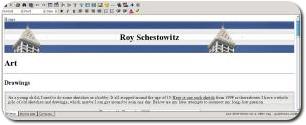 WysiwygPro in action (click to enlarge)
There is another powerful editor called htmlArea. It can be installed on your site without a cost and it is based on JavaScript and CGI. I installed it yesterday afternoon although I do not intend to use it. In my humble opinion, code that is automatically-produced by GUI tools is still far from being well-understood and well-behaved.
 htmlArea example (click to enlarge)
Tuesday, March 1st, 2005, 12:16 am
 or software vendors, support is a key problem and a significant source of expense. For this very reason, only few high-end products are made avaliable to Mac and Linux users. Quite simply, too many Linux distributions require different support and too many unexpected errors can crop up. It turns out that revenue comes before religion (relating to open standards and inter-operability) in today’s industry.
Monday, February 28th, 2005, 4:01 am
 Encryption has little practical use outside, for example, the government and defence domains, but signing of E-mail messages is essential as it is the only means of verifying identities. Unlike telephone or face-to-face interaction, there is no vocal identity and people in the past have been susceptible to frauds. To find out on ways of signing your E-mail, consider for example, GnuPG.
Phil Zimmermann explains why PGP (or encryption in general) is necessary:
…
What if everyone believed that law-abiding citizens should use postcards for their mail? If some brave soul tried to assert his privacy by using an envelope for his mail, it would draw suspicion. Perhaps the authorities would open his mail to see what he’s hiding. Fortunately, we don’t live in that kind of world, because everyone protects most of their mail with envelopes. So no one draws suspicion by asserting their privacy with an envelope. There’s safety in numbers. Analogously, it would be nice if everyone routinely used encryption for all their E-mail, innocent or not, so that no one drew suspicion by asserting their E-mail privacy with encryption. Think of it as a form of solidarity.
…
Sunday, February 27th, 2005, 6:21 am
According to Slashdot, advertisers have devised ways to overcome ad blocking.
 Pop-ups can always be blocked if the browser aims to do so — that is if your browser is your friend and does not have its conflicting interests a la Microsoft. This is a race between advertisers and angel Web browser developers. As long as you patch up your browser, you should be on safe grounds. Allow me to explain why.
An advertiser can force download of a pop-up window content. It can also force display. It cannot, however, know if the operating system puts the window in focus, hides it, or sends it a ‘kill’ signal. A smart advertiser will request that you press an object in the pop-up, but again, the operating system or browser can fake it. The spammer-versus-filter analogy might help here.
Related link: Pure-CSS ad blocking for Mozilla Firefox
Saturday, February 26th, 2005, 9:43 am
 How would you download an entire gallery like the one above?
There should no longer be need for repeated downloads.
Have you ever found yourself downloading images from a gallery? A mechanic series of clicks to get images one by one? There is a better way.
The simple method: If you are using Firefox as your Web browser, use the FlashGot extension.
The better method: If you are working under Linux or Mac OS X you can become even more efficient. Use wget as in the example below and replace http://SITE with the Web address to be downloaded from recursively.
wget -r -l2 -t1 -N -np -erobots=off http://SITE
Keep the volume of downloads low or else this will be considered an abuse and frowned upon.
Friday, February 25th, 2005, 10:35 am
 From a nostalgic item in Mobile PC, among the top gadgets of all times:
- Wireless heart monitor from 1977
- Pez dispenser from 1927
- Schick electric razor from 1931
Brought to my attention by Scott Tobkes.
Friday, February 25th, 2005, 4:43 am
Moderate use of computer resources and good net citizenship both are issues which are close to my heart. I recently started to worry that, quite inevitably, I have become one among the culprits. At the time of writing, I use about 30 Pentium 4′s, some of which will run computer vision experiments for 24 hours. This is done due to urgency (a near deadline), but my general advice is to always set the priority of your tasks as low as possible so that the scheduler prioritises other users.
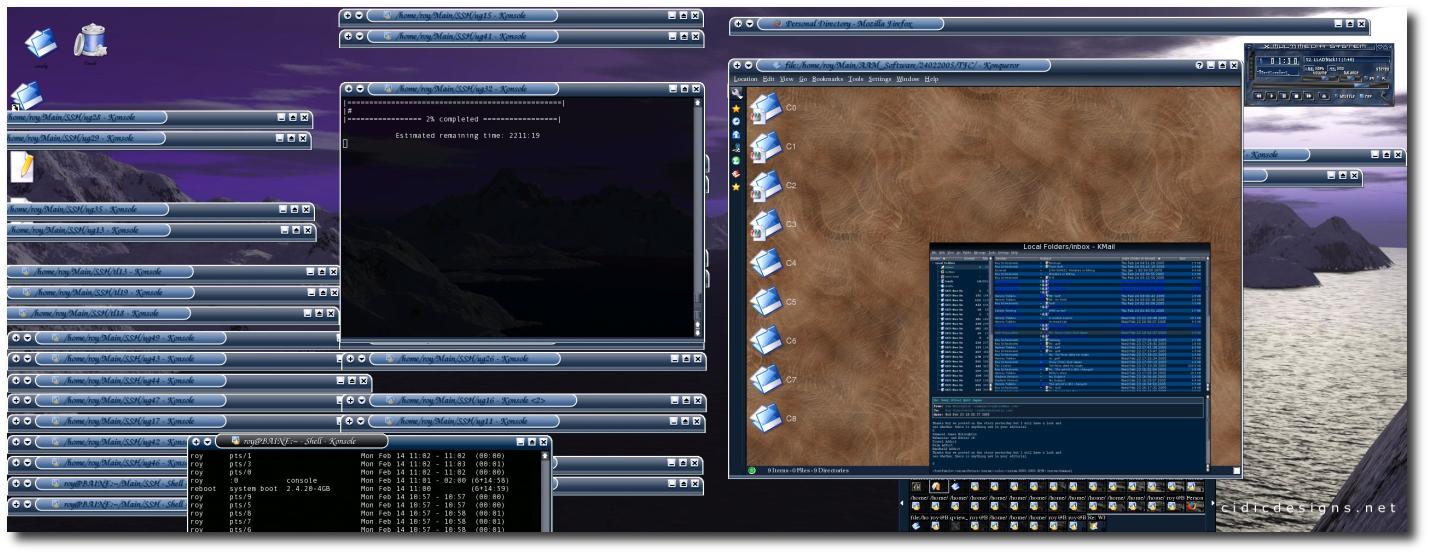
I typically connect to remote computers via SSH. I have made my ‘hogging’ scripts public in case somebody is interested in modifying them for personal purposes.
 Remote sessions, shaded on the left monitor (click to enlarge)


 Filed under: