Friday, April 8th, 2005, 3:26 am
Palm OS is a wonderful platform, but like all others, it exhibits some irrational behaviour.
- #1: Clipboard too small
Example: have you ever tried to copy a portion of one memo onto another?
- #2: No undo stack
Example: erase an entire paragraph, then type in a single letter. Can the paragraph return back to life?
- #3: Limit on memo size
Description: a user runs out of memo space and needs to fragment the text.
- #4: Low-resolution applications
Description: even with high-resolution screens, scrolling is much needed, for example in Date Book.
- #5: No key locking
Example: Palm that powers up in the pocket.
- #6: Unquoted limit on number of categories
Example: hard-core Palm users that accumulate too many items under the restrictive number of categories.
- #7: Error log dismissed automatically
Description: on the PC-side, error logs disappear after 60 seconds; no option to change that exists.
- #8: Repeating events archived just once
Description: those who are fond of archiving will notice that repeating events get archived only once — at the end.
- #9: Searching twice within the same item
Example: ever tried finding all occurrences of a term in one single item? Searching is poor in scope. Only a global search is available and it highlights the first occurrence.
- #10: No alarm priorities/types
Example: loud alarm in the middle of a meeting or quiet alarm when a crucial event comes up.
Cited by: PalmAddict
Thursday, April 7th, 2005, 2:28 pm
 he OS X Finder overwrites directories without aggregating files in both source and the destination. For example, when a directory called
 /Photos is copied to /Directory/Photos, it will delete its the contents of /Directory/Photos rather than merging. That serves as a case study where the user is not sufficiently involved and, consequently, data can be lost. This behaviour must have been inherited from Mac OS 9 as Linux does not have this problem and neither does Windows.
Yesterday I spent hours driving myself mad as I realised I had lost data 4 months ago. No back-ups could resurrect that data. File dialogues must always be verbose as data loss is the most frustrating experience of all.
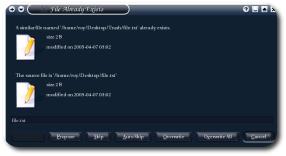 A KDE “overwrite file” dialogue; click image for full-sized view
Developers must begin to involve users in choices that are made, as the example above suggests. “Easier-to-implement” or “automatic” are usually a bad idea. For the very same reasons, for example, image2.jpg appears after image10.jpg in file managers. That is simply a common ‘bug’ that mushroomed into a norm.
Wednesday, April 6th, 2005, 1:16 am
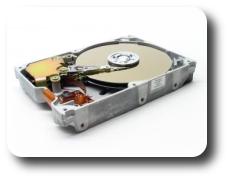
 ith larger hard-drives hitting the market every year and growth that obeys Moore’s Law, people begin to collect rich media on their workstation. Sooner or later, since greed for storage ups, space will run out.
Hitachi are presenting new technology that relates to storage in volume. This can break Moore’s Law in (potentially) the same way as optical and quantum computing. Terabyte hard-drives are near.
Wednesday, April 6th, 2005, 1:14 am
 I took a glance at a desk this morning when I saw this Orbit Professional pack of gum. It is shocking that Orbit have gone as far as wrapping gum as if it was some powerful prescription drug. Is that what they mean by “Professional”?
 [sarcasm] Gum can apparently have an effect enormous enough to justify a dosage. [/sarcasm]
While on this issue, it is worth noting that two-thirds of an Easter egg pack comprises packaging material.
Tuesday, April 5th, 2005, 4:54 am
he Google Blog has just announced inclusion of satellite images in Google Maps (see “satellite” at the top-right corner). Americans can now identify their house and scroll around their neighbourhood to view everything from high above. The tool has an amazingly responsive interface.
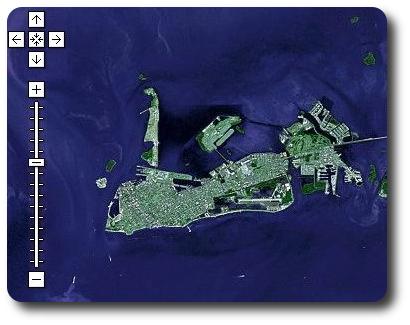 I decided to look at Key West; I could zoom in much further
Tuesday, April 5th, 2005, 1:55 am
 The Firefox community has become aware of ‘new-style’ pop-ups that manage to fool various built-in blockers. Here is a tweak that can make your life pop-up-free once again:
- In the address field, type in
about:config and press ENTER
- Open a context menu (mouse secondary button) and hit New -> Integer
- Type in
privacy.popups.disable_from_plugins at the first prompt
- Type in 2 at the next prompt (value)
- Also find
privacy.popups.firstTime in the list and change its value to false
 You can now enjoy the Internet without seeing its ugly sides. Also make sure that advertisements are blocked.
Monday, April 4th, 2005, 12:46 am
The more technologically-inclined keep old computers somewhere around the house. They are emotionally attached to them, most probably. But why not have a little bit of fun?


 Filed under: