Tuesday, December 27th, 2005, 8:18 am

 NN runs an article on that well-understood impact of excessive information digestion. This often leads to addiction, which can be treated by clinics these days.
Will all this instantly accessible information make us much smarter, or simply more stressed? When can we break to think, absorb and ponder all this data?
“People are already struggling and feeling like they need to keep up with the variety of information sources they already have,” said David Greenfield, a psychologist who wrote “Virtual Addiction.” “There are upper limits to how much we can manage.”
Related items:
Tuesday, December 27th, 2005, 6:18 am
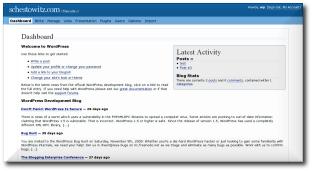
WordPress 2.0: the new dashboard
 ORDPRESS is a free PHP/MySQL blogging software, which has changed people’s perspective on self-hosted sites. With nearly a million downloads of its previous version, it accommodates a large number of sites where it is also used as a professional CMS. The alMatty (sic) WordPress 2.0 was out yesterday (that’s right! Boxing Day) and it offers many enhancements over its predecessor. In particular, it incorporates a WYSIWYG editor and makes state-of-the-art use of Javascript and CSS. You can finally get it while it’s hot. 5,000 downloads so far, in a matter of just hours.
Monday, December 26th, 2005, 1:23 pm

Songbird teasers: pre-release screenshots

ONGBIRD is a new media-type Open Source project. It is intended to clone, at least in some sense, the popular iTunes from Apple. Songbird will offer users the ability to buy music from a variety of sources on-line. To me, this seems like amaroK with an option to spend money.
I already have amaroK (see image at the bottom) and rarely do I feel tempted to switch. I get music by running wget recursively, so I needn’t purchase anything, no matter the cost. amaroK does everything I could possibly wish for. It even comes pre-installed with KDE-oriented distributions like SuSE. GNOME users can use Rhythmbox instead, but it is poorer in terms of looks and functionality.
I have recently been told that amaroK 2.0 will be based on QT4, so with the arrival of KDE 4 (around the third quarter of 2005) expect a Windows version too. Open Source music managers could truly take off in a broad market, rather than just a niche. In fact, both amaroK and Songbird have the potential to have impact that is on par with that of Mozilla Firefox.
Related item: amaroK’s recent open review in the KDE News site

amaroK in action
Monday, December 26th, 2005, 7:14 am

KDE and its future “Plasma” for user interaction (source)
 T is no secret that I am an avid KDE fan. I would definitely choose it over GNOME for most purposes. I use GNOME as a desktop environment almost every day, but only while at work.
KDE is simply more powerful and appears to have a brighter future ahead.
There recently emerged a commotion due to a message from Linus Torvalds (‘father’ of Linux), wherein he expressed dissatisfaction with GNOME. It seemed as though his outspoken involvement in desktop ‘camps’ stirred a storm in a teacup. Typically, Torvalds not only avoids talking about competing operating systems, but also avoids criticising non-profit initiative such as GNOME, which support his kernel and make it more popular across the globe.
During the holiday I came across an insightful blog post from QDevBlog. It encapsulates many the thoughts among KDE users and the KDEdevelopers. It also includes many valuable facts that I was never aware of.
The recent discussions on KDE versus other Linux desktops – accidentally started by KDE-user Linus Torvalds – showed an interesting new development in the eternal debate. First of all it didn’t come as a surprise that Linus uses KDE, after all Fritz Elfert made it very clear back in 1996 that KDE stands for “Kernel-Hackers’ Desktop Environmentâ€, when Kalle and the German IT press still pushed “Kalle Dalheimer Experienceâ€.
[...]
To be even more explicit: It’s a fairy tale that end users will decide against KDE when given the choice, and it’s a fairy tale that KDE is more difficult to use than any of the alternatives.
[...]
KDE is all about ease of use, contemporary functionality, and outstanding graphical design, and we make it better and better with every release, in all three aspects.
Sunday, December 25th, 2005, 4:25 pm

I tried not to offend anyone by choosing banners that make no direct mentioning of Christmas, only implicit (see below). Today, however, is the day for those of us who celebrate Christmas. Some will be enjoying the sweetest day of all, yet often it is also among the most boring days. Different stokes for different folks.
More holiday greetings:
Saturday, December 24th, 2005, 4:47 pm

A 3-D visualisation of virtual desktops
switching under 3-D Desktop (click image above for homepage)
 IRTUAL desktops are means of extending one’s workspace. Given the finite size of a monitor, one wonders if that size also imposes strict limits on the (in)visible window environment. Well, it does not. It is possible to treat the monitor as just a rectagular box or a a ‘sliding window’, which metaphrically glances at something much larger. It enables the user to view smaller segments of the whole at any one time. Most commonly, the user would watch only a quarter of the workspace at any one time.
Virtual desktop environments have been available for a long time to Linux user. They will also be officially introduced in Windows Vista, having encountered third-party software that achieved this in the past. Apple Macs have commercial add-ons that achieve the same thing — presenting the users with a pager to control multiple virtual desktops.
The Pager is a small widget which enables the user to select which segment of the screen should be viewed. More specifically, it enables switching from one virtual desktop to another. It often reflects on the content in all virtual desktops. In KDE, for example, the pager contains a schematic of active windows and their positions. In GNOME, it appears to even embed application icons. I used the Pager with virtual desktops about 4 years ago, but not excessively. I needed them when doing some programming jobs, but wasn’t competent with the corresponding CTRL+[1-4] shortcuts, which make the transition between one desktop to another very smooth and rapid.
On to page 2
Friday, December 23rd, 2005, 3:17 pm
 HIS not truly a bug, but rather an interesting occurrence, which has come up purely by coincidence. KasBar (part of KDE) gets snapshots of applications every 30 seconds by default. By doing so, it can display previews in a pseudo-taskbar that is visually rich. It gives a rough sketch of applications instead of text.
Earlier on today, I happened to hover over KasBar; subsequently I went away for a few minutes to prepare lunch. Here is what I saw when I came back. The preview had that ‘infinite mirror’ or picture-within-picture effect. Amusing or interesting at the least, no?

A screenshot was automatically grabbed in
my absence to produce some arbitrary ‘art’


 Filed under:

