


Monday, August 1st, 2005, 4:03 am
Firefox & FTP
 Filed under:
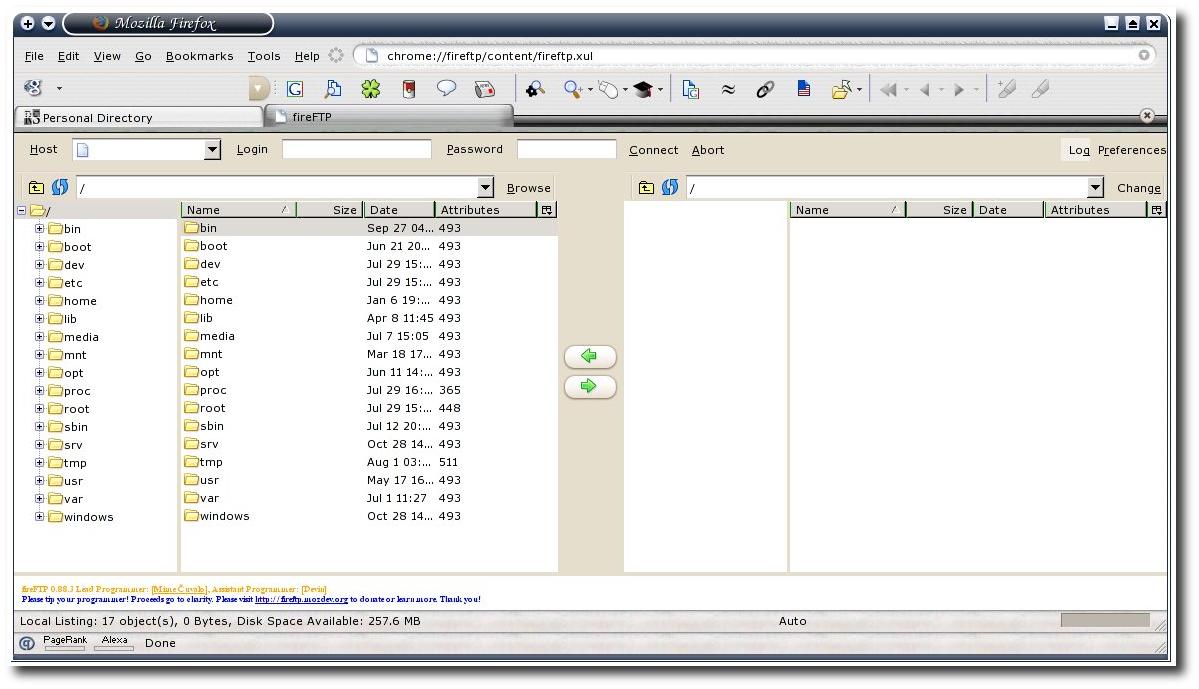
FireFTP – Click image for the full-sized version
Firefox is Mac OSX-themed (Download/install)
 ver a thousand people have reached this site when looking for an FTP client for Firefox. As my previous post on the topic was succinct and vague, I decided to elaborate, capture some screenshots, report on my experiences, conduct some comparisons and make recommendations.
I have run FireFTP beta (version 0.88) on two separate computers with different operating systems since late April/early May when it was released to the public. The time and content of my previous post indicates that I got notified via RSS feeds so FireFTP must still be very new and ‘fresh’. Bugs are rare, but they appear recurrent for instance, when recursive, deep downloads/uploads are pushed to the extreme. Nonetheless, in this particular problem domain which is file transfer, nothing is mission-critical by nature. The data never gets corrupted, only the flow of control in the application lacks reliability. Overall, I would happily assign a rating of 7/10 to FireFTP.
As my essays tend to (knowingly) drift away to separate, yet related topics, I shall survey a few alternatives which also make good FTP clients. My experience with FTP clients goes back to age of 15 or 16. Among the applications I have continuously used for the task are:
- CuteFTP
- SmartFTP
- WSFTP
- CrystalFTP
- Hummingbird
- IE
- …and surely a few more Windows applications, which go back too far for me to recall
I ordered the list above by frequency or duration of use; it is not chronological. Although most of the above were shareware (especially the former), there were many UI ‘nags’ involved. Around the year 2000 I began to drift to Linux, which by nature, offered nag-free applications that were solid workhorses. My favourite FTP client, which is most valuable for the majority of tasks, is GFTP. I run it remotely from RedHat Fedora Code II clusters. GFTP achieves extremely high transfer rates, perhaps by pipelining (the site corrected me by saying that GFTP is multi-threaded. I believe that in the Windows-oriented list above, only IE supports multi-threading). That powerful feature allows me to download and upload 1,000 files in a matter of seconds. This is useful, for example, whenever I want to apply a massive search-and-replace to a comprehensive site section.
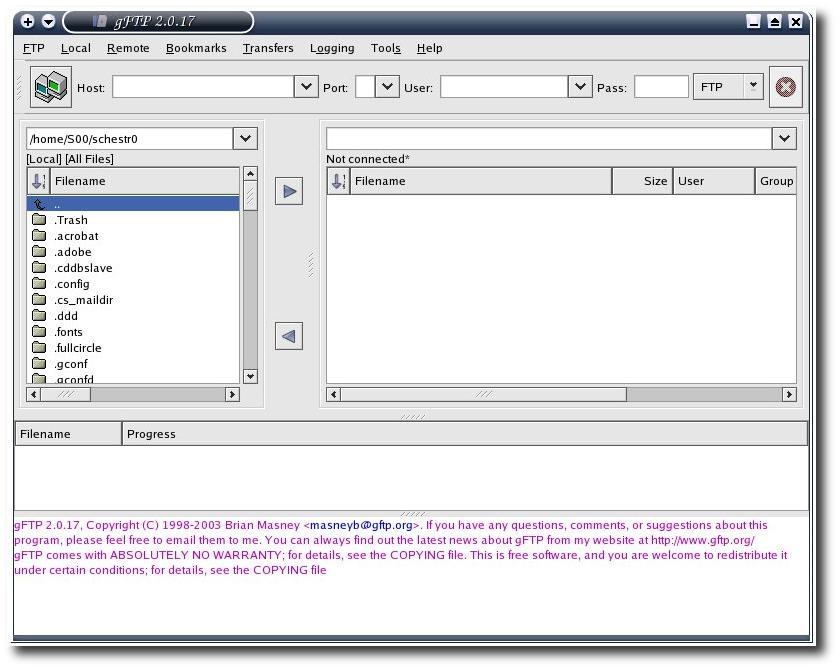
GFTP screenshot – Click image to see it full-sized
Linux users are encouraged to use GFTP for any traffic where latency becomes a hindering factor, in particular where a large number of files is involved. Unfortunately, one lost advantage is that GFTP cannot be integrated with the browser. FireFTP gets close to it (it gets embedded in a tab), but KDE‘s Konqueror (father of Safari) is another alternative, which is an HTTP, HTTPS, FTP and file management ‘platform’. It competes in terms of speed with GFTP. It is much superior in terms of usability too. Finally, worth adding is the observation that aforementioned applications are separate from the browser at one level or another. That is something that Microsoft have addressed, may it be good or bad. When the filesystem tool (explorer.exe) is hard-coded into the browser (or vice versa), there is not much room to ‘dance’ from one browser to another (and retain good use of resources).

Screenshot of Konqueror as an FTP client
click image to see it full-sized


 itemaps are probably the most crucial pages in all Web sites. They might not be most helpful to human visitors, but they greatly assist crawlers, thereby attracting, promoting and inviting more traffic from search engines. Site maps can be perceived as ‘crawling maps’, regardless of how shallow or deep they are. These maps not just the spine, but possibly the entire skeleton of complex Web sites where crawling will take a huge number of distinct routes through pages.
 Google have recently introduced RSS sitemaps. This means that new site content will be appended to the map whose form is a long aggregated feed, i.e. links with minimal content and without unimportant media and layout detail. This move by Google encouraged many Webmasters to go on the RSS wagon and XML their Web sites. This benefits Google in a variety of ways. First of all, there is a clear pairing between content and dates. If the site delivers timely news, this will become a significant factor. Secondly, as any site is described fully by its map, there is no need for repeated crawling. There are significant savings in terms of bandwidth, which appear to allow search engines to crawl a sparser portion of the Web, as well as reduce the burden on Web servers, whose load involves a great deal of pages being served to crawlers or robots.

 he media has become fascinated with the
 Let us think of nature for a moment. Think of rabbits whose reproduction rate is potentially very high. Once you have too many rabbits in the wild, not enough resources exist in nature in order to feeds them all. What’s more, predators that feed on rabbit will prosper and rapidly bring the number of rabbit down, thereby quickly reproducing themselves — the predators. It is a cycle in nature that has been explained by biologists many times in the past.

 intendo’s

 live a regular life, but not a normal life. In other words, my schedule is regular, repeatable, yet it varies significantly from the norm. This has come to the point where eating involves using the computer simultaneously. I rarely ever concentrate my mind on eating or cooking, I just do it motorically, much like the process of brushing one’s own teeth. I have recently come to realise that when I work out, my head easily wanders elsewhere. My body carries on with the exercise so some routines appear to have become instinctive. By the end of the day, I will not have grasped the fact that I worked out at all. Why? Because my mind is pre-occupied with computers and science.