Wednesday, January 4th, 2006, 5:12 pm
 The pact which involves Google and Sun Microsystems arouses my curiosity, particularly due to recent speculation about the Google PC and its vocation. It is no secret that Java is having tremendous impact. Nowadays, Firefox incorporates almost everything one needs, either as a joint plug-in that resides next to core, or as Web-based software, which is accessible via Web sites. Such sites are interpretable using Gecko (the rendered) or various other plus-ins for Flash, videos and the likes of them.
It is all about extensions, it seems — merely JRE applications embedded as panes in Firefox, which makes them well-integrated like the centre of all. Thunderbird does likewise and so can OpenOffice. The main implication is gaps being bridges. No more platform dependencies and filesharing protocols. Firefox makes everything transparent, or so one might assume (albeit you never know for sure with today’s Windows-only Firefox/Thunderbird themes and plug-ins).
For those who haven not heard/read yet, Firefox will soon have P2P file sharing incorporated as a plug-in. Rumours about this add-on have been circulating around the Internet for several weeks, if not even longer. There is even a screenshot. All of this commotion could attract a huge number of users from an already troubled Internet Explorer and, as browsers are used by all, this would push copyrights infringement to very worrisome levels.
Update (05/01/2006): Google renounce low-margin PC speculations
Wednesday, January 4th, 2006, 4:18 pm
 AST night, Brad Templeton pointed out that mail servers which run autoresponders or challenge/response filters could get blacklisted by
 spamcop.net. This is a database-driven Web site, which various spam filters rely on as a knowledgebase-type service. It also banned our LUG‘s mailing list earlier today.
I have been aware of the problems with such anti-spam tactics for quite some time, but never thought it could lead to this. As some commenters pointed out, other services may indirectly abolish anti-spam practices such as challenge/response, as well lead to banishment from people’s inboxes. Put in Brad’s words:
I learned a couple of days ago my mail server got blacklisted by spamcop.net. They don’t reveal the reason for it, but it’s likely that I was blacklisted for running an autoresponder, in this case my own custom challenge/response spam filter which is the oldest operating one I know of.
My personal solution, as posted in reply to the article, is to use a spam filter ‘on top’ of the challenge/response component. The intent: lowering the amount of challenges. One can reduce the likelihood of banishment in this way, as well as become less of a nuisance to the Net. In other words, it is possible to rule out cases when messsages are rather obviously spam. It leads to lower volume of messages being dispatched, which in turn can avoid blacklisting.
I use SpamAssasin, which is active at a layer higher than challenge/response (in this case Apache with BoxTrapper). Whatever gets scored as spam will be put aside in a mail folder which is reserved for spam. Only messages not marked as spam (and not in the whitelist either) will have a challenge delivered. This cuts down the number challenges by about 70% in my case. It never entails any false positive because I set the thresholds rather high.
Wednesday, January 4th, 2006, 10:31 am
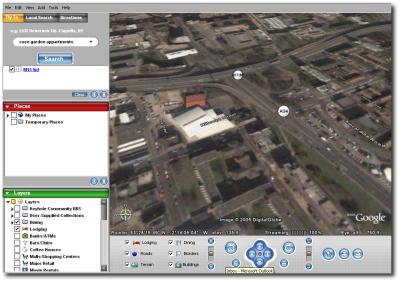
Entering the virtual world (screenshot of
Manchester snatched in June 2005, Google Earth, click to enlarge)
The Internet is bound to make most sectors of traditional industry obsolete. Below are several examples, which have begun to prove more realistic than ever before.
- Telephone companies- suffer from VoIP for local and international calls
- Internet Service Providers (ISP’s)- giants like Google can gnaw at their revenue by appealing to a large userbase
- Newspapers – readers opt for the Internet, get access to blogs of many ‘flavours’
- Television – user opts for interactive content, not one-way communication with a finite number of channels
- Reviews move on-line – similar impact to that of digital TV (on-demand menus) on the TV guide — a river that have dried up
- Book publishers – the impact of Wikipedia and free books in PDF format; easy printing and sharing
- Film industry – media ‘ripping’, DRM
- Music industry – same as before with but increased levels of piracy, also due to P2P networking
- Classified services, real-estate (among other middlemen-type services) – superseded by eBay, classifieds service from Google, Microsoft, Craigslist, etc.
- Banking – online banks with neither concrete branches nor assets
- Groceries – as previously predicted (along with other wild guesses), warehouses may replace supermarkets and be managed and accessible via the Internet
What will be the outcome of this revolution? Nothing far-fetched, but nonetheless a noticeable transition. More free content, low-cost services and fierce competition among service providers, primarily left in the hands of giants.
Wednesday, January 4th, 2006, 5:22 am

 HREE figures which I tend to quote quite often are John Dvorak, Joel Spolsky, and Jeffrey Veen. There is a lot of discussion these days about the impact of the Internet on mainstream media and all of them address the issue regularly. Veen’s latest item is certainly worthy of special attention.
What we couldn’t have seen back then, and what is so obvious today, is that you can very effectively cut out the middleman. What happens when the entire audience is on the network and has access to the databases? And what happens when they have the tools to publish what they uncover? Some call it chaos, others call it the blogosphere. But you can’t deny that it is transforming media faster than we ever thought it would.
Previous items on the same topic:
Tuesday, January 3rd, 2006, 12:42 pm
This article speaks for itself.
Google will unveil its own low-price personal computer or other device that connects to the Internet.
It was only a matter of time.
Related item:
Update (05/01/2006): Google renounce low-margin PC speculations
Tuesday, January 3rd, 2006, 4:34 am

A mixed message is delivered to site visitors
S time goes by, the needs of the disabled are better realised. The Web becomes not only a mainstream phenomenon, but it is also a necessity. To many, banking, shopping and even social aspects or life are dependent on the Internet. Currently, search engines tend to concentrates on content, not on style and graphics, let alone validity of code or issues pertaining to accessibility. Might this change?
It would not be surprising if a search engine emerge , which only bothered with pages that are pure text or are built to possess good accessibility traits. Blind and handicapped people, for example, could opt for this niche-serving search engine. Large players such as Google have already catered for specific types of searches such as localised search (Google Local) and blog-exclusive search. Accessibility-type search may soon become a reality.
Tools such as The SEO Analyzer would perhaps be valuable for ranking sites. Perhaps incorporating modules such as these into crawlers is a worthwhile move. Moreover, rather than separating the engine types altogether, the user could tick a box that says ‘display only lean, stripped-down pages’1 or ‘rank pages for accessibility and sort by quality’. This will encourage better Web standards and open ‘HTTP cyberspace’ to a larger audience.
1 This exists already, I suspect. Page size in the results page provides a clue as well.
Monday, January 2nd, 2006, 3:29 pm

Help the search engines clean up the Web.
Report duplicates.
 recently mentioned site scrapers in the context of Internet plagiarism. More often do I hear about blogs copied systematically nowadays.
Blog plagiarism is a growing phenomenon, or so it seems on the surface. This even happens to me sometimes, but I refuse to spend my time or lose sleep over it. The process needed to remove stolen content is unnecessarily cumbersome. As as example, Podz and Mike Little, who are both WordPress developers, had people copy their entire site merely post-by-post. This can ultimately lead to mirror/duplicate penalties, which deter search engines. As far as I know, they had to engage in a lengthy process of correspondence before action was taken. The best one can do is keep an eye on the dodgy sites and report abuse when all blows out of proportion. As long as a site is public, it is susceptible to copyright infringement and can, in due time, become a victim.
As one example of stolen content, RSS Site Map is one such item that was once copied verbatim and in full. If I recall correctly, a Blogger member was the culprit. A subtle link was at least there, but no real attribution was made.
Other content thieves scrape random bits and stick them together to form ‘doorway pages’. These pages serve as a mechanism which hogs search engine referrals. It is one among many popular aspects of black-hat SEO practices, which are a form of spam by any definition.
Frequently-Asked Questions (or Useful Facts)
- Q: How does one copy content systematically?
A: RSSBlog [rel="nofollow"] and the like. Magpie can do this vis RSS when misused.
- Q: How does one detect plagiarism?
A: Tools such as Copyscape appear to do that trick. I imagine that they run a series of Web searches with large sentences involved. They then attempt to identify excessive overlap across sites on the Internet. These Web-based tools simplify and automate, at an upper-level at least, an old-styled method for detection of duplicates. This type of technique I can still recall from my days as an undergraduate.
- Q: How does one report plagiarism?
A: Probably the most suitable response is contacting the host of the offending site. Examples are needed to support the complaint/s.


 Filed under:


